Keep your products and promotions fresh without the headache
Update what you sell, launch offers, and keep everything in one place, whether that's a shop shelf, a salon price list, or a restaurant menu.
Recognise any of these?
Your prices online are out of date and customers keep asking about things you stopped offering months ago
You run offers on scraps of paper and forget to take them down when they expire
Your product photos live in three different folders on your phone
Updating your website takes a call to your web designer and a two-week wait
Without Local Brand Hub
Prices scattered across PDFs, paper, and your head
"Sorry, we don't do that any more"
Offers scribbled on a whiteboard
Photos buried in your camera roll
With Local Brand Hub
One product list, always up to date
Changes go live instantly
Professional promos launched in minutes
Organised photo library by product
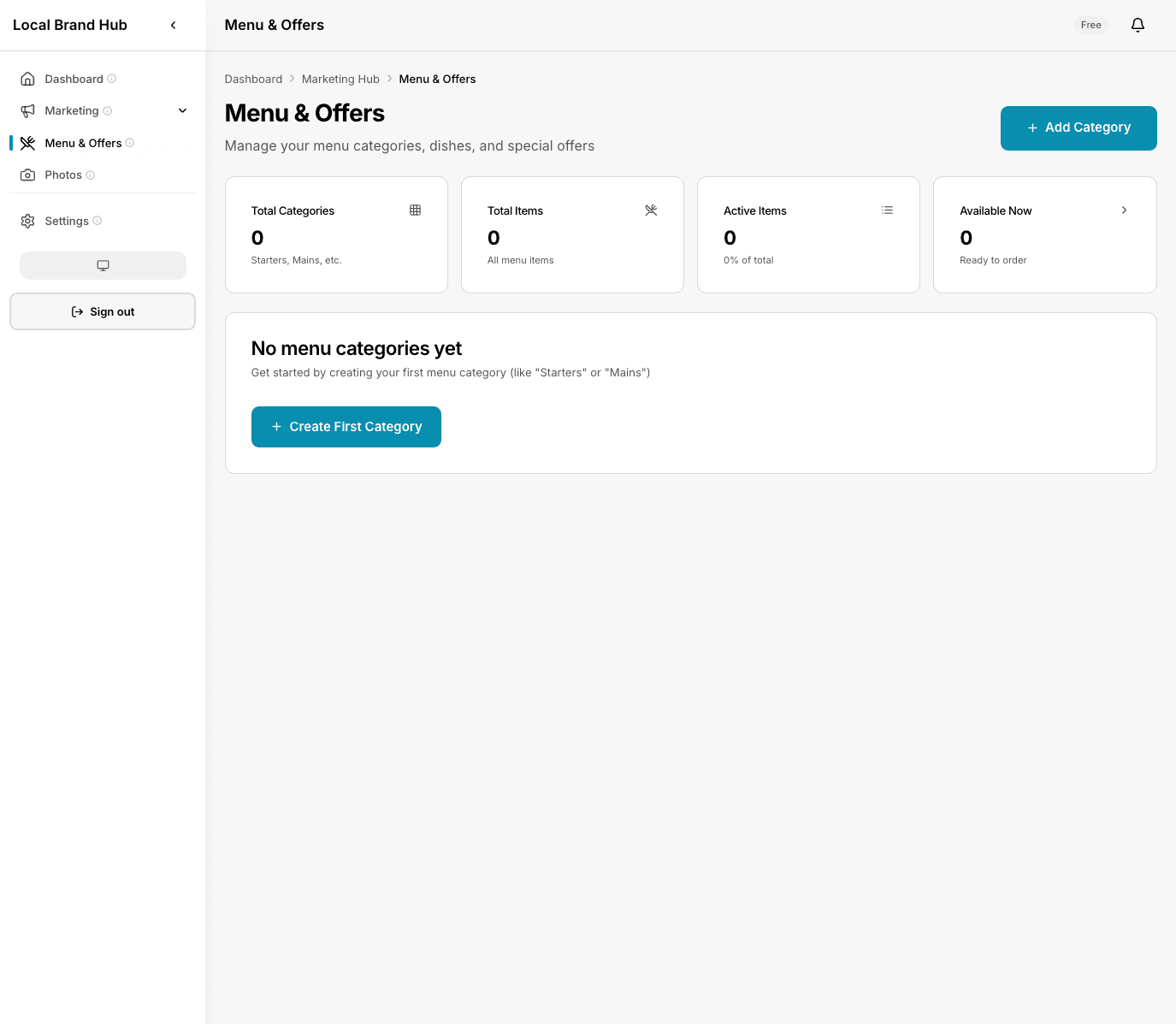
Everything you sell: organised, up to date, and ready to share
What changes for your business
One place for everything you sell
Every product, service, treatment or dish (descriptions, prices, and photos) in a single dashboard. Update once, done.
Launch promotions in minutes
Create time-limited offers, seasonal specials, or quiet-day deals. Set a start and end date and forget about it.
Keep photos organised
Upload photos and link them to the products they show. No more scrolling through your camera roll.
Stop juggling spreadsheets
What you sell isn't a spreadsheet problem. It's organised by category, searchable, and always current.
How it works
Add what you sell
Enter your products or services with descriptions, prices, and categories: shop stock, salon treatments, bouquets, or dishes. Upload photos if you have them.
Create promotions
Set up offers with start and end dates. Link them to specific products or create standalone deals.
Keep it current
Update prices, swap in seasonal lines, and archive old items. Everything stays fresh without the faff.
A closer look
Product management made simple
Organise everything you sell by category (a florist's bouquets and subscriptions, a salon's treatment list, a café's menu) and keep it all up to date from one screen.
- Categorise by type or collection
- Add the labels your customers care about
- Upload photos per product
- Archive seasonal items without deleting
Promotions that run themselves
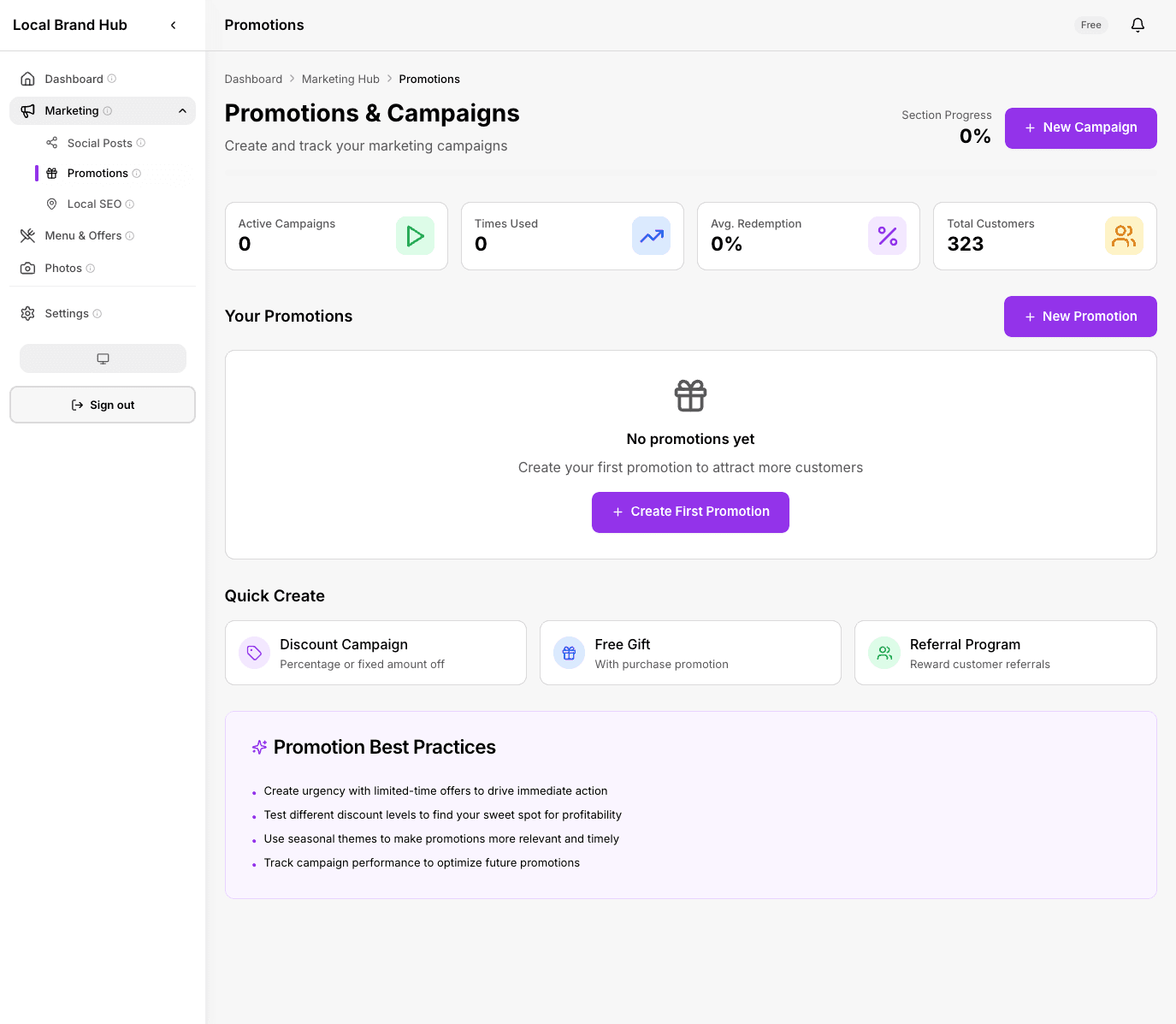
Create offers with start and end dates: a florist's Valentine's push, a café's morning-rush deal, a salon's quiet-Tuesday special. They go live automatically and expire on schedule, no more 'sorry, that offer ended last week.'
- Time-limited offers with auto-expiry
- Quiet-day and seasonal specials
- Link promotions to specific products
- Track which offers drive engagement
0% of consumers stop using a business after finding incorrect info online
Out-of-date prices, expired offers, and wrong details cost you customers every day. One dashboard keeps everything current.
Source: BrightLocal Consumer Survey
What you get on each plan
See how this feature differs across plans
Swipe to see all plans
No credit card required
Frequently asked questions
Can customers see my products online?
The products dashboard is your internal tool for managing what you sell and the offers you run. You can use it to keep your website, social media, and printed price lists up to date.
What kinds of businesses is this for?
Any local business with things to sell or book: retail shops, beauty salons, coffee shops, florists, restaurants, and more. You choose your business type and the dashboard uses the right language for it.
What happens when a promotion expires?
It moves to your archive automatically. You can reactivate it any time or use it as a template for a new offer.
How many products can I add on the Free plan?
Up to 5 products and 10 photos on the Free plan. Upgrade to Standard for unlimited products and photos.
Can I organise my products by category?
Absolutely. Create categories that match how you actually work: collections for a shop, treatment types for a salon, courses for a restaurant menu.
Learn more about promotions that work
Add your products in 5 minutes
One place for products, photos, and promotions. No credit card needed.
Start freeNo credit card required