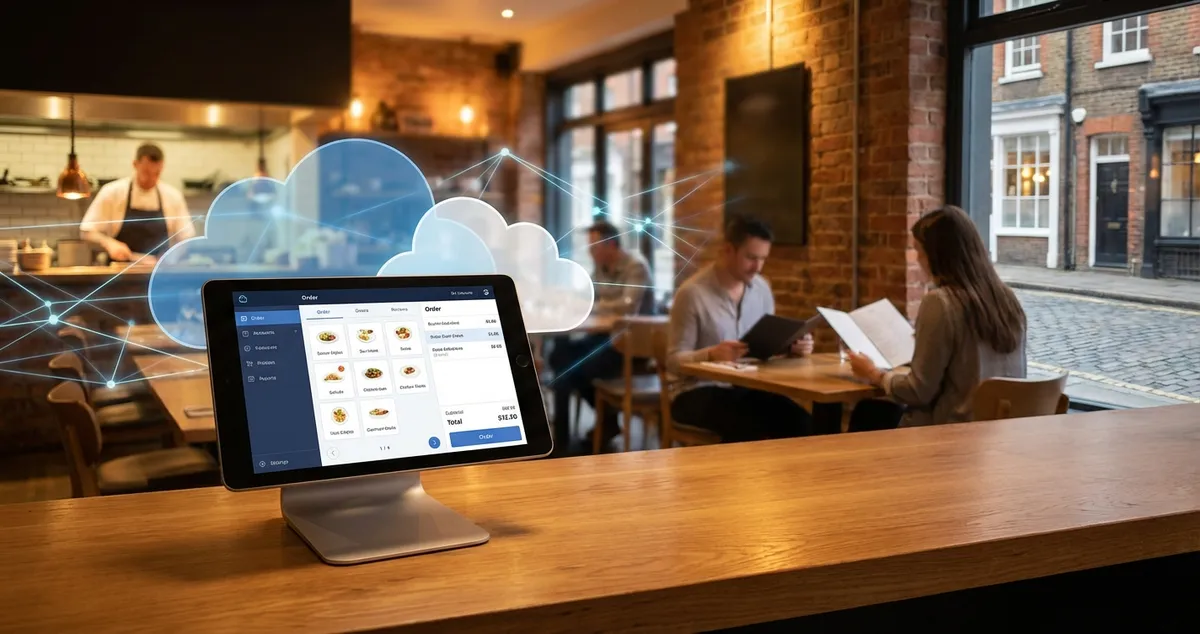
Cloud POS systems help UK restaurants cut costs and reduce errors by 30%. Compare pricing from £49/month. Features, benefits, setup guide.
You're closing up after a long Saturday rush. The kitchen says they ran out of chicken, but your paper notes show 20 portions left. Sound familiar? A cloud POS system for restaurant operations stores everything online: stock, sales, and orders accessible from your phone instead of paper scraps.
If you're still using a traditional till or paper tickets, switching to a cloud-based system could save you hours each week. Around 75-80% of restaurants use cloud-based POS systems (Chowbus, 2025). This guide explains what cloud POS does, what it costs, and whether it makes sense for your venue.
Info
Related: Restaurant POS System, our complete buyer's guide covering all POS options for UK restaurants.
What You'll Learn
- What a cloud POS system actually does differently
- Real UK pricing from £49 to £80+ per month
- Key benefits vs traditional systems
- How to tell if your current setup needs upgrading
- A simple checklist to evaluate cloud POS options
What Is a Cloud POS System?
A cloud POS system for restaurant use is a point-of-sale platform that stores your data online rather than on a local server. Every order, payment, and stock update syncs to the cloud instantly. You access everything through tablets, phones, or any internet-connected device.
For example, a gastro pub in Manchester using a cloud POS system for restaurant management can check their Sunday roast sales from home, see which dishes sold out by 2pm, and adjust tomorrow's prep, all without driving back to the venue.
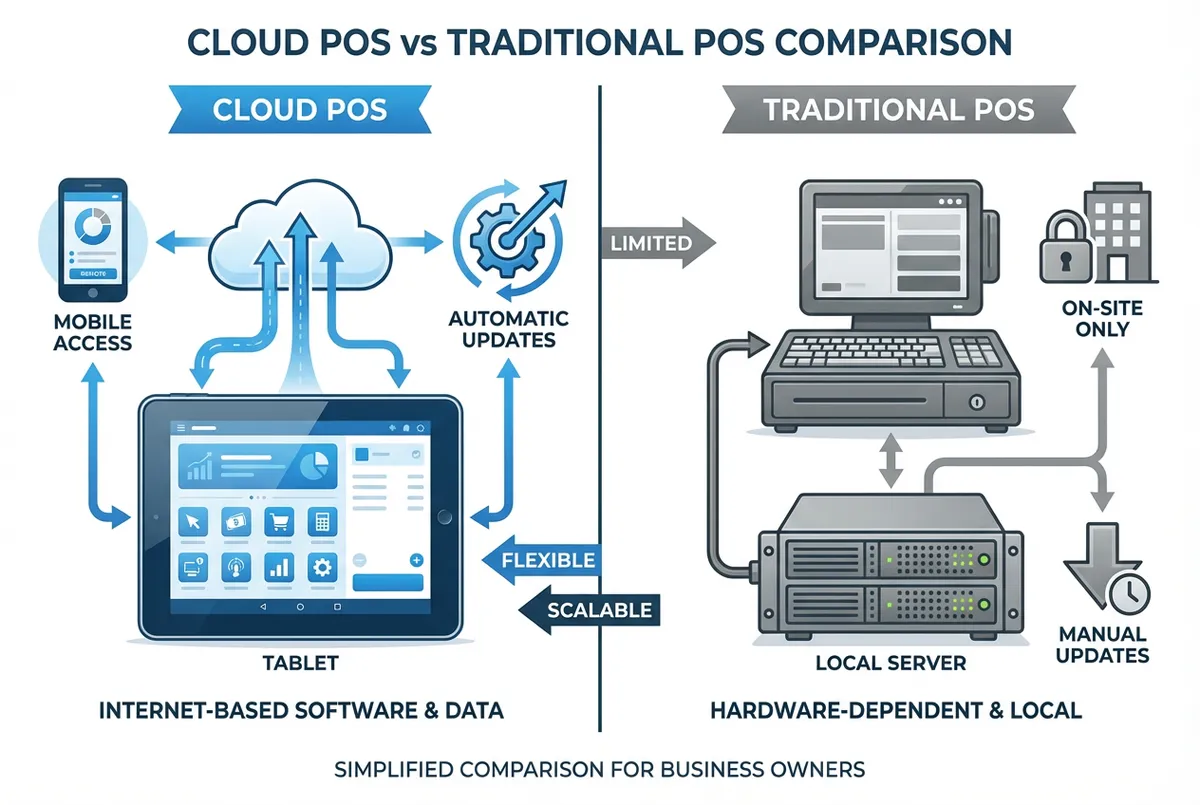
Cloud vs Traditional: understand the key differences before choosing
How it works:
- Staff enter orders on tablets or terminals
- Orders go straight to kitchen display screens
- Payment processes through integrated card readers
- All data syncs to cloud storage in real time
- You view reports from anywhere with internet access
Traditional POS systems store data on an on-site server. If that server fails, you lose access to everything. Cloud systems spread your data across multiple secure servers, so one failure doesn't shut you down.
Cloud POS vs Traditional POS: Key Differences
Now that you know what a cloud POS system for restaurant operations does, let's compare it to traditional systems. Understanding the differences helps you decide which system fits your restaurant.
Upfront costs:
Traditional POS systems often cost thousands upfront. You pay for servers, installation, and licensing. Cloud systems typically charge monthly subscriptions starting around £49-£69 (Startups.co.uk, 2025).
Access and flexibility:
With cloud POS, you check sales from your sofa at 10pm. Traditional systems need you on-site. If you manage multiple locations, cloud POS lets you view all venues from one dashboard.
Updates and maintenance:
Traditional systems need manual updates. You might pay extra for new features. Cloud systems update automatically. New features roll out without you lifting a finger.
Internet dependency:
Cloud POS needs internet to sync data. Most cloud-based systems work offline and sync when connection returns. Traditional systems work without internet but limit your remote access.
If you're only checking reports once a month and never leave the premises, traditional POS might suffice. But if you want real-time insights without being chained to your venue, cloud makes more sense.
For instance, a cafe owner in Leeds switched from a traditional system after her server crashed during a busy bank holiday weekend. She lost three days of sales data. With cloud POS, that data would have been safely stored across multiple servers.
Cloud vs Traditional POS: Quick Comparison
| Feature | Cloud POS | Traditional POS |
|---|---|---|
| Upfront cost | £500-£1,500 | £3,000-£10,000 |
| Monthly fee | £49-£150 | £0 (but maintenance costs) |
| Remote access | Yes, any device | No, on-site only |
| Updates | Automatic | Manual (extra cost) |
| Data backup | Automatic cloud | Manual or paid service |
| Multi-location | Built-in | Expensive add-on |
(Rule of Thumb: your actual costs depend on venue size and features needed)
How Much Does Cloud POS Cost in the UK?
UK cloud POS system for restaurant pricing varies based on features and venue size. Here's what to expect:
Monthly software costs:
- Entry-level plans: £0-£50/month (basic features)
- Standard restaurant plans: £49-£69/month (most venues)
- Advanced plans: £80-£150/month (multi-site, advanced reporting)
- Enterprise: Custom pricing
Square starts at £0 for basic features, with their Plus tier at £69/month for floor-plan tools and advanced reporting (Expert Market, 2025). SumUp offers plans from £49/month with readers from £39. Clover and Toast start around £80/month for larger venues.
Hardware costs:
- Card readers: £39-£200
- Tablets/terminals: £200-£600 per device
- Kitchen display screens: £300-£500
- Receipt printers: £150-£300
Transaction fees:
Most UK providers charge 1.75% to 1.99% per card transaction. Some alternatives like Wonderful charge a flat 1p per transaction plus VAT (Wonderful, 2025).
Total first-year cost estimate:
For a typical independent restaurant:
- Software: £600-£800/year
- Hardware: £500-£1,500 (one-time)
- Transaction fees: Variable based on card sales
That's roughly £1,100-£2,300 for year one, then £600-£800 annually after that. Compare this to traditional systems costing £3,000-£10,000 upfront.
Get the Real Price
When comparing cloud POS quotes, ask for the "all-in" annual cost including software, transaction fees at your expected volume, and any add-ons you'll need. Vendors often quote base prices that double once you add essential features.
Benefits of Cloud POS for Restaurants
The cost savings are clear, but what do you actually get for your money? A cloud POS system for restaurant use offers real advantages that matter during a busy service.
1. Fewer order errors
A cloud POS system for restaurant use can reduce order errors by up to 30% (Celero Commerce, 2025). Orders go directly from table to kitchen screen. No more squinting at handwriting or mishearing in a loud room. When 60% of diners say a wrong order affects whether they return, cutting errors matters.
2. Real-time stock tracking
Know exactly what's left before the quiet Wednesday night turns into "sorry, we're out of everything." Cloud POS tracks inventory as items sell. Set alerts when stock runs low. No more midnight counting sessions.
3. Access from anywhere
Check yesterday's takings while waiting for your kids at school. View which dishes sell best from home. If you're down two staff and can't make it in, you still see what's happening.
4. Easier staff training
Cloud POS systems use tablet interfaces similar to phones. Most staff pick up the basics in under an hour. Traditional systems often need days of training.
5. Automatic updates
No paying for software upgrades or waiting for technicians. Updates happen overnight. New features appear without disrupting service.
6. Better integration
Cloud POS systems connect to delivery apps, accounting software, and reservation platforms. Data flows between tools without manual entry.
When a Cloud POS System for Restaurant Works Best
A cloud POS system for restaurant operations isn't right for everyone. Here's how to tell if it fits your situation.
Cloud POS works well if you:
- Want to check sales and reports remotely
- Have reliable internet (or decent mobile signal)
- Plan to grow or open more locations
- Need integration with delivery platforms
- Prefer lower upfront costs spread over time
Traditional POS might suit you if:
- Your internet is unreliable and mobile signal poor
- You rarely check reports outside the venue
- You prefer owning equipment outright
- Your current system works and meets all needs
If you're reading this thinking "I don't have time to switch systems right now." You're not alone. But if you can't tell whether your system is holding you back, that's usually a sign something needs attention. Ask yourself: when did you last check sales data from outside the restaurant? If the answer is "never" or "I can't," a cloud POS system for restaurant use would change that.
Don't make this mistake: Some owners try to save money by cobbling together free apps: one for orders, another for payments, a spreadsheet for stock. This approach costs more in the long run through sync errors, double-entry, and lost data. If you're only using disconnected tools, you'll always lose to competitors with integrated systems.
Is Your Current System Holding You Back?
If you're reading this after yet another stock mix-up or missed order, consider these warning signs:
- You count stock manually more than once a week
- You only see sales figures when you're physically at the till
- Staff struggle to read handwritten tickets in the kitchen
- You've lost sales data due to system crashes
- Adding delivery platforms seems impossible
If you're only posting on social media when it's quiet and never tracking whether it brings customers, that's usually a sign your operations need streamlining first. A cloud POS won't fix everything, but it removes friction that eats into your time.
If you're only using paper tickets you'll always lose to competitors who see their data in real time.
Weekly Action
- Spend 10 minutes listing every frustration with your current system
- Note which problems cost you time or money
- Circle the top 3 that matter most for your venue
- Use this list when comparing cloud POS demos next week
What to Look for in a Cloud POS System
So you've decided a cloud POS system for restaurant use makes sense. Not all systems offer the same value, though. Focus on these essentials when comparing options:
Must-have features:
- Order management with kitchen display integration
- Payment processing (card, contactless, Apple Pay)
- Stock tracking with low-stock alerts
- Basic sales reporting
- Staff management and clock-in/out
- Offline mode for internet outages
Nice-to-have features:
- Table management with floor plans
- Reservation integration
- Delivery platform connections
- Customer loyalty programmes
- Advanced analytics and forecasting
Questions to ask providers:
- What's the total monthly cost including all fees?
- Does it work offline if internet drops?
- How long does setup and training take?
- What integrations are included vs extra?
- Can I export my data if I switch providers?
Cloud POS Evaluation Checklist:
- Checked current POS frustrations and pain points
- Researched 2-3 cloud POS providers
- Requested demos or free trials
- Calculated total annual cost (not just monthly fee)
- Confirmed offline mode capability
- Verified integration with delivery platforms
- Asked about data export options
Minimum Viable Setup: Get Started This Week
If you only have 30 minutes a week, here's how to evaluate whether a cloud POS system for restaurant operations suits your venue:
Day 1-2: Assess your current pain points
Write down every moment this week where your current system caused frustration. Missed orders? Manual stock counts? Staying late to do paperwork? List them all.
Day 3-4: Research two options
Pick two cloud POS providers that fit your venue size. Square and SumUp work well for smaller independents. Toast or Clover suit larger venues. Request demos or free trials.
Day 5-7: Test one system
Most providers offer free trials. Run a trial during a quiet shift. See if the interface clicks with your team. Whatever you do, don't sign a multi-year contract without testing first. That never works out well.
That's enough to know whether a cloud POS system for restaurant management deserves serious consideration. You don't need to commit yet. Just gather information.
The Real Test
Choosing a POS system isn't about features. It's about whether you can trust it during a Saturday rush.
Key Takeaways: Cloud POS System for Restaurant
If you run a restaurant and want to see how Local Brand Hub can support your marketing, explore our all-in-one marketing platform.
Key Takeaways: Cloud POS System for Restaurant
A cloud POS system for restaurant operations stores your data online, letting you access orders, stock, and reports from any device.
Remember:
- UK pricing typically runs £49-£80/month plus hardware
- Cloud systems cut order errors by up to 30%
- You gain remote access to sales and stock data
- Lower upfront costs compared to traditional systems
- Most venues see payback within 6-12 months
The right cloud POS system for restaurant use won't just modernise your operations. It gives you back time you're currently spending on manual tasks. Time you could spend improving your food, training staff, or simply getting home earlier after a 12-hour shift.
Info
Related: For more on choosing the right system for your venue, explore our restaurant POS system guide or check out our breakdown of restaurant POS system costs.
For UK restaurants
Need Help Choosing a Cloud POS?
Local Brand Hub helps UK restaurants navigate technology decisions and build marketing systems that integrate with your POS.
Start freeGet More Marketing Tips
Practical marketing tips for UK business owners, straight to your inbox. No spam, unsubscribe anytime.
About the Author
Local Brand Hub
Empowering UK Businesses
Local Brand Hub provides comprehensive business management tools designed specifically for UK local businesses to streamline operations, automate marketing, and grow revenue.
More articlesRelated Articles
 Technology
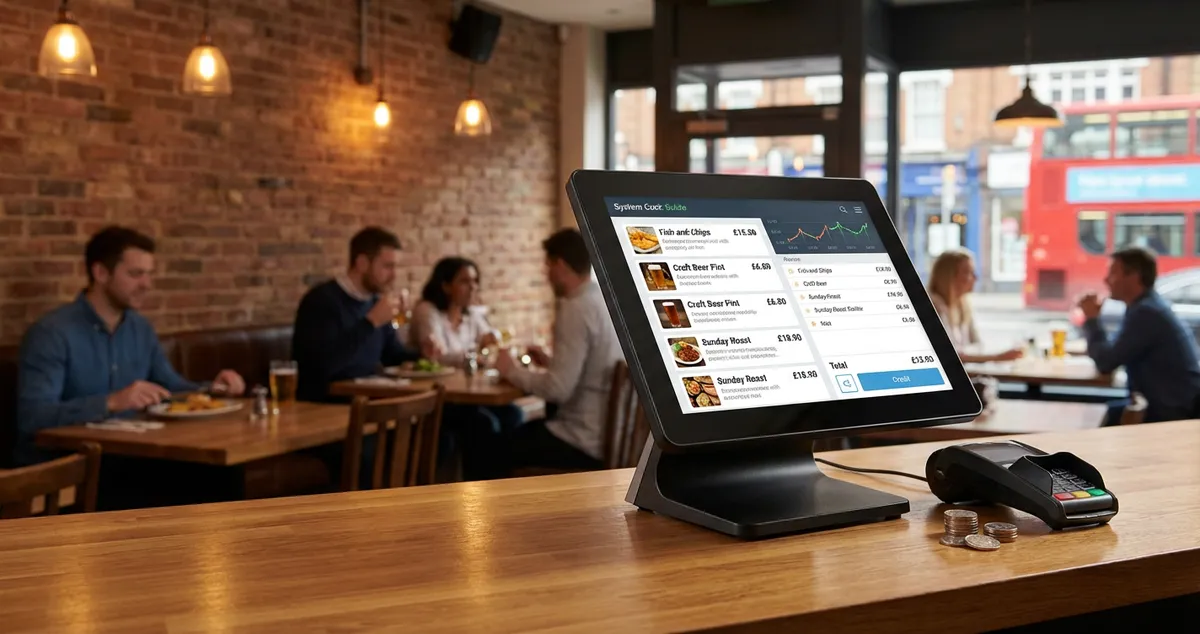
Restaurant POS System Cost: UK Pricing Guide for 2026
Restaurant POS system costs: free to £300+/month. Real pricing breakdowns, hidden fees, and what UK restaurants actually pay.
 Technology
Cafe POS System: UK Guide to Costs, Features & Fees
Compare UK cafe POS systems: Square, Clover, Toast costs and fees explained. Find the best system for your coffee shop with our practical comparison guide.
 Technology
EPOS Systems for Restaurants UK: A Practical Guide for 2026
Find the right EPOS system for your UK restaurant. Compare features, costs, and key benefits that help streamline your operations and serve more customers.