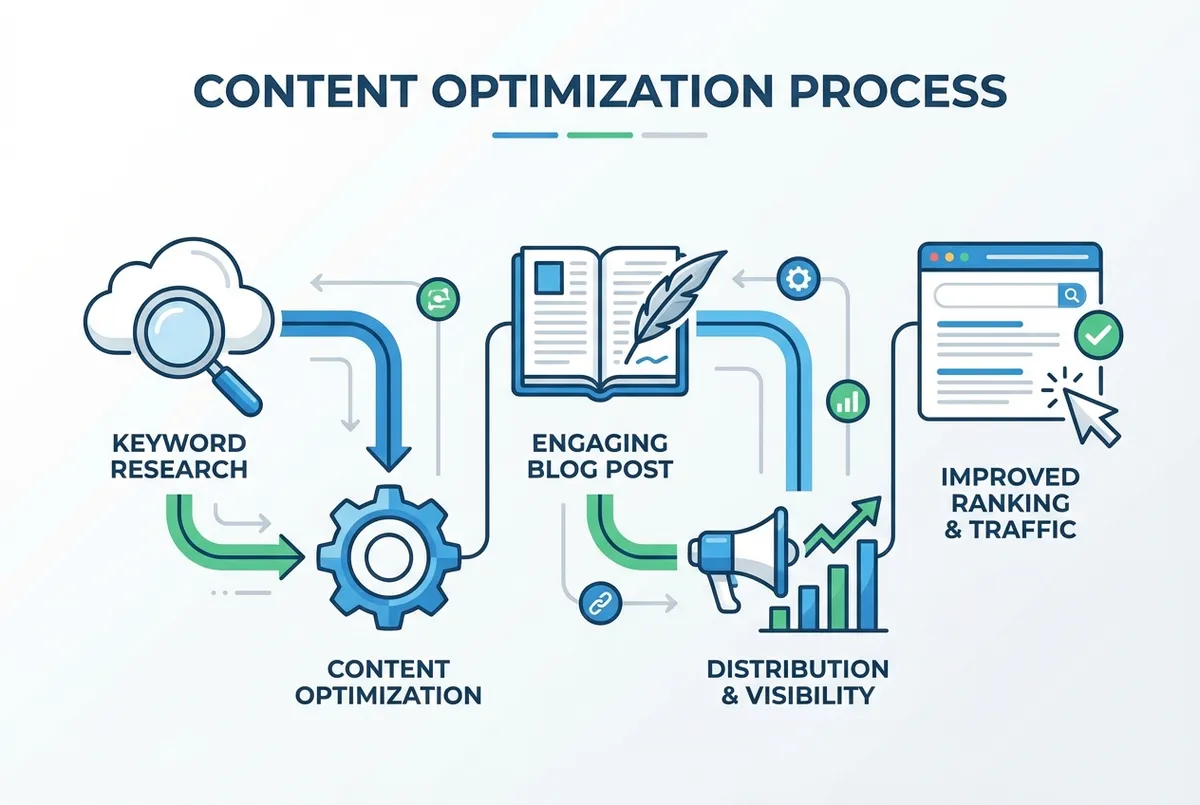
Facebook for restaurants: how UK hospitality businesses attract local diners, run effective ads, and turn scrollers into customers.
You're posting food photos every few days. The lighting's decent, the dishes look great. But your engagement is flat, and you're not seeing new faces walking through the door. Meanwhile, the chain down the road has a queue every Saturday, and you've seen their posts: they're nothing special.
Using Facebook for restaurants strategically is a powerful way to attract local diners, build community, and drive reservations. Most UK restaurants post food photos without a plan and wonder why engagement stays flat. This guide shows you exactly how to set up, optimise, and promote your restaurant on Facebook so you can turn scrollers into paying customers.
The difference often isn't the content. It's knowing how to make Facebook for restaurants actually work as a marketing tool rather than just another thing on your to-do list. If you're looking for a broader overview of social channels for your restaurant, our guide to restaurant social media marketing covers the full picture.
Info
Related: Restaurant social media marketing guide, for the full picture on social strategy beyond Facebook.
What You'll Learn
- How to set up a Facebook page that converts browsers into bookings
- Step-by-step Facebook ads for restaurants (even on a tight budget)
- Free promotion tactics that bring in new customers without spending a penny
- A 30-minute weekly routine to keep your presence consistent
This guide shows you exactly how to set up, optimise, and promote your restaurant using Facebook marketing for restaurants, without needing hours you don't have or a budget you can't afford.
How to Make a Facebook Page for a Restaurant
So you've decided to get serious with your Facebook for restaurants strategy. Good.
Creating a Facebook business page for your restaurant is free and takes about fifteen minutes. Go to Facebook, click "Create a Page," select the restaurant category, and fill in your business details: name, address, opening hours, phone number, and website link. That's the foundation.
But here's where most restaurants stop, and it shows. A page with basic info and sporadic posts won't cut it when most Facebook users choose restaurants based on reviews and comments from other customers.
What your page actually needs:
- Complete business information: Hours, address, phone, menu link, and reservation system all visible within seconds
- High-quality cover photo: Your signature dish or restaurant interior: something that makes people hungry
- Pinned post: Your best offer, event, or review right at the top
- Active review section: With responses from you on every single one
For example, a gastropub setting up their Facebook page might pin a post about their Sunday roast special, include a direct booking link in their bio, and respond to every review within 24 hours, even just a quick "Thanks for coming in, Sarah!"
The reason this matters: most people trust online reviews as much as personal recommendations. Your response rate signals whether you're the kind of place that cares.
If you're thinking "I barely have time to cook, let alone manage social media", you're not alone. Most independent restaurant owners feel the same way. But setting up your Facebook page properly from the start saves you hours of frustration later.
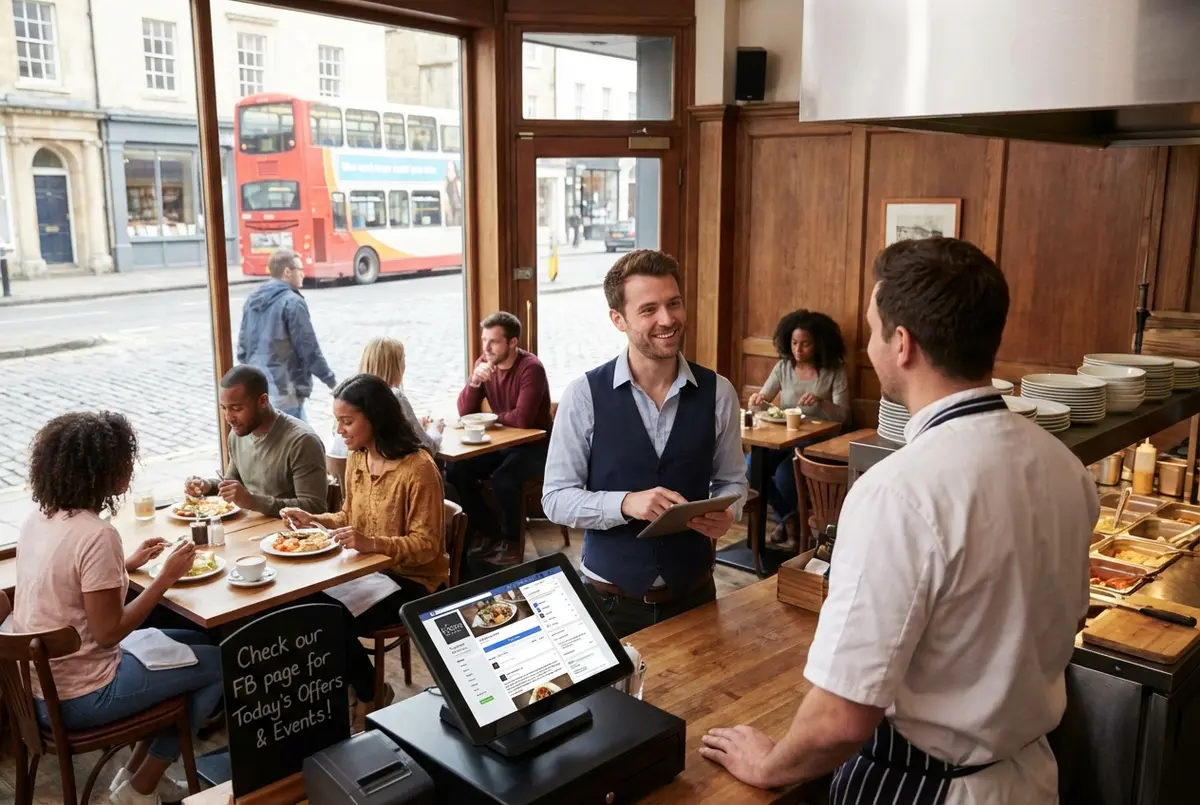
A complete Facebook page setup helps potential customers find all the information they need
How to Run Facebook Ads for Restaurants
Now that your page is set up, let's talk about paid promotion for Facebook for restaurants.
Facebook ads let you put your restaurant in front of people who are likely to visit: based on where they live, what they eat, and how they behave online. The platform has over 3 billion active users, and the Restaurants & Food category performs strongly for lead campaigns.
Step-by-step setup:
- Open Meta Ads Manager from your Facebook business page
- Choose your objective: Traffic (website visits), Engagement (likes and comments), or Conversions (reservations/orders)
- Set your audience: Location (within 10-15 miles of your restaurant), age range, and interests like "dining out" or "foodie"
- Set your budget: Even £5/day can reach hundreds of local people
- Create your ad: Use a mouth-watering food photo, clear headline, and "Book Now" or "Order Online" call-to-action
If you're reading this thinking "I've tried ads before and they didn't work," that's usually a sign of targeting too broadly or using the wrong objective. A curry house targeting "everyone in Manchester who likes food" will burn through budget fast. But targeting "people aged 25-45 within 5 miles who have engaged with restaurant content in the past 30 days" tells Facebook exactly who to show your ad to.
For instance, a family-run Italian in Birmingham might run a £5/day ad targeting families within 8 miles, featuring their "Kids Eat Free on Tuesdays" offer. That specific, local approach typically outperforms broad campaigns every time.
What works in 2025-2026:
| Ad Element | Best Practice |
|---|---|
| Image | High-quality food photo (not stock) |
| Headline | Specific offer ("20% off your first order") |
| Targeting | 5-15 mile radius, dining interests |
| Objective | Conversions for reservations, Traffic for awareness |
| Budget | Start at £5-10/day, scale what works |
Many people visit a restaurant's website directly after seeing it on social media, which leads to reservations and orders.
How Do I List a Restaurant on Facebook?
With ads sorted, let's cover the basics of being discoverable when using Facebook for restaurants.
Listing your restaurant on Facebook makes you discoverable when people search "restaurants near me" on the platform. Even if you never post, having accurate information means potential customers can find your hours, location, and reviews.
To list your restaurant:
- Create a Facebook Business Page (see section above)
- Select "Restaurant" as your category
- Add your complete address: this enables the map pin
- Fill in opening hours for each day
- Add your phone number and website
- Upload your menu as images or a PDF
Facebook has nearly 45 million users in the UK alone. When someone searches for your restaurant name or browses local dining options, your listing appears in results, but only if your information is complete and current.
The one thing restaurants forget: updating hours for bank holidays. Nothing frustrates a potential customer more than driving to a restaurant that Facebook said was open. If you can't tell whether your Facebook information is driving visits or just collecting dust, that's usually a sign you need to check your Page Insights.
Monthly Audit Reminder
Set a recurring reminder for the first Monday of each month to audit your Facebook business information. Five minutes prevents disappointed customers.
How Do I Advertise My Restaurant for Free?
So you've got the paid Facebook for restaurants strategy. But what happens when the marketing budget is already stretched?
You don't need a budget to market effectively on Facebook for restaurants. The most powerful free advertising comes from three sources: organic posts, customer reviews, and user-generated content.
Free tactics that actually work:
- Post consistently: Even 3-4 times per week keeps you visible. Behind-the-scenes kitchen clips, daily specials, and team photos all perform well.
- Encourage check-ins: When customers check in at your location, their friends see it. A simple table tent saying "Check in on Facebook for a free coffee" costs nothing.
- Share customer photos: When someone tags you in a photo, reshare it. User-generated content tends to drive higher conversion than branded photos.
- Respond to every review: Restaurants that respond to reviews often see higher customer satisfaction.
For instance, a fish and chip shop might repost a customer's photo of their meal with a comment like "Glad you enjoyed it, Dave! See you next Friday." That single interaction shows future customers you're engaged and friendly, without spending a penny. This is Facebook marketing for restaurants at its simplest and most effective.
The reality for most independent restaurants: You're not going to post daily. That's fine. But if you're only posting when it's quiet in the restaurant, your social media will always lose to competitors who treat it as part of operations, not an afterthought.
Would I follow my own restaurant's Facebook page? That's the question worth asking. If the answer is "probably not," your customers feel the same way.
How Do I Promote My Restaurant on Facebook?
Here's where everything comes together for Facebook for restaurants.
Promotion on Facebook for restaurants combines organic reach (free) with paid reach (ads). The most effective approach uses both: regular posts keep your existing followers engaged, while targeted ads bring in new customers who've never heard of you.
Organic promotion strategies:
- Events: Create Facebook Events for live music nights, themed dinners, or seasonal menus. Many people use Facebook to find and learn about restaurant events.
- Stories: Post daily Stories showing what's happening in your kitchen: prep work, the team, the soup of the day. Posting daily Stories tends to increase engagement.
- Video content: Short clips of sizzling pans, plating dishes, or a chef's tip. Posts with images tend to get far more engagement than text-only posts.
Paid promotion strategies:
- Boost top-performing posts: If an organic post gets good engagement, boost it to reach more people.
- Run targeted ads: Focus on reservations, delivery orders, or foot traffic.
- Retarget website visitors: Show ads to people who viewed your menu but didn't book.
Restaurants that invest strategically in Meta ads can see a meaningful return on what they spend.
For example, a brunch cafe might use organic Stories to showcase their Saturday morning queue (social proof), then boost a post about their new bottomless brunch deal to reach people within 10 miles who've shown interest in "brunch" and "mimosas." Organic builds trust; paid extends reach.
For more ideas on creating engaging content across platforms, beyond Facebook for restaurants, see our guide on social media strategies for restaurants.
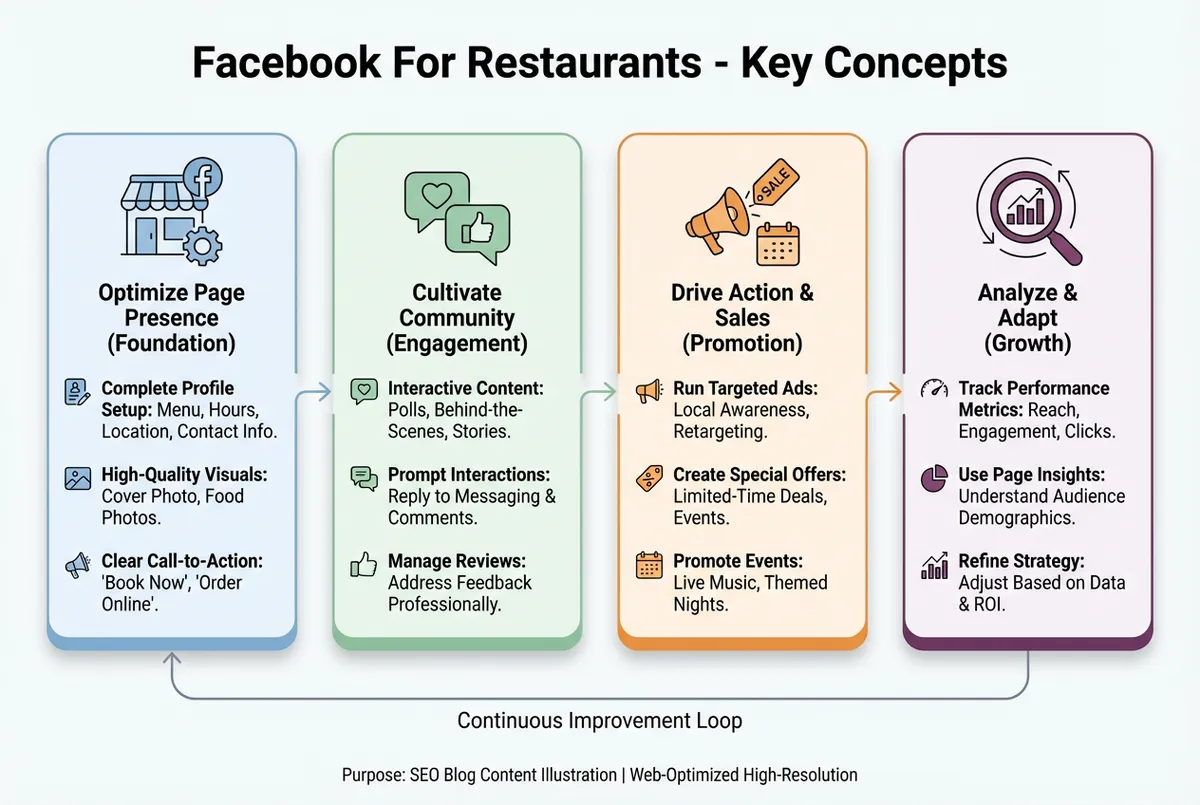
Combining organic and paid promotion maximises your Facebook reach
If You Only Have 30 Minutes a Week
Right, let's get practical with Facebook for restaurants. If you're short on time (and most restaurant owners are), here's what to prioritise:
This Week's Facebook Audit
Day 1-2: Check your page is complete: hours, address, menu, booking link all current
Day 3-4: Respond to any reviews from the past month you haven't answered
Day 5-7: Post one photo of your best-selling dish with a simple caption and "Book now" link
Ongoing (15-20 minutes per week):
- Monday: Schedule 2-3 posts for the week using Meta Business Suite
- Throughout the week: Respond to comments and reviews within 24 hours
- Friday: Check which post performed best and note what worked
That's it. You don't need to be posting daily. You need to be present, responsive, and consistent. If drafting captions is the part that stalls you, a social post generator can turn a dish and a few details into a week's worth of posts in minutes.
Weekly Action
This week, try this: Open your Facebook for restaurants page and check your last five reviews. Have you responded to all of them? If not, reply to each one today, even if they're months old. A late response is better than no response, and it shows new visitors you're paying attention.
Why Response Rates Matter
Consistent response rates signal to both Facebook's algorithm and potential customers that you're an active, engaged business. Restaurants that respond to every review typically see more profile views than those who ignore feedback.
If you run a restaurant and want to see how Local Brand Hub can support your marketing, explore our restaurant marketing tools.
Key Takeaways: Facebook for Restaurants
Facebook for restaurants remains one of the most effective marketing channels for UK restaurants, if you use it strategically rather than sporadically.
What we covered:
- Setting up your Facebook page for restaurants: Complete information, active reviews, and quick response times build trust
- Running Facebook ads for restaurants: Target locally, use mouth-watering visuals, and start with small budgets
- Free promotion: User-generated content, check-ins, and review responses cost nothing but deliver results
- Paid promotion: Boosting posts and retargeting website visitors extends your reach
The pattern is clear: many people use social media to decide where to eat, and a strong social presence makes them more likely to return.
Social media marketing isn't about selling food. It's about making people hungry before they're hungry. When done right, your Facebook page becomes a 24/7 shopfront that turns scrollers into diners.
Your next step: Open your Facebook page. Is your menu link working? Are your hours correct for this week? Start there. And if you want to extend your reach beyond Facebook, our restaurant social media marketing guide covers Instagram, TikTok, and more.
Get More Marketing Tips
Practical marketing tips for UK business owners, straight to your inbox. No spam, unsubscribe anytime.
About the Author
Local Brand Hub
Empowering UK Businesses
Local Brand Hub provides comprehensive business management tools designed specifically for UK local businesses to streamline operations, automate marketing, and grow revenue.
More articlesRelated Articles
 Marketing Tips
Content Marketing for Restaurants: A Practical Guide
Master content marketing for restaurants using the 5 C's framework and the 30/30/30 rule. Actionable ideas that bring more diners through your door weekly.
 Marketing Tips
Restaurant Blog Ideas Only Your Kitchen Could Write
Restaurant blog ideas a rival two streets away could not copy: the test that kills weak topics, where the material sits, and a twenty minute method.
 Marketing Tips
Restaurant Content Calendar: A Free UK Template for 2026
A restaurant content calendar that survives service. Copy the seven column UK template, plan what you shoot before what you say, and start this week.