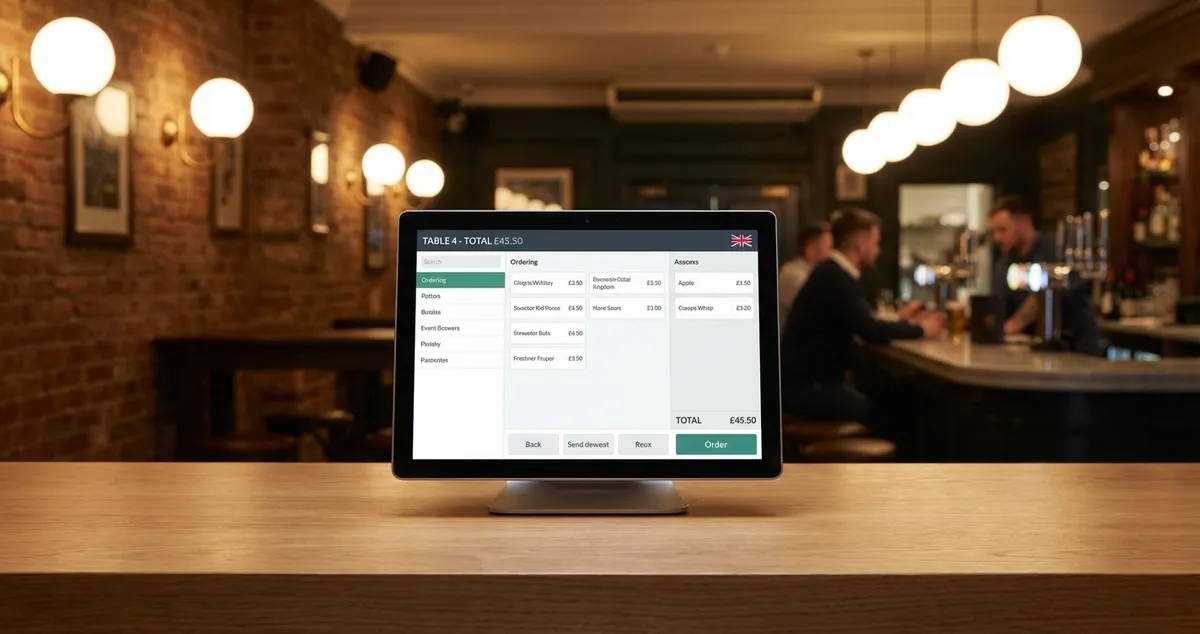
Compare the 8 best restaurant POS systems for UK venues in 2026. Square, Epos Now, TouchBistro reviewed with honest UK pricing, features, and expert picks.
You're between services, scrolling through options, trying to figure out which POS system won't let you down on a Saturday rush. Your current setup crashed twice last month. Orders disappeared. Staff blamed the system. You blamed yourself for not researching properly. Finding the best restaurant POS system shouldn't be this hard.
Info
New to POS? For the fundamentals of what a POS system is and how the parts fit together, see our what is a POS system explainer.
This guide compares 8 of the best restaurant POS systems with honest pricing, real features, and clear picks based on your restaurant type. We've analysed UK-specific costs and spoken with operators using each system.
What You'll Learn
- The 8 best restaurant POS systems for UK restaurants in 2026
- Honest pricing including hidden costs
- Which POS system suits your restaurant type
- How to avoid common buying mistakes
- A minimum viable POS setup if you're starting small
Quick Picks: Best Restaurant POS Systems 2026
Short on time? Here's the summary of the best restaurant POS systems before we dive deeper.
| System | Best For | Starting Price | Our Verdict |
|---|---|---|---|
| Square for Restaurants | Budget-conscious, cafes | Free + 1.75% fees | Best for new restaurants |
| Epos Now | UK support, growth | From £325 + subscription | Best UK-based option |
| TouchBistro | Tableside ordering | Custom quote | Best for table service |
| Lightspeed Restaurant | Analytics, multi-site | Custom quote | Best for data-driven owners |
| Toast | High-volume venues | Custom quote | Best for busy kitchens |
| Clover | Customisation | Custom quote | Most flexible |
| Zettle by PayPal | Simplicity | From £29 reader | Best for simplicity |
| SumUp | Low volume | Free + 1.69% | Best for pop-ups |
(Note: Pricing varies by configuration and may change. Verify current rates directly with vendors.)
Our Top Pick
For most independent UK restaurants, Square for Restaurants often offers the best balance of features, cost, and ease of use. If you pick just one to demo first, start there.
What POS System Do Most Restaurants Use?
First, let's look at what many restaurants typically choose. Square and Toast lead in market share for restaurant POS systems globally, according to Startups.co.uk's 2026 analysis. In the UK, Epos Now holds strong alongside Square among independents. Chains tend toward Lightspeed or Toast for multi-location control.
For example, a 40-cover bistro in Manchester might choose Square as their best restaurant POS system for cost reasons. A 3-location pub group would lean toward Lightspeed for central reporting.
The "most popular" pick isn't always right for your operation. A busy gastropub needs different features than a quick-service cafe. If you're only choosing what everyone else uses, you'll always lose to competitors who match their POS to their actual workflow.
Info
Related: Learn more about restaurant POS system costs and what to budget for your first year.
What Is a Restaurant POS System?
Before the reviews, a quick grounding. A restaurant POS system combines hardware and software to run your venue: it takes orders, processes payments, prints kitchen tickets, and tracks sales in one place.
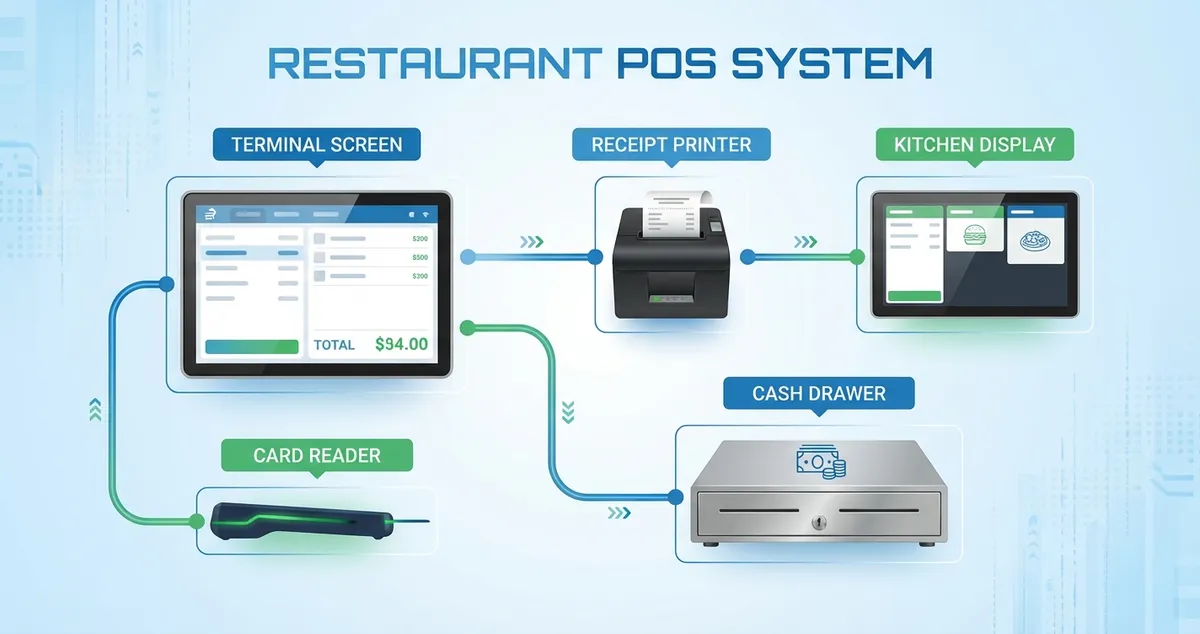
Core components of a modern restaurant POS system
Core components:
- Terminal/screen: Touchscreen where staff enter orders
- Card reader: Processes card and contactless payments
- Receipt printer: Prints customer receipts and kitchen tickets
- Kitchen Display System (KDS): Shows orders to kitchen staff
- Cash drawer: Secures cash takings
- Software: The brains connecting everything together
These systems run on iPads, Android tablets, or dedicated hardware. Cloud deployments now account for over 60% of POS installations across Europe (MarkNtel Advisors, 2025), which means automatic updates and checking sales from your phone on a day off. For a deeper dive into the fundamentals, see what is a POS system and what POS means; for the cloud-vs-traditional decision, our cloud POS guide covers offline modes and data control.
The 8 Best Restaurant POS Systems Reviewed
Here's our detailed breakdown of each best restaurant POS system option for UK venues.
1. Square for Restaurants
Best for: New restaurants, cafes, budget-conscious operators seeking the best restaurant POS system at zero cost
Square changed restaurant technology by eliminating monthly software fees. You pay transaction fees only.
Pricing:
- Free tier: £0/month + transaction fees
- Plus tier: Around £60/month + lower transaction fees
- Hardware: Square Reader from approximately £19
Key Features:
- Free online ordering (no commission)
- Kitchen display system on Plus
- Real-time sales reporting
- Staff management and permissions
- Integrates with Xero and QuickBooks
Strengths:
- Genuinely free to start
- Excellent mobile app
- Transparent pricing
Limitations:
- Limited customisation on free plan
- Transaction fees add up at higher volumes
For instance, a cafe processing £8,000 monthly pays roughly £140 in Square fees. Compare that to subscription-based alternatives plus transaction fees. Square typically wins for smaller operations.
Our take: Square suits restaurants who want simplicity without contracts. It's often the best restaurant POS system for those starting out.
2. Epos Now
Best for: UK restaurants wanting local support and proven reliability
Epos Now is based in Norwich, offering UK phone support and same-day hardware delivery.
Pricing:
- Hardware from approximately £325 (one-time)
- Software from around £49/month
- Payment processing: variable, often negotiable
Key Features:
- Kitchen Display Systems included
- Offline mode for reliability
- Multi-location management
- UK VAT-compliant reporting
Strengths:
- UK phone support (not offshore)
- Robust offline capabilities
- Hardware and software from one vendor
Limitations:
- Higher upfront hardware costs
- Some features require additional subscriptions
Our take: Epos Now suits established restaurants wanting UK support who are comfortable with upfront hardware investment.
3. TouchBistro
Best for: Table-service restaurants prioritising tableside ordering
TouchBistro was built specifically for restaurants, not adapted from retail POS. Servers take orders at the table using iPads, sending tickets straight to the kitchen.
Pricing:
- Requires custom quote
- Typically £50-150/month based on features
- iPad-based hardware
Key Features:
- Purpose-built tableside ordering
- Floor plan management
- Course-by-course kitchen timing
- Works offline reliably
Strengths:
- Excellent table management
- Intuitive interface
- Restaurant-specific from day one
Limitations:
- Custom pricing makes comparison difficult
- iPad-only
Tableside ordering removes the walk between table and terminal on every order, which is exactly where table turn time tends to leak during peak covers.
Our take: TouchBistro suits table-service restaurants where mobility and course timing matter.
4. Lightspeed Restaurant
Best for: Data-driven owners and multi-location operators seeking the best restaurant POS system for analytics
Lightspeed attracts restaurants wanting deep analytics. Their reporting goes beyond basic sales: ingredient costing, waste tracking, and customer behaviour analysis.
Investment: Lightspeed operates on custom quotes. Expect monthly software between £69-199 depending on features selected. Runs on iPad hardware with optional accessories for kitchen displays.
Key Features:
- Advanced analytics dashboard
- Ingredient-level costing
- Multi-location central management
- Loyalty programme built-in
Strengths:
- Strong reporting capabilities
- Powerful inventory management
- Scales well for growth
Limitations:
- Higher price point
- Steeper learning curve
If you can't tell which dishes are profitable and which lose money, that's usually a sign you need ingredient costing features like Lightspeed offers.
Our take: Lightspeed suits restaurants running on data, those who want to know exactly which dishes profit and which drag margins down.
5. Toast
Best for: High-volume restaurants needing speed and durability
Toast runs on Android hardware built for restaurant kitchens: spill-resistant, durable, designed for the chaos of service. It's popular in US chains and expanding in the UK.
Pricing:
- Custom quote required
- Hardware from Toast directly
- Long-term contracts common
Key Features:
- Purpose-built Android hardware
- Kitchen Display Systems
- Order pacing for high volume
- Delivery integration
Strengths:
- Hardware survives kitchen conditions
- Handles high transaction volumes
- Strong kitchen workflow features
Limitations:
- UK presence still developing
- Requires Toast hardware
Our take: Toast suits high-volume venues processing hundreds of covers daily who need durable hardware.
6. Clover
Best for: Restaurants wanting maximum customisation
Clover offers modular hardware and an app marketplace letting you build exactly what you need. It's flexible but requires more setup than plug-and-play options.
Pricing:
- Hardware from approximately £399
- Software plans from around £14.95/month
- Payment processing varies by provider
Key Features:
- Modular hardware options
- Large app marketplace
- Virtual terminal included
Strengths:
- Highly customisable
- Choose your payment processor
- Flexible hardware configurations
Limitations:
- More complex setup
- Can become expensive with add-ons
Our take: Clover suits restaurants with specific needs who want to build their perfect POS system.
7. Zettle by PayPal
Best for: Small restaurants wanting PayPal simplicity
Zettle (formerly iZettle, owned by PayPal) offers a simple path to card payments. It's not a full restaurant POS system but works for basic operations.
Pricing:
- Card reader: Approximately £29 + VAT
- App: Free
- Transaction fees: 1.75%
Key Features:
- Simple card acceptance
- Basic sales reporting
- PayPal integration
Strengths:
- Low entry cost
- Easy setup
- No monthly fees
Limitations:
- Limited restaurant-specific features
- No kitchen display integration
- No table management
Our take: Zettle suits very small operations or those adding card payments to an existing system.
8. SumUp
Best for: Pop-ups, food trucks, low-volume venues
SumUp offers rock-bottom entry costs for restaurants processing limited transactions. It's not suitable for busy venues but works for starting out.
Cost structure: SumUp keeps things straightforward: buy their card reader for around £29, download their free app, and pay 1.69% per transaction. No monthly fees, no contracts, no complexity.
Key Features:
- Mobile card acceptance
- Basic invoicing
- No monthly fees
Strengths:
- Among the lowest fees available
- No contracts
- Extremely portable
Limitations:
- Minimal restaurant features
- No kitchen integration
Our take: SumUp suits pop-ups and food trucks, not established restaurants.
What POS Does Gordon Ramsay Use?
Here's what celebrity chefs actually use. Gordon Ramsay has publicly endorsed TouchBistro, choosing it for three consecutive seasons of his FOX series "24 Hours to Hell and Back". Ramsay described it as having "an amazing infrastructure that can guide new businesses anywhere in the world" and highlighted how "uncomplicated" the training is. Earlier, on Kitchen Nightmares, he featured POSLavu, an iPad-based system staff learned in about an hour (Hospitality Technology).
What Ramsay values translates to any venue: fast staff training, tableside ordering, and remote monitoring. But the celebrity endorsement itself doesn't mean much for your operation. TouchBistro requires custom UK pricing, and Ramsay's restaurants have IT teams managing complex multi-site deployments. The same principles he values are available in more affordable systems: for most independent UK restaurants, Square or a UK-focused alternative delivers them at a price that suits independent margins.
What Is the 30/30/30/10 Rule for Restaurants?
Additionally, understanding budget frameworks helps. The 30/30/30/10 rule is a budget framework for splitting restaurant expenses:
- 30% on food costs
- 30% on labour costs
- 30% on operational costs (including POS and tech)
- 10% profit margin
Your POS system fits within that 30% operational bucket.
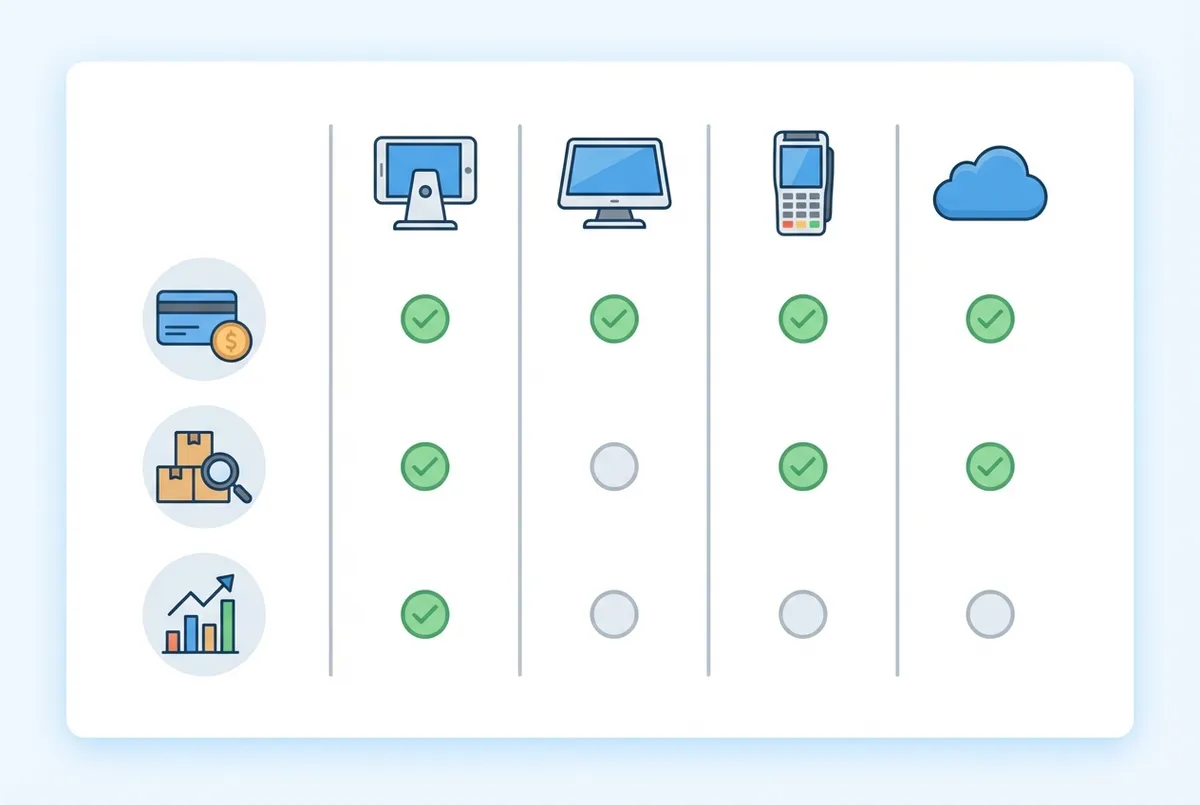
Compare features across POS systems to find your best fit
For instance, a restaurant spending under 1% of monthly revenue on POS software is well within healthy limits. This rule helps size your best restaurant POS system spending. If your POS costs more than this threshold, you may be overpaying for features you don't use.
How Much Does a Restaurant POS System Cost?
Furthermore, let's break down actual UK pricing. According to UK Government business guidance on technology investment, understanding total cost of ownership is critical. Restaurants typically pay across three tiers:
Budget (Square): First-year total approximately £500-1,500 including hardware and fees.
Mid-Range (Epos Now/TouchBistro): First-year total approximately £1,500-3,000 with dedicated hardware.
Premium (Lightspeed/Toast): First-year total approximately £3,000-5,000+ for advanced features.
Independent UK analysis puts typical software at £25-150 per month with total first-year costs from around £1,000 for a simple setup to £4,000+ for a full installation (The Access Group, 2025).
Hardware on its own breaks down into three tiers:
- Entry level (under £150): SumUp Air or Square Reader working from a phone or tablet. Suits market stalls, pop-ups, and counter service.
- Mid-range (up to £400): Square Terminal or an Epos Now starter bundle with screen and card reader. Suits small cafes and takeaways.
- Full systems (£400-900+): Terminal, receipt printer, cash drawer, and kitchen printer. What full-service restaurants actually need.
Hidden costs to watch for: onboarding fees, payment processing markups, and early termination penalties. If you're only comparing monthly software fees, you'll always lose to competitors who calculate total cost including hardware, fees, and contract terms. Signing a multi-year contract on the strength of a 15-minute demo is how restaurants end up locked into a system that can't split bills; always trial during real service.
One more cost lever: integrations. A POS that syncs sales straight into Xero or QuickBooks saves hours of bookkeeping every week, and that one link can justify the system cost by itself. Check your shortlist connects to your accounting package, your delivery platforms (Deliveroo, Uber Eats, Just Eat), and your reservations system (ResDiary, OpenTable), then pair it with an all-in-one marketing platform to fill the tables your POS rings up. Our POS integrations guide covers what to check per system, and if commission-free direct orders are the goal, see the best online ordering systems for UK restaurants.
Info
Related: For budget-friendly options, see our guide on cheap restaurant POS systems for UK venues.
How to Choose the Right System
Let's match your restaurant type to the best restaurant POS system. A cafe owner prioritises speed while a fine dining manager prioritises guest experience.
Cafe or Quick-Service:
- Priority: Speed, simplicity, low cost
- Best picks: Square, Zettle
Casual Dining (20-60 covers):
- Priority: Table management, order accuracy
- Best picks: Square Plus, TouchBistro, Epos Now
Fine Dining:
- Priority: Guest experience, detailed checks
- Best picks: TouchBistro, Lightspeed
Pub:
- Priority: Tab management, multiple payment types
- Best picks: Epos Now, Square
Multi-Location:
- Priority: Central management, consistent reporting
- Best picks: Lightspeed, Toast
For example, a pub chain with three locations would benefit from Lightspeed's central dashboard, viewing all sites' sales in one place rather than logging into three separate systems.
Quick Check
Would you trust this system to run your busiest Saturday without constant supervision? If not, keep looking.
POS Selection Checklist
Use this checklist when evaluating any system on your shortlist:
- Does it handle your payment volume without excessive fees?
- Can staff learn the basics within one shift?
- Does it integrate with your kitchen workflow?
- Is UK-based support available during service hours?
- Can you test it before committing to a contract?
- Are there hidden early-exit penalties?
Common Mistakes to Avoid
Finally, here's what to avoid. Pick the cheapest option and you can easily spend three months working around its limitations, costing more in staff time than a better system would have.
- Buying the cheapest option: Free systems can cost more through limitations
- Ignoring contract terms: Some lock you in for years with exit fees
- Skipping demos: Test with your actual menu and workflow
- Forgetting training: Budget time for staff to learn properly
- No backup plan: What happens when internet fails?
If you're thinking "we'll figure it out during service", that never works. You end up apologising to customers on a Saturday night.
Ask yourself: would I recommend my current POS system to a friend opening their first restaurant? If the answer is no, that's usually a sign you need to look at alternatives.
Minimum Viable POS Setup
If you only have 30 minutes a week and limited budget, here's your plan:
This week, set up a basic POS system:
- Day 1-2: Sign up for Square for Restaurants (free, 10 minutes)
- Day 3-4: Use your existing iPad or phone to start
- Day 5-7: Add a card reader and process your first payment
Follow this plan and you can be accepting card payments within a week for under £50 in hardware.
This bare-minimum setup gets you off paper and gives you basic sales data. Upgrade when you need table management, kitchen displays, or better reporting.
Info
Related: For more on tablet-based setups, see our tablet POS system guide.
Frequently Asked Questions
Here's what UK restaurant owners ask about the best restaurant POS system options.
What is the best POS system for a small restaurant?
The best POS system for a small restaurant is Square for Restaurants, a free-tier solution that matches typical small restaurant volumes without overcomplicating your workflow. It includes essential features without monthly fees; you pay transaction costs only. For restaurants processing under £15,000 monthly, Square typically costs less than subscription alternatives.
Which POS handles both bar tabs and food orders?
Mixed venues need different features than pure restaurants. Epos Now or Square Plus handle both food orders and bar tabs well. Key features to look for: pre-authorisation for bar tabs, quick modifier entry for drinks, and split payment handling for group bills.
How do I know if I need to upgrade my POS?
Signs you've outgrown your current system:
- Order errors happening regularly
- Reports not giving actionable data
- Staff complaining about slow workflows
- Spending more time working around the system than using it
That's usually a sign it's time to demo alternatives.
Which POS systems work offline?
TouchBistro, Epos Now, and Square all offer offline modes. They store transactions locally and sync when connection returns. For example, a seaside cafe with unreliable WiFi would benefit from testing offline mode during the demo; reliability varies between systems.
What is the best free POS system for UK restaurants?
Square for Restaurants is typically the strongest free option. The free tier includes order management, basic reporting, and online ordering with no monthly fees; you pay 1.75% per card payment instead. SumUp's free app with a £29 reader is the main alternative for very small venues.
Can I use an iPad as a restaurant POS?
Yes. Square, TouchBistro, Lightspeed, and most cloud-based systems run on iPads. You need a compatible iPad, a card reader, and optionally a receipt printer. See our tablet POS guide for setups.
How long does it take to set up a restaurant POS system?
Basic setup takes one to three hours for systems like Square. More complex systems with inventory and table management often take one to two days, plus staff training time.
Weekly Action
This week: Request demos from your top 2 best restaurant POS system picks. Test with your actual menu during a quiet Wednesday afternoon. Calculate first-year total cost, not just monthly fees.
Key Takeaways
If you run a restaurant and want to see how Local Brand Hub can support your marketing, explore our restaurant marketing tools.
Key Takeaways
The best restaurant POS system depends on your specific operation:
- New or budget-conscious: Square for Restaurants
- Want UK support: Epos Now
- Table service priority: TouchBistro
- Data-driven decisions: Lightspeed
- High volume: Toast
- Maximum flexibility: Clover
- Absolute simplicity: Zettle
- Pop-ups and food trucks: SumUp
Your next step: Request demos from your top 2-3 picks. Test with your actual menu. Calculate first-year total cost, not just monthly fees.
Info
Related: Work out which capabilities you actually need with our restaurant POS features guide, or start from the fundamentals with what is a POS system.
For UK restaurants
Need Help With Restaurant Technology?
Local Brand Hub helps UK restaurants navigate technology decisions and build marketing systems that integrate with your POS.
Start freeGet More Marketing Tips
Practical marketing tips for UK business owners, straight to your inbox. No spam, unsubscribe anytime.
About the Author
Local Brand Hub
Empowering UK Businesses
Local Brand Hub provides comprehensive business management tools designed specifically for UK local businesses to streamline operations, automate marketing, and grow revenue.
More articlesRelated Articles
 Technology
Cafe POS System: UK Guide to Costs, Features & Fees
Compare UK cafe POS systems: Square, Clover, Toast costs and fees explained. Find the best system for your coffee shop with our practical comparison guide.
 Technology
EPOS Systems for Restaurants UK: A Practical Guide for 2026
Find the right EPOS system for your UK restaurant. Compare features, costs, and key benefits that help streamline your operations and serve more customers.
 Technology
Hospitality POS Systems: The Complete UK Guide for 2026
Compare UK hospitality POS systems: cloud, mobile, and kiosk options. Discover real costs, key features, and find which system fits your restaurant or bar.