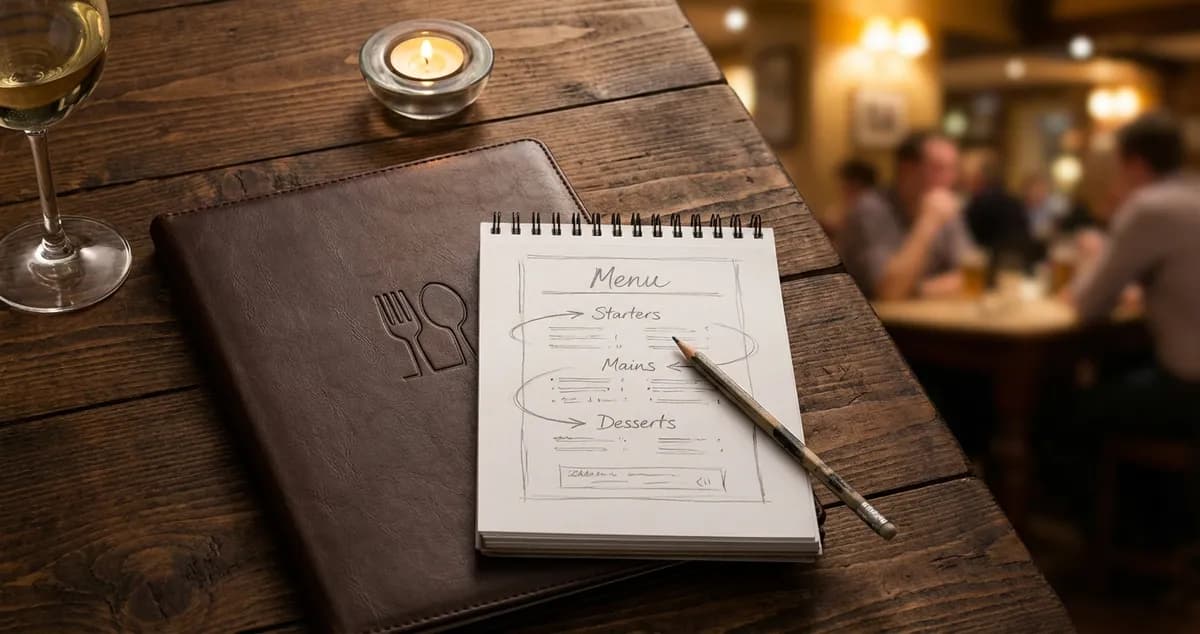
Create a profitable menu layout that boosts sales by up to 35%. Learn golden triangle placement, pricing psychology, and design tactics for UK restaurants.
You've spent money on a beautiful menu. Crisp photos, elegant fonts, everything looks professional. But there's a pattern: customers order your lowest-margin dishes while signature items sit gathering dust. The answer is usually simpler than you think: it's menu layout.
A profitable menu layout uses positioning, visual hierarchy, and psychological principles to guide customers toward high-margin items. Research shows that strategic placement can increase revenue by up to 35% and menu engineering boosts profits by 10-15% on average.
Info
Related: Menu Engineering provides the complete framework for analysing which dishes belong where on your menu.
What You'll Learn
- How the golden triangle directs customer attention on any menu format
- Strategic placement techniques for your highest-margin items
- Pricing psychology tactics that reduce price sensitivity
- Description techniques that increase item selection by 27%
- Practical steps to redesign your menu for profit this week
First, let's understand where customer attention actually goes when they open your menu.
The Golden Triangle: Where Eyes Go First
Eye tracking research provides clear guidance on how customers navigate menus. Studies show customers spend an average of 109 seconds reading a menu. In that brief window, their eyes follow a predictable pattern.
The golden triangle describes this eye path: first to the centre, then to the top right, then to the top left. These three zones form the most valuable real estate where your highest-margin items belong.
How the Golden Triangle Works
Here's the typical eye movement pattern:
- Centre of menu: First landing point, highest attention
- Top right: Second most viewed area
- Top left: Third highest attention zone
This pattern holds across single-page menus, folded menus, and multi-page formats. For a profitable menu layout, your highest-margin items should occupy these positions.
Applying the Golden Triangle
For example, a Liverpool gastropub moved their signature lamb shank (67% margin) from the bottom of the mains list to the top-right position. Orders increased 31% in the first month without any recipe or price changes.
Another example: a Leeds curry house placed their premium biryani range (65% margin) in the centre of their main course page. Sales of biryani dishes jumped 28% while lower-margin curries saw slight decreases. Total profit per customer increased.
If you're thinking "I already know what sells," consider this: knowing what sells and knowing what could sell more are different questions. A profitable menu layout tests the second question.
If you're only repositioning items when something stops selling you'll always lose to competitors who actively test layout changes.
Info
Related: Menu Psychology explores the science behind why these placement strategies work.
Now that you understand where attention goes, let's look at specific placement strategies to maximise profit.
Strategic Placement for Maximum Profit
Here's how to apply strategic placement throughout your menu. The goal is simple: make high-margin items easy to find and hard to ignore.
Position High-Margin Items First
Research indicates that customers subconsciously order the top items in each menu section more often. Place your most profitable dish first in each category for a more profitable menu layout.
However, some customers default to the last item in a section. Place your third-highest margin item at the bottom of each category.
Use Visual Callouts Sparingly
For a profitable menu layout, visual callouts draw attention to specific items:
- Boxes or borders around high-margin dishes
- "Chef's Recommendation" or "House Favourite" labels
- Different fonts or colours (use sparingly)
- Icons or small illustrations
Warning: If everything is highlighted, nothing stands out. Limit callouts to 2-3 items per page for maximum impact.
Create White Space
Items surrounded by empty space naturally draw the eye. In a profitable menu layout, your highest-margin dishes benefit from breathing room.
Compare these approaches:
| Crowded Layout | Profitable Menu Layout |
|---|---|
| Dense text, items cramped together | High-margin items have space around them |
| All items look equally important | Visual hierarchy guides attention |
| Eyes scan quickly without stopping | Eyes pause on featured items |
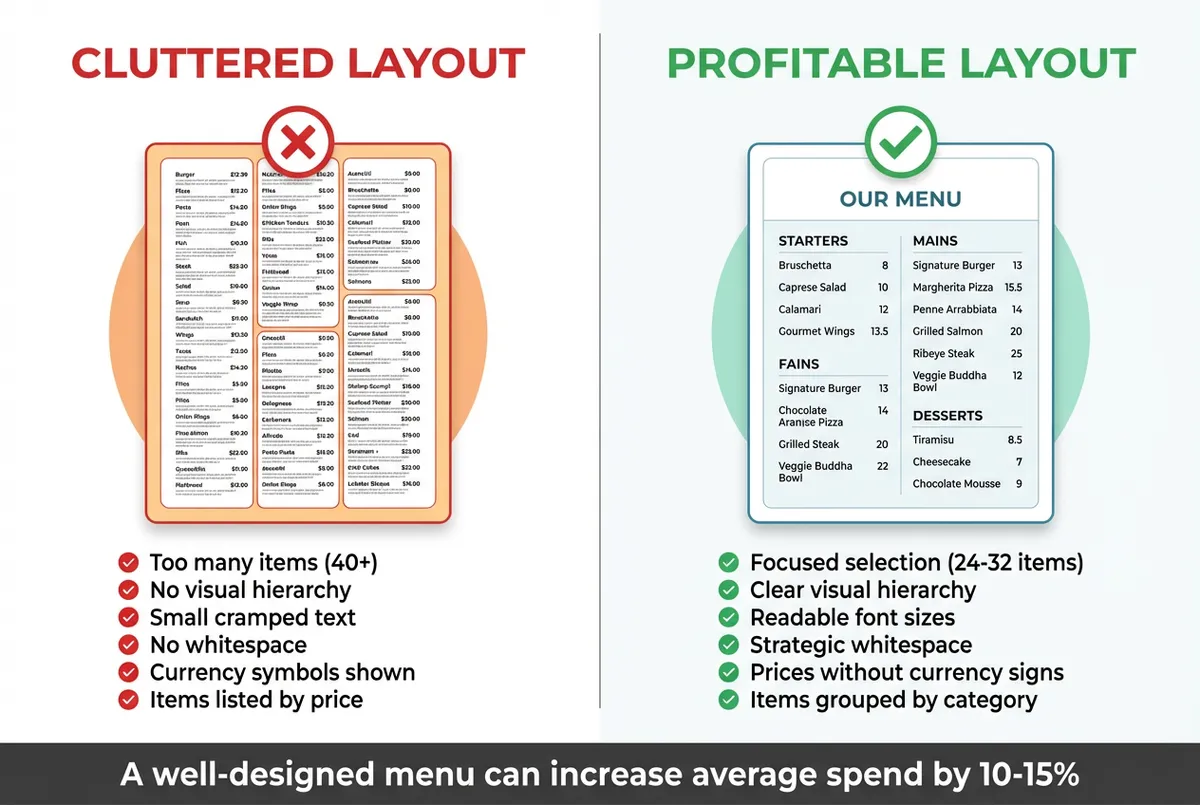
Crowded layout vs profitable menu layout with strategic whitespace
Avoid Price Columns
Trailing dots leading to aligned prices encourage comparison shopping. Customers scan the price column looking for the cheapest option.
In a profitable menu layout, prices follow descriptions naturally without alignment. This keeps focus on the food rather than the numbers.
For instance, a Sheffield brasserie removed their right-aligned price column and placed prices after each description. Average spend per customer increased £3.40 within two weeks.
Pro Tip
If you're only updating your menu layout when you print new menus, you'll always lose to competitors who test layout changes constantly.
With that foundation in place, let's explore how pricing presentation affects customer decisions in a profitable menu layout.
Pricing Psychology That Works
The way you present prices significantly impacts what customers order. A profitable menu layout uses psychological principles to reduce price sensitivity.
Remove Currency Symbols
Research shows that removing pound signs can increase spending by up to 30%. Customers who see "18" instead of "£18.00" experience less "pain of paying."
To implement this strategy:
- Use: 18 or 18.50
- Avoid: £18.00 or £18
Use Price Anchoring
Place a few premium-priced items on your menu to make other prices seem reasonable. A £48 steak makes your £28 main courses feel like good value.
In a profitable menu layout, anchors work best when:
- They represent genuine quality (customers spot fake premiums)
- They appear early in the section
- They're priced 50-100% above your typical items
Charm Pricing Considerations
If you can't tell whether your pricing format helps or hurts margins, that's usually a sign you need to test it systematically.
Prices ending in .95 or .99 feel cheaper, but they can also feel discount-oriented. For a profitable menu layout:
- Casual dining: .95 endings work well
- Fine dining: Round numbers feel more premium
- Mid-market: Test both approaches
For example, a Cardiff pub tested charm pricing (£14.95 vs £15) on their burger range. The .95 pricing increased burger orders by 8% without noticeable margin impact.
Nested Pricing
Hide prices within descriptions rather than listing them separately:
Standard approach: Fish and chips...£14.50
Profitable menu layout approach: Line-caught North Sea haddock in crispy beer batter with hand-cut chips and mushy peas (14.50)
The nested approach keeps attention on the food, not the number.
Having covered placement and pricing, descriptions become your next lever. Here's how they influence ordering in profitable menu layouts.
Menu Descriptions That Sell
Finally, let's address description strategy. Using vivid, sensory-rich adjectives boosts sales by 27%, according to Cornell University research. For many restaurants, descriptions rank alongside placement as a top driver of order changes.
If you're reading this after a 12-hour shift thinking "I don't have time to rewrite every description," start with just your top 3 margin items. Those changes have the biggest impact.
Sensory Language
Engage the senses with specific descriptive words:
| Basic Description | Profitable Menu Layout Description |
|---|---|
| Chicken breast | Tender, slow-roasted free-range chicken |
| Chocolate cake | Warm Belgian chocolate torte with Madagascar vanilla cream |
| Fish and chips | Crispy beer-battered haddock with chunky hand-cut chips |
| Beef burger | Flame-grilled 8oz British beef patty with aged cheddar |
Provenance and Origin
Customers value knowing where food comes from:
- "Cumbrian lamb" instead of "lamb"
- "Line-caught Cornish mackerel" instead of "mackerel"
- "Yorkshire rhubarb" instead of "rhubarb"
- "Scottish salmon" instead of "salmon"
For a profitable menu layout serving UK customers, British provenance signals quality and justifies premium pricing.
Cooking Methods
Describe how dishes are prepared:
- "Slow-braised" suggests care and time
- "Hand-cut" implies artisanal quality
- "Chargrilled" evokes flame and flavour
- "Pan-seared" suggests technique and skill
Avoid Generic Superlatives
"World's best" and "famous" are ignored by customers who've seen them thousands of times. In a profitable menu layout, specific details beat generic claims.
| Don't Say | Do Say |
|---|---|
| World-famous burger | Flame-grilled 8oz Aberdeen Angus patty |
| Best fish and chips | Crispy beer-battered haddock, hand-cut chips |
| Delicious chocolate dessert | Warm Valrhona chocolate fondant |
Description Length
For a profitable menu layout, longer descriptions on high-margin items justify higher prices. Shorter descriptions on lower-margin basics are fine.
- Stars and Puzzles: 15-25 words
- Plowhorses: 8-15 words
- Simple sides: 3-8 words
For example, a Norwich bistro expanded their duck breast description from 8 words to 22 words while raising the price £2. Orders stayed constant, adding pure profit.
Info
Related: Menu Engineering Categories explains how to identify which items deserve longer descriptions.
Now let's bring everything together with practical steps you can implement this week.
Creating Your Profitable Menu Layout: Practical Steps
The good news: you don't need a complete redesign. Here's how to apply these principles with high-impact changes you can implement today.
Step 1: Identify Your High-Margin Items
Before redesigning layout, know which items deserve prime positions, and our menu and offers manager keeps every dish and its price in one place while you decide:
- Calculate contribution margin for each item (selling price minus food cost)
- Identify your top 5 highest-margin items
- These items should occupy golden triangle positions
Step 2: Audit Current Placement
Review your existing menu:
- Where are your high-margin items currently positioned?
- Are they in the golden triangle?
- Do they have visual emphasis?
- Are prices displayed in ways that encourage comparison?
Step 3: Plan Your Changes
Map out adjustments:
- Move top 3 margin items to golden triangle positions
- Add visual callout to 1-2 high-margin items per page
- Remove price column alignment
- Improve descriptions for top 5 margin items
- Consider removing currency symbols
Step 4: Test and Measure
Track results over 4-6 weeks:
- Sales mix by item
- Average customer spend
- Margin per customer
- Specific item order counts
Compare before and after data for clear evidence of what works.
If you're thinking "I don't have time for all this," start with one change: move your highest-margin dish to the top-right of its section. That single adjustment often produces measurable results.
Key Takeaway
Key Takeaway
A profitable menu layout uses the golden triangle (centre, top-right, top-left) to capture customer attention and guide them toward high-margin items. Strategic placement can increase revenue by up to 35%, while sensory-rich descriptions boost item selection by 27%. Remove currency symbols, avoid price columns, and use visual callouts sparingly for maximum impact. Your menu is among the most viewed documents in your business. Every single customer encounters it. Small layout changes compound into significant profit improvements over time.
If you run a restaurant and want to see how Local Brand Hub can support your marketing, explore our restaurant marketing tools.
This Week's Action Plan
Day 1-2: List your top 10 items by sales volume, calculate cost for each, and identify your single highest-margin item.
Day 3-4: Check where that highest-margin item currently appears on your menu and note if it's in the golden triangle.
Day 5-7: Move your highest-margin item to the top-right of its section and track orders daily for 30 days.
Start with this single change. If orders increase, you've proven the principle works, then adjust more items systematically.
Frequently Asked Questions
Does the golden triangle work for digital menus?
Yes. Eye tracking studies show similar patterns on digital screens. However, scrolling behaviour means the first visible items matter most. For digital menus, place high-margin items at the top of each category.
How often should I update my menu layout?
Review your menu layout quarterly at minimum. After any significant cost changes, evaluate whether item positions still make sense. Many successful UK restaurants test layout changes monthly.
Can I make my menu more profitable without reprinting?
Yes. Digital menus and specials boards allow testing without print costs. Even with printed menus, table talkers and server recommendations can highlight high-margin items while you plan your next run.
Does removing currency symbols really work?
Multiple studies suggest it reduces price sensitivity. However, the effect varies by restaurant type. Test with a small menu section before rolling out the change across your menu.
What if my highest-margin items are unusual dishes customers don't recognise?
This is common with Puzzle items. Improve descriptions to explain unfamiliar dishes, add "Chef's Recommendation" labels, and train staff to describe them enthusiastically. A profitable menu layout combined with staff training is more effective than layout alone.
For UK restaurant owners
Track Your Menu Performance
LocalBrandHub helps UK restaurants analyse which items drive profit and where to position them for maximum impact, without manual spreadsheets.
Start FreeGet More Marketing Tips
Practical marketing tips for UK business owners, straight to your inbox. No spam, unsubscribe anytime.
About the Author
Local Brand Hub
Empowering UK Businesses
Local Brand Hub provides comprehensive business management tools designed specifically for UK local businesses to streamline operations, automate marketing, and grow revenue.
More articlesRelated Articles
 Marketing Tips
Four Quadrants of Menu Engineering: A Complete UK Guide
Master the four quadrants of menu engineering to boost restaurant profits. Learn how Stars, Plough Horses, Puzzles and Dogs increase your margins.
 Marketing Tips
Menu Design Principles: 7 Rules That Drive Sales
Master menu design principles that guide customer choices. Learn golden triangle placement and strategic pricing layouts that boost restaurant profits.
 Marketing Tips
Menu Engineering: Complete UK Restaurant Guide
Master the four quadrants matrix: Stars, Plough Horses, Puzzles and Dogs. Learn how menu engineering boosts UK restaurant profits by 15% or more.