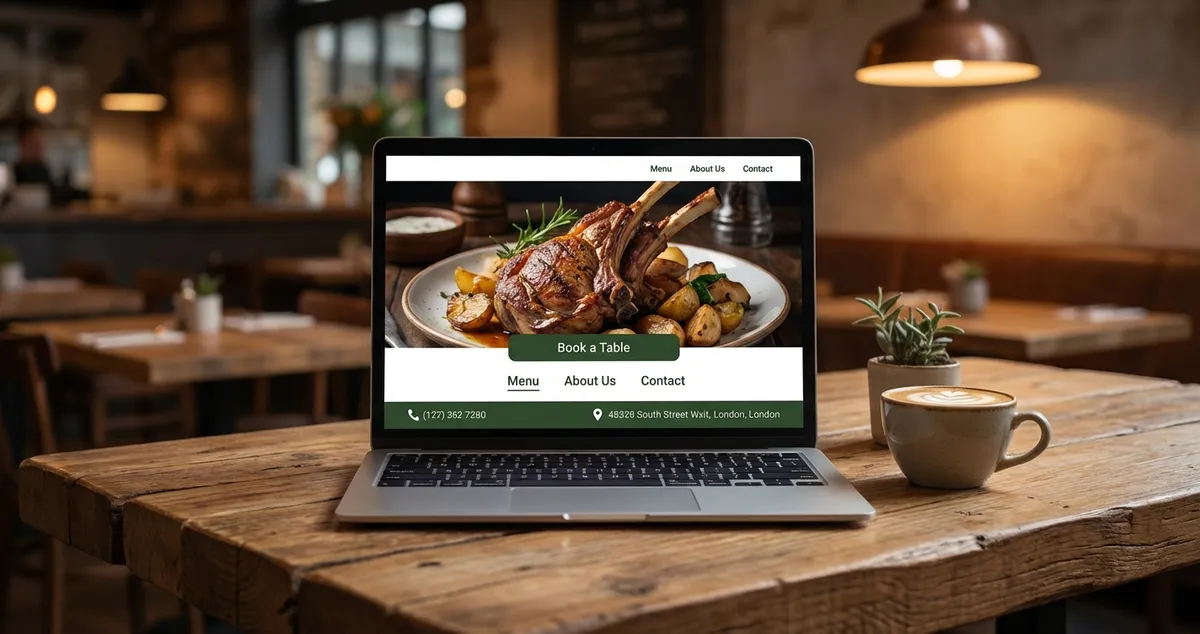
Learn 7 essential restaurant homepage design elements that convert visitors into diners. Mobile-first layouts and booking buttons.
Your homepage has three seconds. That's how long visitors give you before deciding whether to stay or click away, and 53% will leave if your page loads slowly. You've spent thousands on photography and hours perfecting your menu. Yet visitors still leave within seconds. The problem isn't your food or your restaurant website design. It's your homepage.
What you'll learn:
- The five essential elements every restaurant homepage needs
- How to structure your layout for mobile-first visitors
- Where to place your booking button for maximum conversions
- Common homepage mistakes that cost you customers
- A minimum viable checklist you can implement this week
Info
Related: This guide focuses on homepage design. For the complete picture, see our restaurant website design pillar guide.
What Is Restaurant Homepage Design?
Let's start with the basics. A good restaurant homepage design is a framework that arranges visual elements, navigation, and calls-to-action on your landing page to guide visitors toward booking a table or placing an order.
Unlike generic business websites, restaurant homepages must balance appetising imagery with practical information (your opening hours, location, and menu) while loading fast enough for hungry, impatient visitors.
Why This Matters
According to Google's research on mobile page speed, 53% of mobile users abandon sites that take longer than three seconds to load. For restaurants, every abandoned visitor is a potential booking lost.
The goal isn't to win design awards. It's to answer three questions instantly: What kind of food do you serve? Where are you located? How do I book or order?
For example, a family-run pizzeria might structure their homepage with a hero image of their wood-fired oven, "Book a Table" prominently displayed, and their address in the header. That immediately tells visitors: Italian food, bookings available, here's where we are.
If you're reading this thinking "I don't have time for a complete website overhaul", you're not alone. Most restaurant owners feel exactly the same after a 12-hour shift with their feet aching.
The good news: small, focused changes to your existing homepage often deliver better results than expensive redesigns. Never commit to a full rebuild if you haven't fixed the basics first.
Quick Test
Ask yourself this: Would I book at my own restaurant if I landed on this homepage as a stranger? That's the question worth asking before any redesign.
Essential Elements for a Beautiful Restaurant Homepage
Here's what separates homepages that fill tables from those that don't. Every restaurant website needs certain elements to function, but placement matters more than presence. Let me walk you through what belongs on your homepage and where it should go.
Above-the-Fold Priorities
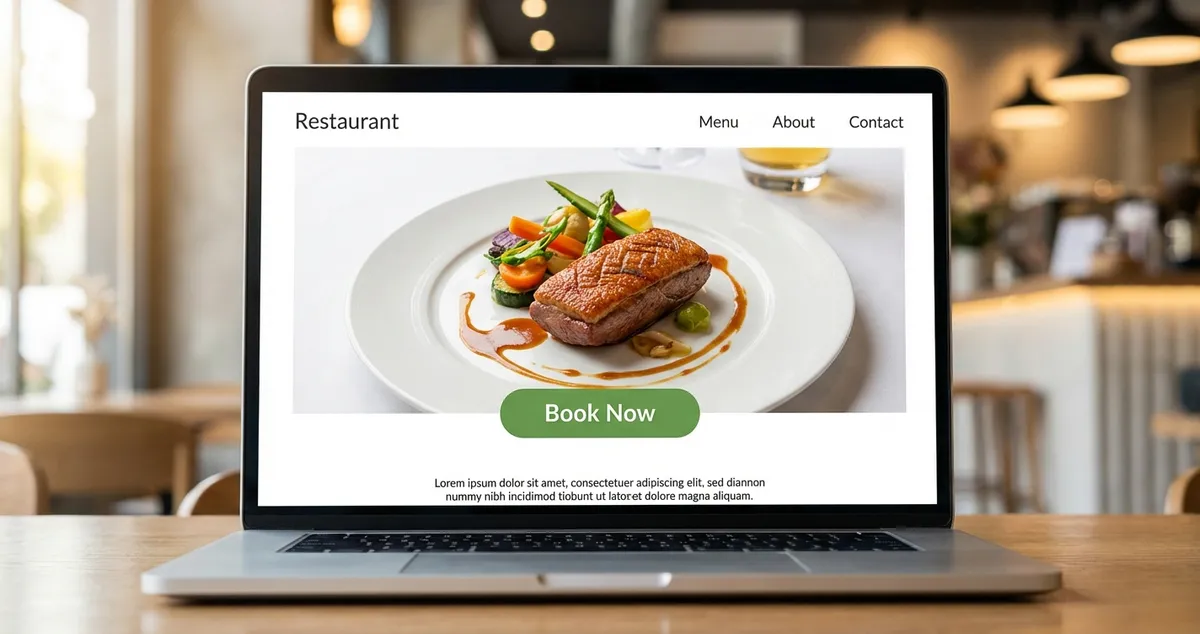
Let's look at the area visitors see before scrolling (roughly the top 600 pixels on desktop) that must include:
- Your restaurant name and cuisine type so visitors know they're in the right place
- A prominent booking or ordering button in a contrasting colour
- One hero image that shows your food or atmosphere (not a generic stock photo)
- Basic contact information including your postcode or area
A gastropub might feature their signature Sunday roast as the hero image, with "Book a Table" prominently displayed in the top right corner. That immediately tells visitors what you're about and how to take action.
Navigation That Works
Here's a critical element of restaurant homepage design: keep your main navigation to five items or fewer:
- Menu
- Book / Order
- About
- Location / Contact
- Gallery (optional)
Anything else (private dining, gift vouchers, careers) belongs in a footer or secondary menu. Avoid cramming ten options in the main nav because visitors often choose none when overwhelmed.
Menu Accessibility
Your menu should be accessible within one click from the homepage. Not a PDF that downloads slowly on mobile. Not a link to a third-party platform. An actual, text-based restaurant menu page that Google can read and customers can browse easily.
According to TouchBistro's dining trends report, 77% of diners check a restaurant's menu online before visiting. If they can't find it quickly, they'll visit a competitor's site instead, so keep your dishes and prices up to date with our menu and offers tools.
Restaurant Homepage Design Template Structure
Furthermore, having the right elements means nothing without proper structure. Let's look at a proven template that works.
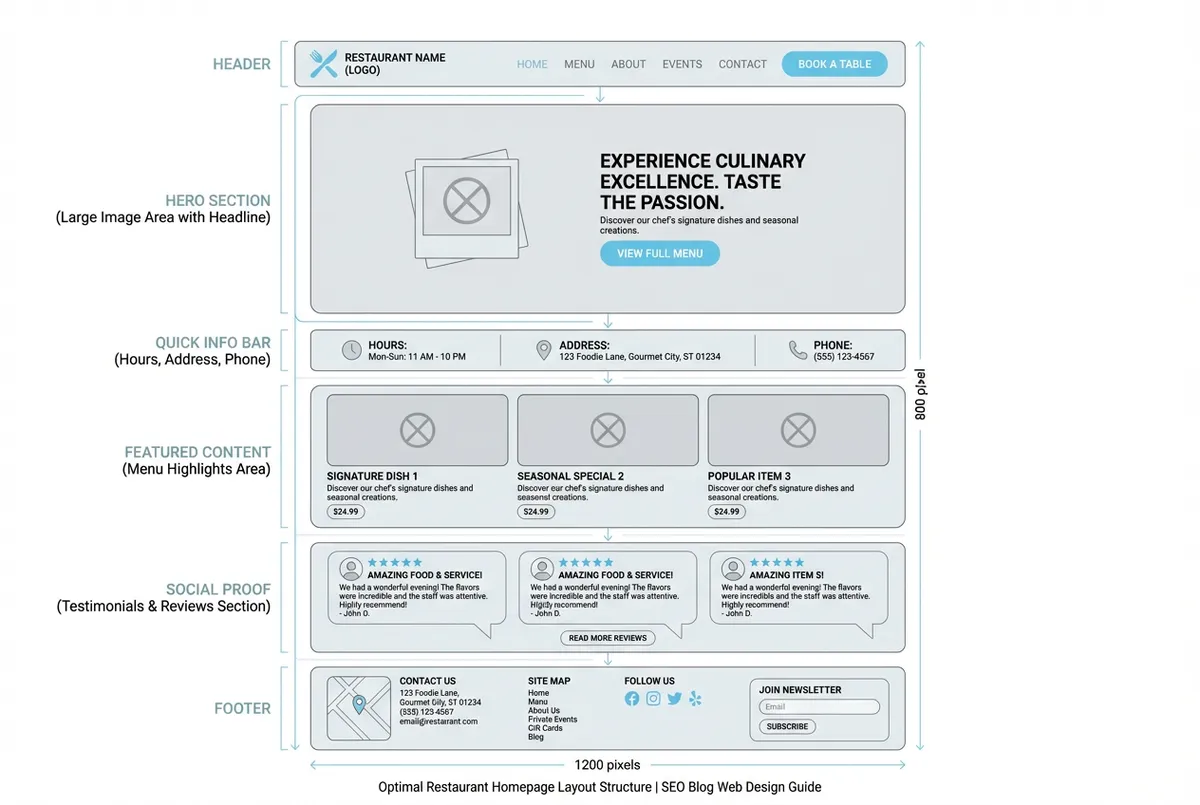
A proven template structure for restaurant homepages
A practical restaurant homepage template follows this structure from top to bottom:
Header Section:
- Logo (left)
- Navigation (centre or right)
- Book Now button (far right, contrasting colour)
Hero Section:
- Full-width image of your best dish or dining space
- Headline with your restaurant name and tagline
- Secondary booking button
Quick Info Bar:
- Opening hours
- Address with postcode
- Phone number
Featured Content:
- Menu highlights (3-4 signature dishes with images)
- Or weekly specials
- Or current promotions
Social Proof:
- Google or TripAdvisor rating badge
- 2-3 customer testimonials
- Press mentions if you have them
Footer:
- Full contact details
- Social media links
- Secondary navigation
- Newsletter signup (optional)
This restaurant homepage design template works because it mirrors how customers actually think. They want to know: Is this place good? What's the food like? Can I get a table? Where is it? In that order.
Mobile-First Considerations
Here's the reality: over 60% of restaurant website traffic typically comes from mobile devices. Your restaurant homepage design must work on a 6-inch screen first, desktop second.
For mobile layouts:
- Use a hamburger menu to hide navigation
- Make all buttons at least 44 pixels tall for easy tapping
- Ensure phone numbers are click-to-call links
- Compress images to under 200KB each
- Test your booking button is visible without scrolling
If you're not sure whether your homepage works on mobile, pull out your phone and try to book a table on your own site. That 30-second test reveals more problems than any audit.
Common Homepage Design Mistakes
Let's talk about what not to do. These restaurant homepage design mistakes cost restaurants bookings every week. Having worked with over 200 independent UK restaurants on their digital presence, I've seen these patterns repeatedly, and the fixes that actually work.
Common Mistake
If you're only updating your website when things are quiet you'll always lose to competitors who treat their homepage as part of daily operations.
| Mistake | Impact | Quick Fix |
|---|---|---|
| Slow-loading sliders | Visitors leave before second slide loads | Use single hero image |
| Buried booking button | Lose customers who won't scroll | Move above the fold |
| PDF-only menus | Poor mobile experience, no SEO value | Convert to text-based page |
| Auto-playing sound | Instant back button clicks | Mute by default |
| Outdated hours | Frustrated customers at closed doors | Update before bank holidays |
The slow-loading slider. The biggest mistake is using carousels with five or six rotating images: they look impressive in mockups but typically hurt conversion. Most visitors leave before the second slide loads. Use a single, striking hero image instead.
Buried booking buttons. If visitors must scroll to find your booking link, you'll lose a significant portion of them. If you're only placing your booking button at the bottom of the page you'll always lose to competitors with above-the-fold CTAs.
The primary call-to-action belongs above the fold, visible within one second.
PDF-only menus. Yes, it's easier to upload a PDF. But PDFs load slowly on mobile, can't be indexed by Google, and often display at unreadable sizes.
Priority Fix
If you only have 30 minutes this week, converting your PDF menu to a text-based webpage should be the priority.
For example, a family-run Italian restaurant in Manchester switched from a PDF menu to a simple text-based page. They reported their bounce rate dropped from 65% to 42% within two weeks: visitors were finally able to browse dishes on their phones without zooming and scrolling.
Auto-playing music or video. Nothing makes visitors hit the back button faster than unexpected sound. Don't autoplay with sound because you'll lose visitors instantly: keep video muted by default.
Missing or outdated opening hours. Visitors searching "restaurants open now" need accurate times. Don't skip the bank holiday updates because you'll have frustrated customers arriving at closed doors.
If you can't tell whether your homepage design is helping or hurting bookings, that's usually a sign the strategy needs tightening. The good news? Most fixes take less time than a quiet Wednesday night stock count.
What About DIY Website Builders?
So what if you're starting from scratch? Platforms like Wix, Squarespace, and WordPress offer restaurant-specific templates that handle most homepage design decisions for you. For most independent restaurants, these templates provide a solid starting point.
When to use a template:
- You're opening a new restaurant and need something live quickly
- Your budget is under £500 for the entire website
- You're comfortable making basic edits yourself
When to consider a custom design:
- You have multiple locations with different menus
- You need complex booking integrations
- Your brand positioning requires a distinctive look
For most UK restaurants, a well-configured Squarespace or Wix template with quality photography outperforms a custom-built site with poor images. When it comes to restaurant homepage design, the photography matters more than the code.
If you're thinking "I can barely keep up with service, let alone a website project", I get it. The Saturday rush doesn't wait for your homepage to be perfect. Start with templates, and improve incrementally.
This Week: Your Minimum Viable Homepage Audit
Now let's put this into action. If you only have 30 minutes this week, audit your restaurant homepage using this checklist:
- Day 1-2: Open your homepage on your phone. Can you book a table without scrolling? Is your menu accessible within one tap?
- Day 3-4: Check your loading speed using Google PageSpeed Insights. Note any images over 500KB that need compression.
- Day 5-7: Verify your opening hours, phone number, and address are accurate and visible above the fold.
Quick Homepage Audit Checklist
Use this checklist to assess your current homepage:
- Booking button visible without scrolling on mobile
- Menu accessible within one tap
- Page loads in under 3 seconds
- Hero image under 500KB
- Phone number is click-to-call
- Opening hours are current (including bank holidays)
- Address includes postcode
- No auto-playing sound or video
That's enough to start. One focused homepage audit beats an expensive redesign that never happens.
Key Takeaways: Restaurant Homepage Design
If you run a restaurant and want to see how Local Brand Hub can support your marketing, explore our restaurant marketing tools.
Key Takeaways: Restaurant Homepage Design
So what does all this mean for your business? Your restaurant homepage design determines whether hungry visitors become paying customers or bounce to a competitor. Focus on these priorities:
- Speed beats beauty: A fast-loading page with one great image converts better than a slow page with ten
- Booking buttons belong above the fold: Don't make visitors hunt for how to reserve
- Mobile-first is mandatory: Test on your phone before you launch any changes
- Menus need one-click access: Skip the PDFs and use text-based pages
- Update seasonal hours: Especially around bank holidays when search traffic spikes
The restaurants that fill tables consistently aren't always the ones with the fanciest websites. They're the ones where restaurant homepage design makes booking effortless and answers every question within seconds.
Start with the 30-minute audit above. Small changes to your restaurant homepage design often deliver bigger returns than a complete rebuild, and they actually get done.
Weekly Action
Action item 1: Take 10 minutes to complete the mobile booking test: pull out your phone, open your homepage, and time how long it takes to find the booking button.
Action item 2: If it's more than two taps or five seconds of scrolling, move your booking button above the fold this week.
For UK restaurants
Need Help With Your Restaurant Homepage?
Local Brand Hub helps independent restaurants build homepages that convert visitors into bookings, without the technical headaches.
Start freeGet More Marketing Tips
Practical marketing tips for UK business owners, straight to your inbox. No spam, unsubscribe anytime.
About the Author
Local Brand Hub
Empowering UK Businesses
Local Brand Hub provides comprehensive business management tools designed specifically for UK local businesses to streamline operations, automate marketing, and grow revenue.
More articlesRelated Articles
 Marketing Tips
Restaurant Website Examples: The Twenty Second Test
Restaurant website examples judged the way a hungry stranger judges them: on a phone, against a timer. Patterns worth copying, and those to leave alone.
 Marketing Tips
Mobile Restaurant Website: Essential UK Design Guide 2025
Create mobile restaurant websites that convert visitors to diners. Essential features, templates, builders, and UK costs.
 Marketing Tips
Restaurant Landing Pages: Convert Visitors to Bookings
Build restaurant landing pages that turn visitors into bookings. Covers mobile layout, page speed, CTAs, and social proof with UK examples.