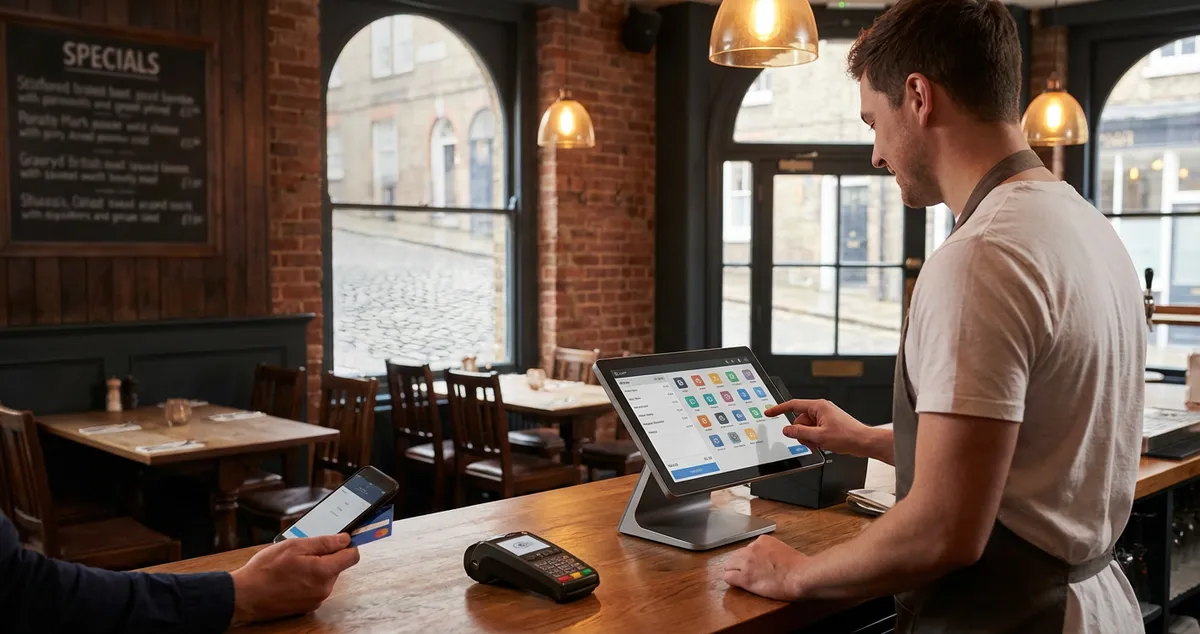
12 POS features every UK restaurant needs, from table-side ordering to real-time stock alerts. Compare what matters before you buy a new system.
You're comparing POS systems at midnight, three browser tabs deep. One charges £50 a month, another £200 for what looks like identical features. Every vendor claims "industry-leading" capabilities. Most lists include features you'll never touch. Here's what actually matters for UK restaurants.
A restaurant POS system handles orders, payments, and reporting. But the features that separate good from great vary by venue type. A busy gastropub needs different capabilities than a quiet café on a Wednesday night.
Info
Related: Restaurant POS System: our complete buyer's guide with pricing and top UK recommendations.
What You'll Learn
- The 12 POS features that genuinely impact operations
- Which features match your restaurant type
- Core functions versus premium add-ons
- How to avoid paying for features you'll never use
- A minimum viable checklist to get started
What Are the Key Features of a POS System?
Restaurant POS features fall into six core categories: order management, payment processing, menu management, reporting, staff controls, and integrations. The essential features handle daily operations. Taking orders, splitting bills, printing kitchen tickets. Everything else builds on that foundation.
If you're only comparing feature lists without testing each system with your actual menu, you'll always lose to competitors who take demos seriously and ask the hard questions.
If you're reading this after buying a system that looked perfect on paper but fails during the Saturday rush, you're not alone. Most owners make this mistake once.
Here's how the core features break down:
Order Management:
- Table assignment and transfers
- Course timing (starters, mains, desserts)
- Modifiers for dietary requirements
- Split bills by item or seat
- Kitchen ticket printing or display
Payment Processing:
- Card and contactless payments
- Cash drawer integration
- Gratuity options
- VAT-compliant receipts (see GOV.UK VAT requirements for hospitality)
Basic Reporting:
- Daily sales summaries
- Product-level breakdowns
- Staff performance tracking
For example, a casual dining spot in Birmingham added order modifiers to their POS. Kitchen errors for allergy requests dropped from several per week to nearly zero. The system forced servers to confirm dietary notes before sending orders.
What Are the 4 Types of POS Systems?
With key features covered, let's look at system types. POS systems come in four main categories: traditional on-premise, cloud-based, mobile/tablet, and hybrid. Each suits different needs and budgets.
| Type | Best For | Cost | Examples |
|---|---|---|---|
| Traditional On-Premise | Large venues, data concerns | £1,500-5,000+ upfront | Legacy systems |
| Cloud-Based | Most restaurants | £30-200/month | Square, Toast |
| Mobile/Tablet | Tableside, food trucks | £0-100/month | Square, TouchBistro |
| Hybrid | Offline reliability | Varies | Epos Now |
Costs change by vendor and negotiation.
Cloud-based systems often offer the best balance for most UK restaurants. They update automatically and store data offsite. Traditional systems suit venues with poor internet or strict data rules.
For instance, a family-run café in Leeds switched from paper to cloud POS. Staff training took two hours. Within a month, cashing up went from 45 minutes to 15.
If you're thinking "we'll just pick the cheapest option," that often backfires. A £30/month system at 2.5% fees costs more than a £100/month system at 1.5% once you process £15,000 monthly.
Don't skip the offline mode test. Systems that freeze when the internet drops during service cause real damage.
What Are Some POS Systems for Restaurants?
Now here are the leading options. The UK market offers several strong choices. The right one depends on size, budget, and needs. According to UKHospitality, technology adoption remains a priority for independents.
Top UK-Available Systems:
| System | Strength | Starting Price | Best For |
|---|---|---|---|
| Square | Simple, clear pricing | Free + 1.75% fees | Small cafés |
| Epos Now | UK support | £325 hardware | Growing restaurants |
| TouchBistro | Tableside ordering | Custom quote | Table service |
| Lightspeed | Multi-location analytics | Custom quote | Expanding operations |
| Toast | Full-service features | Custom quote | High-volume |
Prices approximate and subject to change.
A fish and chip shop in Manchester uses Square's free tier. Simple menu, high volume, minimal complexity. A 60-cover bistro in Edinburgh needs TouchBistro's course timing and table management.
If you can't explain why one system fits your operation better than another, that's usually a sign you need more demos and fewer brochures.
What Are the Six Functions of POS?
So you've chosen a system type. But what should it do? Every restaurant POS performs six core functions. These form the operational backbone.
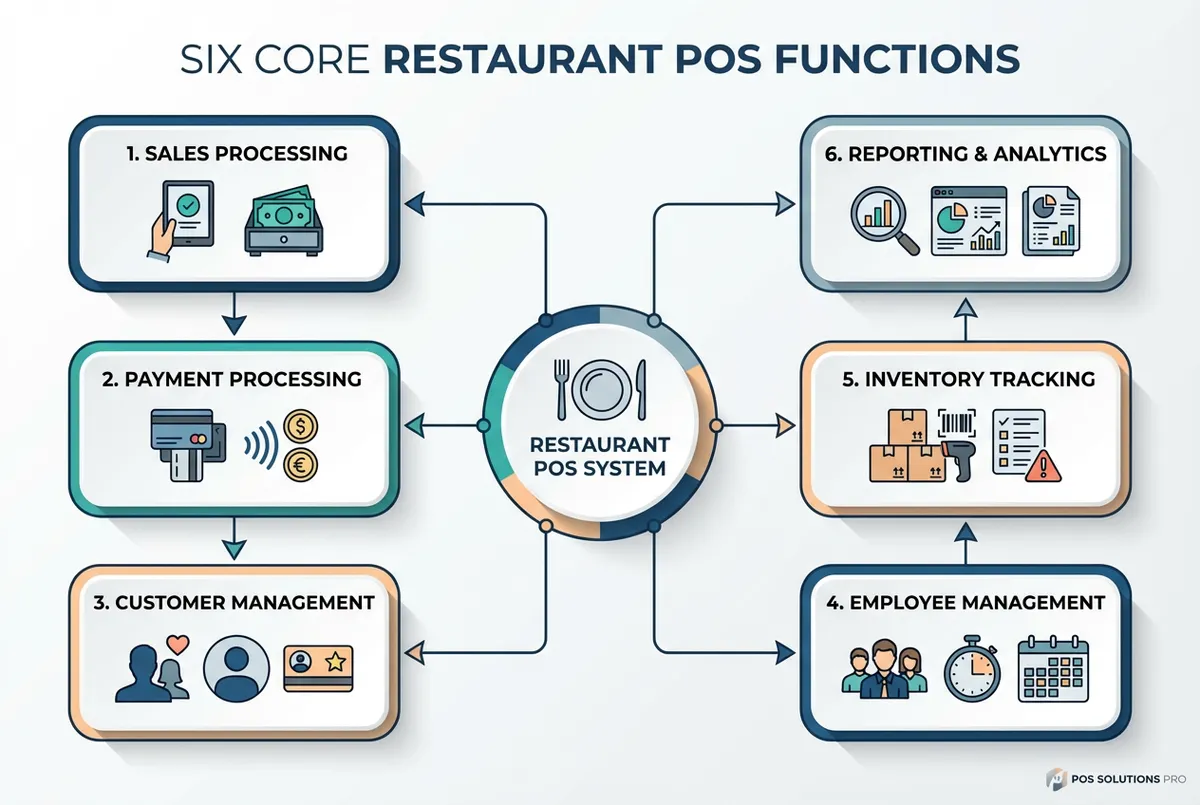
Every POS should handle these six core functions reliably
1. Sales Processing Taking orders, applying discounts, generating bills. The foundation.
2. Inventory Tracking Stock levels, waste tracking, reorder alerts. Essential for food cost control.
3. Reporting and Analytics Daily summaries, product performance, peak hours. Turns data into decisions.
4. Employee Management Clock-in/out, permissions, performance tracking. Helps when you're down two staff on a bank holiday.
5. Customer Management Loyalty programmes, order history, preferences. Builds repeat visits.
6. Payment Processing Card, contactless, cash, and app payments. The final transaction step.
Not every restaurant needs all six at full depth. A café might skip loyalty. A pub might prioritise inventory for draft beer tracking. Match the depth to your operation.
Feature Test
Ask yourself: would I use this feature weekly? If not, it's probably not worth the add-on cost.
What Are the Features of POS Software?
That covers functions. Now for specific software features. Beyond hardware, software determines daily usability.
Must-Have Software Features:
- Intuitive Interface: Staff learn basics in under an hour
- Menu Customisation: Categories, modifiers, seasonal items
- Offline Mode: Works during internet outages
- Automatic Updates: Security patches happen automatically
- Multi-Device Sync: Changes reflect across terminals instantly
Nice-to-Have Features:
- Online ordering integration
- Reservation system links
- Delivery platform connections (Deliveroo, Just Eat)
- Accounting sync (Xero, QuickBooks)
- Kitchen display systems
If you can't tell whether a feature saves you time or just creates more admin, that's usually a sign you should skip it for now.
For example, a tapas bar in Bristol connects their POS to ResDiary. When a booking arrives, the table shows on screen. Staff seat guests without checking a separate system.
Feature Priority by Restaurant Type (Rule of Thumb):
| Type | Priority Features |
|---|---|
| Quick Service | Speed, simplicity, queues |
| Casual Dining | Tables, course timing |
| Fine Dining | Wine notes, detailed checks |
| Pub | Tabs, stock tracking |
| Takeaway | Online ordering, delivery |
Your priorities may differ: these are common patterns, not fixed rules.
How Much Should You Pay for Features?
Here's where things get real. Feature pricing varies dramatically across UK vendors.
| Feature | Free/Basic | Premium Add-On |
|---|---|---|
| Order taking | Yes | N/A |
| Basic reporting | Yes | N/A |
| Advanced analytics | Sometimes | £20-50/month |
| Loyalty programme | Rarely | £30-80/month |
| Online ordering | Sometimes | £50-150/month |
| Inventory | Basic | Full: £30-60/month |
| Multi-location | Rarely | £50-200/month |
Prices approximate, vary by vendor.
If you're only looking at monthly costs you'll always lose to competitors who factor in transaction fees, hardware, and add-ons.
Never buy features before you need them. That loyalty module sounds great. But if you won't maintain it, you're paying for shelf-ware. Signing up for every add-on the salesperson suggests that never works. You'll end up with software bloat and a bigger bill.
Worth paying for:
- Reliable UK-based support
- Integrations you'll use
- Offline reliability
- Security updates
Often overpriced:
- Analytics you won't analyse
- Loyalty features you won't maintain
- Integrations with unused tools
Minimum Viable POS Setup
All that sounds overwhelming? Here's the stripped-back version. If you only have 30 minutes a week to set up and learn a system, follow this plan.
Get running in one week:
- Day 1-2: Sign up for Square for Restaurants (free, 15-minute setup)
- Day 3-4: Add core menu items, don't perfect it, just get basics working
- Day 5-6: Connect a card reader (£20-50) and test transactions
- Day 7: Train your busiest staff member and run a quiet service
Total investment: Under £100 and 2-3 hours.
This handles orders, payments, and simple reporting. Enough to replace paper tickets and improve accuracy straight away. Add features as genuine needs emerge, not because a salesperson recommended them.
Choosing the Right Features for Your Restaurant
Ready to decide? Follow this framework.
Step 1: List Your Pain Points What costs time or money? Order errors? Slow cashing up? Stock mysteries?
Step 2: Match Features to Problems Don't buy features speculatively. If stock control isn't painful, skip inventory modules.
Step 3: Calculate Total Cost Monthly fees plus transaction fees plus hardware plus add-ons. Compare like for like.
Step 4: Test Before Committing Request a demo using your actual menu. Ask about contract length and exit fees.
For instance, a wine bar in Glasgow requested three demos before choosing. They discovered one system couldn't handle their by-the-glass pricing. Saved them from a two-year contract mistake.
Would you trust this system during your busiest Saturday service? If the answer isn't confident, keep looking.
If you can't tell whether your POS saves or costs you money, that's usually a sign you need better reporting, or a better system.
Key Takeaways
If you run a restaurant and want to see how Local Brand Hub can support your marketing, explore our restaurant marketing tools, including menu and offers management to showcase your dishes online.
Key Takeaways
Let's bring it together. Restaurant POS features should match your operational reality, not a vendor's checklist. Start with essentials, add capabilities as genuine needs emerge.
Summary:
- Focus on six core functions before premium add-ons
- Match system type to your venue
- Calculate total cost including fees
- Test with your actual menu before signing
Info
Related reading:
- Complete Restaurant POS System buyer's guide
- POS system costs for UK restaurants
- Small restaurant POS guide for budget options
For UK restaurants
Need Help Choosing POS Features?
Local Brand Hub helps UK restaurants navigate technology decisions and build marketing systems that integrate with your POS.
Start freeGet More Marketing Tips
Practical marketing tips for UK business owners, straight to your inbox. No spam, unsubscribe anytime.
About the Author
Local Brand Hub
Empowering UK Businesses
Local Brand Hub provides comprehensive business management tools designed specifically for UK local businesses to streamline operations, automate marketing, and grow revenue.
More articlesRelated Articles
 Technology
8 Best Restaurant POS Systems in the UK for 2026 Reviewed
Compare the 8 best restaurant POS systems for UK venues in 2026. Square, Epos Now, TouchBistro reviewed with honest UK pricing, features, and expert picks.
 Technology
Cheap Restaurant POS Systems UK: Budget Options
Compare the best cheap UK restaurant POS systems. Real costs, hidden fees revealed, and which budget-friendly POS fits your restaurant.
 Technology
POS System for Small Restaurant: 8 Best UK Options 2026
Compare 8 POS systems built for small UK restaurants, including Square and SumUp. Real monthly costs, transaction fees, and hardware requirements.