restaurant-menu-design

Restaurant Menu Design

2 articles to help your business succeed

Use layout, typography, colour, and pricing psychology to guide diners towards profitable items whilst creating an enjoyable menu experience.

💡Quick Tips for Restaurant Menu Design

  • Place your most profitable items in the 'golden triangle' — top right, top centre, and first item in each category
  • Remove currency symbols and dotted lines between items and prices — both remind customers they are spending money
  • Use descriptive, sensory language for high-margin items — 'Slow-braised Hereford beef cheek with root vegetable purée' outsells 'Beef cheek'
  • Limit each category to 5-7 items to prevent choice paralysis and simplify kitchen operations

Featured Article

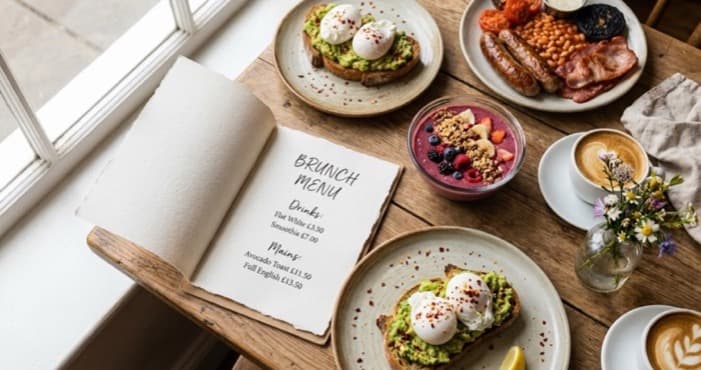
Stylish restaurant brunch menu layout with brunch dishes and coffee
05/03/202615 min read

Restaurant Brunch Menus: Design a Menu That Sells

You're running brunch every weekend. The food's good, the Prosecco is chilled, your social posts look great. So why are covers still thin, average spend stuck, and half the tables picking the cheapest...

Read article
More Articles About Restaurant Menu Design

Related Topics

Frequently Asked Questions

How often should I redesign my restaurant menu?

Review your menu design quarterly and make minor adjustments based on sales data. A full redesign every 12-18 months keeps the menu fresh and allows you to incorporate learnings. Seasonal menus can rotate more frequently. Always track the impact of changes on average spend and item mix.

Should my restaurant use a digital or printed menu?

Both have advantages. Printed menus feel more premium and allow design techniques like the golden triangle. Digital menus (QR codes) are easier to update and reduce printing costs. Many UK restaurants use printed menus for dine-in and digital for delivery. Consider your brand positioning and customer demographics.

Explore more topics to grow your business

Browse All Articles