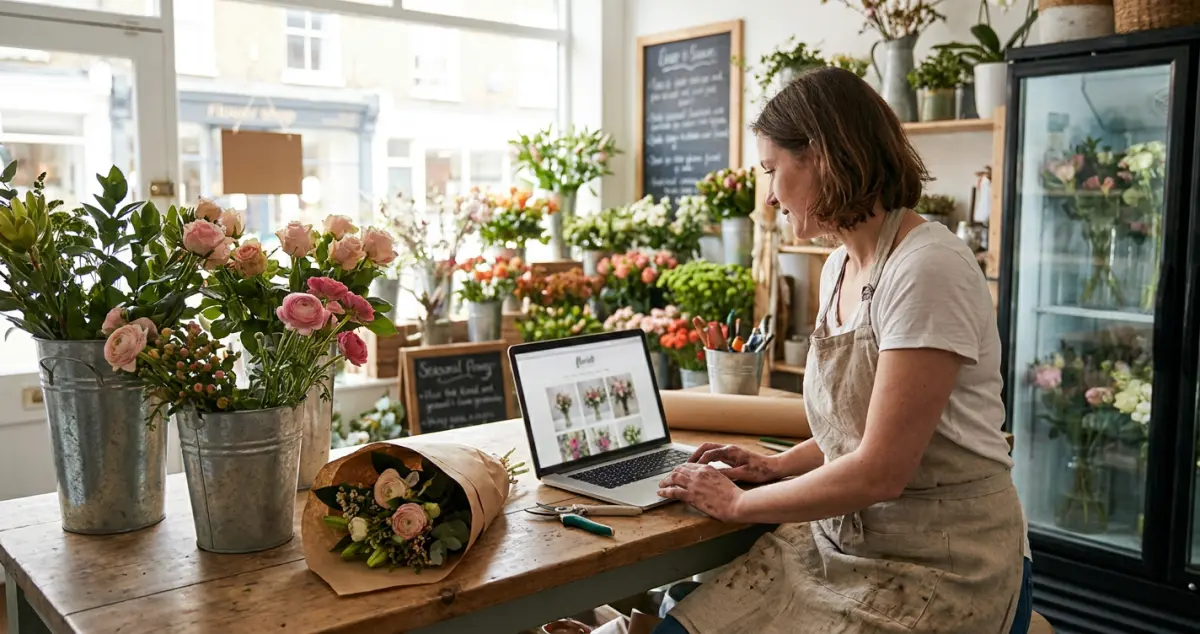
A florist website wins local customers back from Bloom & Wild and Interflora: a UK owner's guide to building, designing and selling flowers online.
A florist website is your shop's home online: a fast, mobile page that shows your arrangements, takes orders or enquiries, sets your delivery area, and helps local customers find you on Google instead of a national chain. Done well, it turns "florist near me" searches into bookings and frees you from walk-in trade alone.
You're conditioning stems at 6am with a wedding install to load, and somewhere out there a local customer is ordering from Bloom & Wild because they couldn't find you. That's the gap a good website closes. The national chains spend millions to own that search box, but locally, on your own street, you can still win. 10 min read.
What You'll Learn
- Why your own website beats relying on Instagram, Interflora or walk-ins alone
- What every florist site needs: the six essentials
- How to build one step by step, on any budget
- How to get found locally and take trade back from the big chains
- The website mistakes that quietly send customers to a competitor
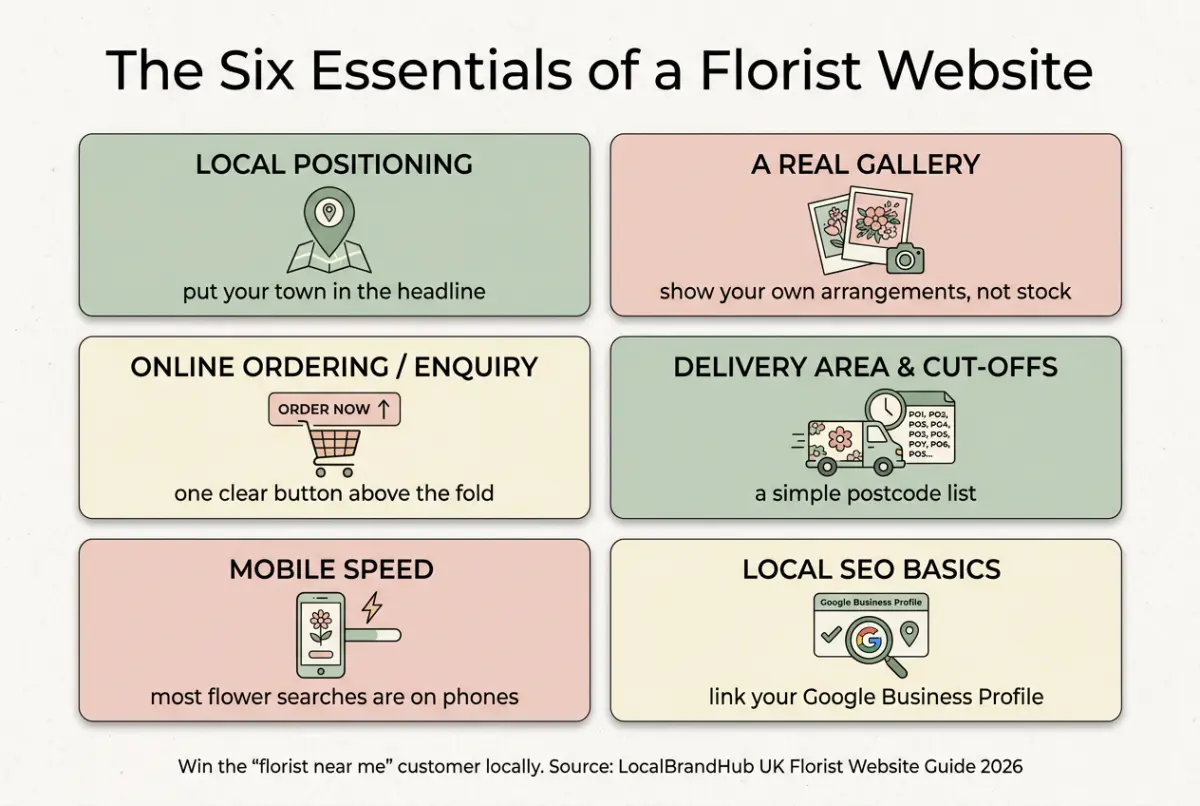
Table of Contents
- Why Your Florist Website Matters
- What Every Florist Website Needs
- How to Build a Florist Website, Step by Step
- Choosing a Platform & Taking Orders
- Getting Found Locally: Beating the Big Chains
- Building a Florist Website on a Budget
- Common Florist Website Mistakes
- Frequently Asked Questions
- Your Next Step
- Key Takeaways
Why Your Florist Website Matters
Your website is the one piece of marketing you fully own. Instagram can change its rules overnight and Interflora takes a cut of every order, but your own site works for you, on your terms, every hour of the day. It's where a local customer decides whether to order from you or scroll on.
Related: Florist Website Design: A UK Guide
Here's the part most florists miss. Your website isn't competing with Bloom & Wild on national delivery. It's competing for the person two streets away who wants real, local flowers today. For example, a flower studio in Bath that added a simple "same-day local delivery" banner and a clear order form started catching the "florist near me" trade it had been losing to a chain for years.
You don't need their budget. You need a smaller gap between a customer's search and your order form.
Your site isn't about looking pretty. It's about being found and being easy to buy from.
What Every Florist Website Needs
A great site doesn't need to be complicated. It needs to do six things well, and most tired florist sites are missing at least three of them.
| Essential | Why it matters | Quick win |
|---|---|---|
| Clear local positioning | "Florist near me" is your battleground | Put your town in the headline |
| A real gallery | Customers buy what they can see | Show your own work, not stock |
| Online ordering or enquiry | Capture the order, don't lose it | One clear button above the fold |
| Delivery area & cut-offs | Stops wasted enquiries | A simple postcode list |
| Mobile speed | Most flower searches are on phones | Test it on your own phone |
| Local SEO basics | Helps Google show you locally | Link your Google Business Profile |
Rule of thumb only: these are the foundations: a wedding-led studio and a walk-in high-street shop will weight them differently, so adapt to your trade.
For example, a bespoke florist focused on weddings might lead with a portfolio and an enquiry form, while a high-street flower shop leads with same-day ordering. Same six essentials, different emphasis.
How to Build a Florist Website, Step by Step
Now that you know what it needs, here's the order to build it in. Work top to bottom: get the foundations right before you fuss over fonts.
- Claim your name. Buy a domain that matches your shop, ideally with your town in it.
- Pick a platform. Choose a builder that handles galleries and payments without code.
- Write your local headline. State who you are, where you are, and what you do.
- Build five core pages. Home, shop/order, weddings, funerals, and contact.
- Add your own photography. Real arrangements beat polished stock every time.
- Set up ordering or enquiries. Make the next step obvious on every page.
- Connect Google Business Profile. This is how local customers actually find you.
For example, a florist in Leeds built a clean five-page site over three quiet afternoons, added their own bouquet photos, and linked their Google profile, and within a season was taking online orders they'd previously have missed entirely.
Choosing a Platform & Taking Orders
Next, the practical question every florist asks: which builder, and how do I take payment? The honest answer is that several platforms work well, and the "best" one depends on whether you mainly take orders or enquiries.
Related: Best Website Builder for Florists
If you only pick one priority, make it easy ordering. A beautiful site that can't take a payment or an enquiry is a brochure, not a shop. Squarespace and Shopify both handle florist galleries and checkouts well; a simple enquiry form suits wedding and event work where every order is bespoke. For example, a high-street florist taking 20+ orders a week needs a proper checkout, while a wedding-led studio booking 2-3 events a month does better with a clean enquiry form. We cover the full setup (products, delivery zones and same-day cut-offs) in the online shop guide below.
Related: How to Set Up a Florist Online Shop
Getting Found Locally: Beating the Big Chains
However, even a beautiful website is useless if nobody local finds it. This is where you actually take trade back from Interflora: not by outspending them, but by owning your own postcode.
If you can't tell whether you're winning locally, Google "florist near me" on your phone from the shop and see who shows up. That's usually a sign of the work ahead: if a chain or a directory appears before you do, your local SEO is the gap to close.
A few moves make the difference. Claim and fill your free Google Business Profile with photos, hours and your delivery area: it's the single biggest lever for "florist near me" visibility. Put your town in your page titles and headings. Gather reviews from happy customers: every five-star review is a signal to Google and a nudge to the next buyer. Running through a local SEO checklist is the easiest way to make sure you've not missed one. For deeper tactics, our florist marketing guide covers local search in full.
Building a Florist Website on a Budget
Let's be honest about money. Most florists are building a website between deliveries, with whatever's left after the cooler and the van. The good news: a website that wins local trade costs far less than one lost wedding.
A modern builder runs from around £15 to £25 a month, a domain is roughly £10 a year, and your own phone takes better flower photos than any stock library. If you're reading this thinking you haven't got time or money for a website, you're not alone: most independent florists don't, which is exactly why a simple, fast one wins. If you only have a small budget, spend it on good photography and a clear order button, not a custom design. A tidy, five-page site beats an elaborate one nobody can navigate.
Common Florist Website Mistakes
Moreover, knowing what to avoid saves you both money and lost orders. Most of these problems aren't about looks. They're about making the customer work too hard.
- Hiding the order button. If you're only showing pretty pictures you'll always lose the customer who's ready to buy now.
- Stock photos instead of your work. Customers want the flowers you make, not a catalogue.
- No delivery area. Nothing kills an order faster than "do you even deliver to me?"
- A slow, clunky site on mobile. Most flower searches happen on a phone, in a hurry.
Great florist design isn't about impressing other florists. It's about getting a busy local customer from "florist near me" to "order placed" before they get distracted.
Frequently Asked Questions
How do I build a florist website?
Buy a domain with your town in it, pick a no-code builder (Squarespace, Wix or Shopify), build five core pages (home, shop, weddings, funerals, contact), add your own photography, set up ordering or enquiries, and connect your Google Business Profile. Most florists can launch a solid site in a few quiet afternoons.
Do florists really need their own website?
Yes: it's the only channel you fully own. Instagram and Interflora can change terms or take a cut, but your website wins the local "florist near me" customer directly and works around the clock, even during a wedding install.
How much does a florist website cost?
A self-built site runs from around £15 to £25 a month plus roughly £10 a year for a domain. A designer-built site costs more, but most florists do better spending that money on good photography and clear ordering than on a custom design.
What should be on a florist website's homepage?
Your town and what you do in the headline, a button to order or enquire above the fold, a few photos of your own arrangements, your delivery area, and a link to your Google Business Profile. Make the next step obvious within seconds.
Your Next Step
A florist website is never "finished". It's tuned as the seasons and your stock change. Small, steady improvements compound.
Weekly Action
Work this checklist once a week:
- Google "florist near me" from your phone and note where you rank
- Swap one stock photo for your own recent work
- Check the order or enquiry button is obvious on mobile
- Add one fresh review to your homepage or Google profile
- Update your delivery area or seasonal cut-off dates
If you only have 30 minutes a week, do this: open your own website on your phone, try to place an order as a customer would, and fix the first thing that slows you down. That's enough: a site improved weekly beats a redesign you never finish.
Ask yourself: would you find your own shop if you Googled "florist near me" right now? If not, your website is where the work starts. Turning that website into steady local orders is exactly the weekly, done-for-you marketing LocalBrandHub handles for independent florists, so the site you've built actually gets found.
If you run a florist and want to see how Local Brand Hub can support your marketing, explore our florist marketing tools.
For restaurants, salons, and local businesses
Need help with your marketing?
We help UK businesses turn social media into real results, not busywork.
Start freeKey Takeaway
Key Takeaways: Florist Website
Your website is the one marketing channel you own outright, and your best weapon against the national chains locally.
- Own your channel: a website beats relying on Instagram or Interflora alone.
- Nail the six essentials: local positioning, gallery, ordering, delivery area, mobile speed, local SEO.
- Win locally, not nationally: own your postcode through Google Business Profile and reviews.
- Spend on photography and ordering, not elaborate design.
- Tune it weekly: small fixes beat a redesign you never finish.
Get More Marketing Tips
Practical marketing tips for UK business owners, straight to your inbox. No spam, unsubscribe anytime.
About the Author
Local Brand Hub
Empowering UK Businesses
Local Brand Hub provides comprehensive business management tools designed specifically for UK local businesses to streamline operations, automate marketing, and grow revenue.
More articlesRelated Articles
 Business Growth
Florist Website Mistakes: 9 That Cost UK Shops Orders
The florist website mistakes that quietly lose UK flower shops orders to the chains: nine common errors, why they happen, and the simple fix for each one.
 Business Growth
Best Website Builder for Florists: A UK Comparison
The best website builder for florists, compared for UK flower shops: Squarespace, Shopify, Wix and WordPress weighed up on galleries, ordering and budget.
 Business Growth
Florist Website Design: A UK Guide for Flower Shops
Florist website design that turns browsers into orders: a UK flower shop guide to layout, photography, colour and the design choices that win local trade.