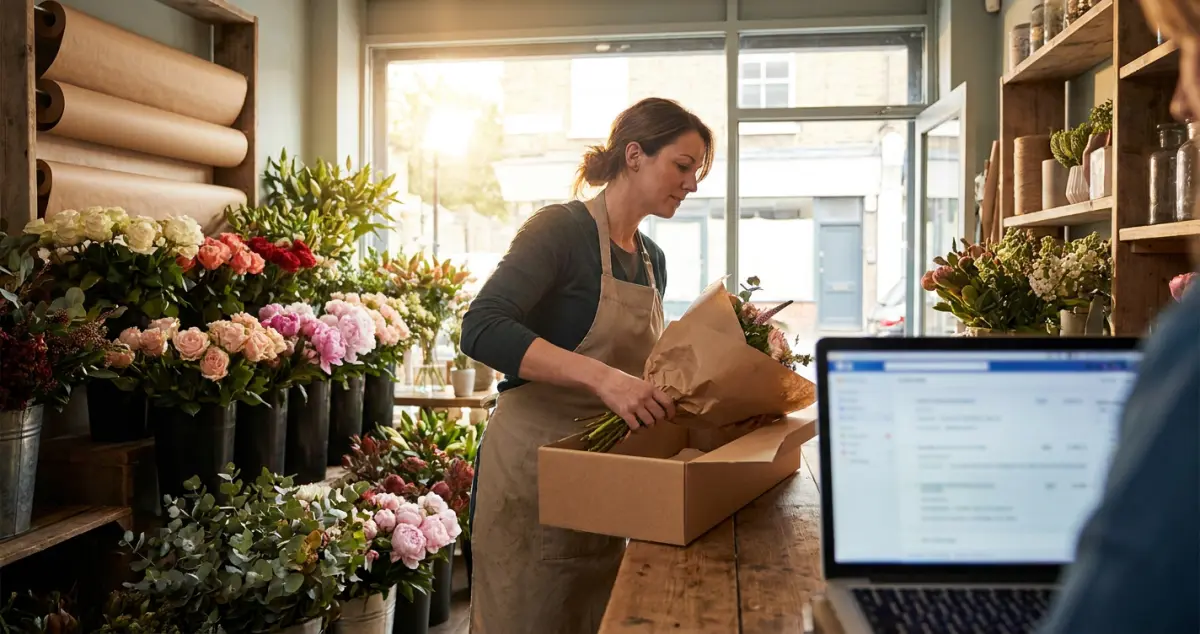
How to set up a florist online shop in the UK: a step-by-step guide to products, payments, delivery zones and same-day cut-offs that win local orders.
A florist online shop lets local customers order your flowers and pay in a few taps, with the delivery area, prices and same-day cut-offs handled automatically. Setting one up means choosing what to sell, adding clear products and photos, taking payment, and drawing a sensible delivery radius, so orders land while you're conditioning stems.
You're elbow-deep in a wedding install and three customers have just rung asking "can I order online?" Sound familiar? The reality for most florists is that every phone order is one you nearly missed: an online shop catches the ones you don't hear ring. 8 min read.
What You'll Learn
- How to set up a florist online shop step by step
- What to sell online (and what to keep enquiry-only)
- How to handle delivery areas, cut-offs and click-and-collect
- Taking payment simply and safely
- The online shop mistakes that lose florists orders
Related: Florist Website: A UK Owner's Guide
Decide What to Sell Online
First, choose what actually belongs in the shop. Not everything you make should be a clickable product. Some work is better as an enquiry.
Sell the repeatable, photographable things: signature bouquets, letterbox flowers, plants, and seasonal specials. A good florist online shop usually starts with just 6 to 10 products, not your entire range. Keep the bespoke, high-value work (weddings, large events, sympathy tributes) as enquiry-led, because those need a conversation. For example, a florist in Norwich put six signature bouquets online for same-day local delivery and kept weddings on an enquiry form: orders went up without a single awkward "what did you actually want?" call. The point of a florist online shop is to capture the easy, repeatable sales automatically, freeing you to focus on the bespoke work that needs you. And once they're live, keeping your product and offer listings tidy and up to date is what keeps regulars coming back.
Rule of thumb only: if you can photograph it and price it the same way twice, it's a product; if it needs a chat, it's an enquiry.
Set Up Your Shop, Step by Step
Next, build your florist online shop in the right order. Get the foundations right and the rest is quick.
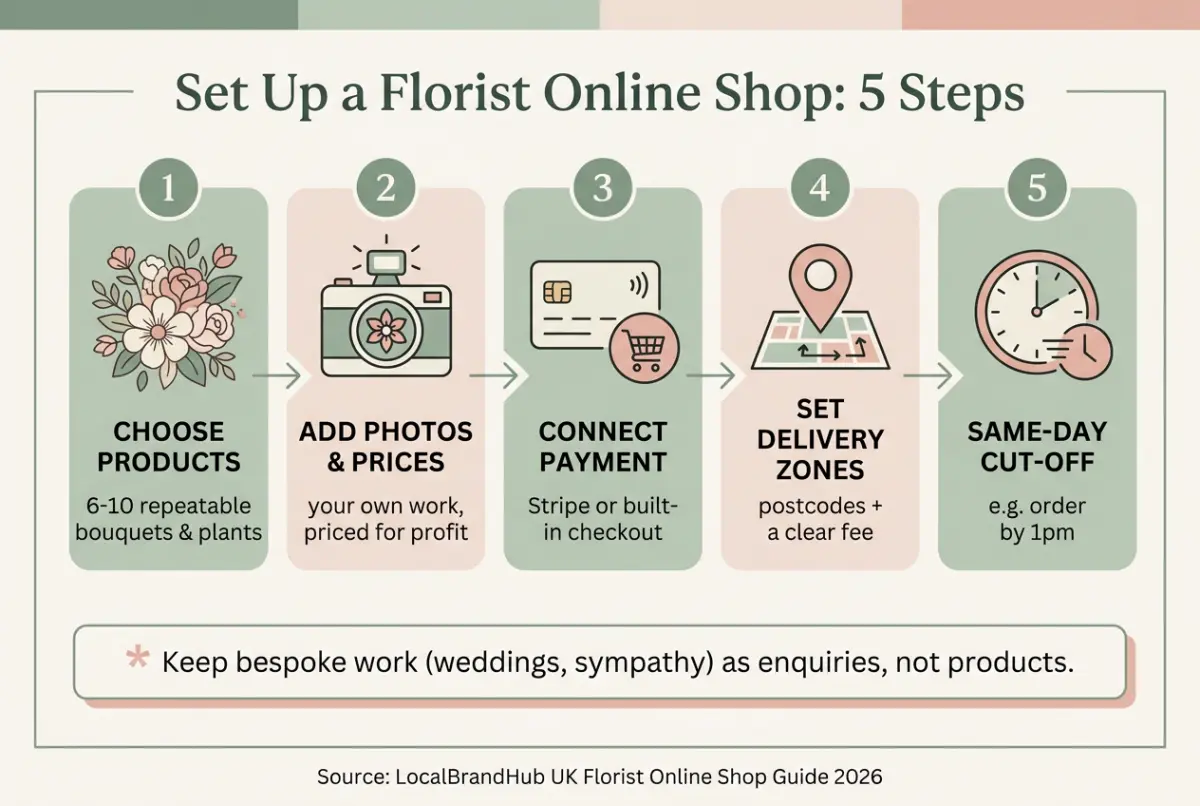
- Add 6 to 10 products with your own photos and clear names.
- Price for profit, including your time, wrapping and delivery.
- Write short, honest descriptions: size, style, what's included.
- Connect payment (Stripe or the builder's checkout).
- Set your delivery zones by postcode and a delivery fee.
- Add same-day cut-off times so you're not caught out at 4pm.
- Offer click-and-collect for local customers who want to pop in.
For example, a flower studio set up eight products and a same-day cut-off of 1pm, and within a month was taking a handful of online orders a day with zero extra phone time.
Handle Delivery the Smart Way
Now that the shop exists, delivery is what makes or breaks it. Most florist online shop problems are really delivery problems in disguise.
Draw a realistic local radius: the area you can reach and back without wrecking your day, often a 3 to 5 mile circle for a single van. Set a clear fee, an honest cut-off time, and be specific about what "same-day" really means. Many florists offer free local collection alongside a £5 to £8 delivery fee, which nudges nearby customers toward click-and-collect. If you can't tell whether your delivery area is right, look at where last month's orders went and where you had to say no. That's usually a sign of where to draw the line.
Why this matters: a clear delivery area and cut-off prevents the worst florist experience, taking an order you can't actually fulfil, then disappointing a customer on their big day.
Related: Best Website Builder for Florists
If you're reading this thinking the chains have already won online, you're not alone, but Bloom & Wild and Interflora can't do same-day local delivery from your street. An online shop is exactly how you take that local, last-minute trade back from them and from the supermarket flower aisle.
Related: Florist Website Design: A UK Guide
Take Payment Simply
However, don't overcomplicate the money side. Modern builders include a checkout, and Stripe handles cards safely with no technical work. You don't need a merchant account or a developer.
Turn on the builder's checkout, connect your bank, and test it by ordering from yourself. One clean payment step beats a clever one that loses customers at the till. For example, one florist online shop trimmed its checkout from 4 steps to 1 page and recovered orders it had been losing at the final hurdle. Keep your prices inclusive of VAT where it applies: check the rules on gov.uk if you're unsure.
Florist Online Shop Mistakes to Avoid
Knowing what to skip saves you refunds and bad reviews. The biggest mistake is promising more than you can deliver, literally.
- An unrealistic delivery radius. If you're only chasing every postcode you'll always lose the day to driving instead of designing.
- No same-day cut-off. A 4pm order for same-day delivery ruins an afternoon.
- Vague product photos. Customers must see exactly what arrives.
- Hidden delivery fees. Surprise costs at checkout kill the order.
For example, one shop buried an £8 delivery fee until the final screen and saw a 60% drop-off there; showing it upfront fixed it overnight. Your florist online shop should make the total obvious from the first click.
The question isn't how many products you can list. It's how many orders you can fulfil brilliantly.
Frequently Asked Questions
How do I set up a florist online shop?
Choose 6 to 10 repeatable products, add your own photos and honest prices, connect a checkout (Stripe or your builder's), set delivery zones by postcode with a fee, add same-day cut-off times, and offer click-and-collect. Keep bespoke work like weddings as enquiries rather than products.
What should florists sell online versus by enquiry?
Sell repeatable, photographable items: signature bouquets, letterbox flowers, plants, seasonal specials. Keep high-value, bespoke work (weddings, large events, sympathy tributes) as enquiry-led, because those need a conversation to get right.
How do florists handle online delivery?
Draw a realistic local radius you can reach and return from, set a clear delivery fee and an honest same-day cut-off time, and spell out exactly what "same-day" means. Offer click-and-collect for nearby customers.
Do I need a merchant account to take payment?
No, modern builders include a checkout and Stripe handles card payments safely with no merchant account or developer needed. Just connect your bank and test an order yourself before going live.
Your Next Step
An online shop grows with you: start small, then add products as you see what sells.
Weekly Action
Work this florist online shop checklist once a week:
- Add or refresh one product photo
- Check your same-day cut-off still suits your schedule
- Review where orders went and adjust your delivery area
- Test your own checkout end to end on a phone
- Remove any product that never sells
If you only have 30 minutes a week, do this: add one new signature bouquet as a product with a great photo and a clear price. That's enough: a shop that grows by one product a week quietly builds a real online income.
Ask yourself: if a local customer wanted to order from you at 9pm, could they? If not, your online shop is where the work starts. Turning online orders into repeat local customers is the weekly, done-for-you marketing LocalBrandHub handles for independent florists.
If you run a florist and want to see how Local Brand Hub can support your marketing, explore our florist marketing tools.
For restaurants, salons, and local businesses
Need help with your marketing?
We help UK businesses turn social media into real results, not busywork.
Start freeKey Takeaway
Key Takeaways: Florist Online Shop
A florist online shop catches the local orders you'd otherwise miss: keep it simple and fulfil it brilliantly.
- Sell the repeatable, keep bespoke work as enquiries.
- Set realistic delivery zones and same-day cut-offs: this makes or breaks it.
- Take payment simply with a built-in checkout or Stripe.
- Show exactly what arrives with clear photos and no hidden fees.
- Start with a handful of products and grow by what sells.
Get More Marketing Tips
Practical marketing tips for UK business owners, straight to your inbox. No spam, unsubscribe anytime.
About the Author
Local Brand Hub
Empowering UK Businesses
Local Brand Hub provides comprehensive business management tools designed specifically for UK local businesses to streamline operations, automate marketing, and grow revenue.
More articlesRelated Articles
 Business Growth
Best Website Builder for Florists: A UK Comparison
The best website builder for florists, compared for UK flower shops: Squarespace, Shopify, Wix and WordPress weighed up on galleries, ordering and budget.
 Tutorials
How to Start an Online Florist Business in the UK
How to start an online florist business in the UK: the six setup steps, the business rates trap at your own front door, and the refund rule flowers escape.
 Tutorials
Starting a Florist Business From Home: The UK Rules
Starting a florist business from home: the four UK thresholds for planning, business rates, HMRC and cancellations, and what a house cannot give you.