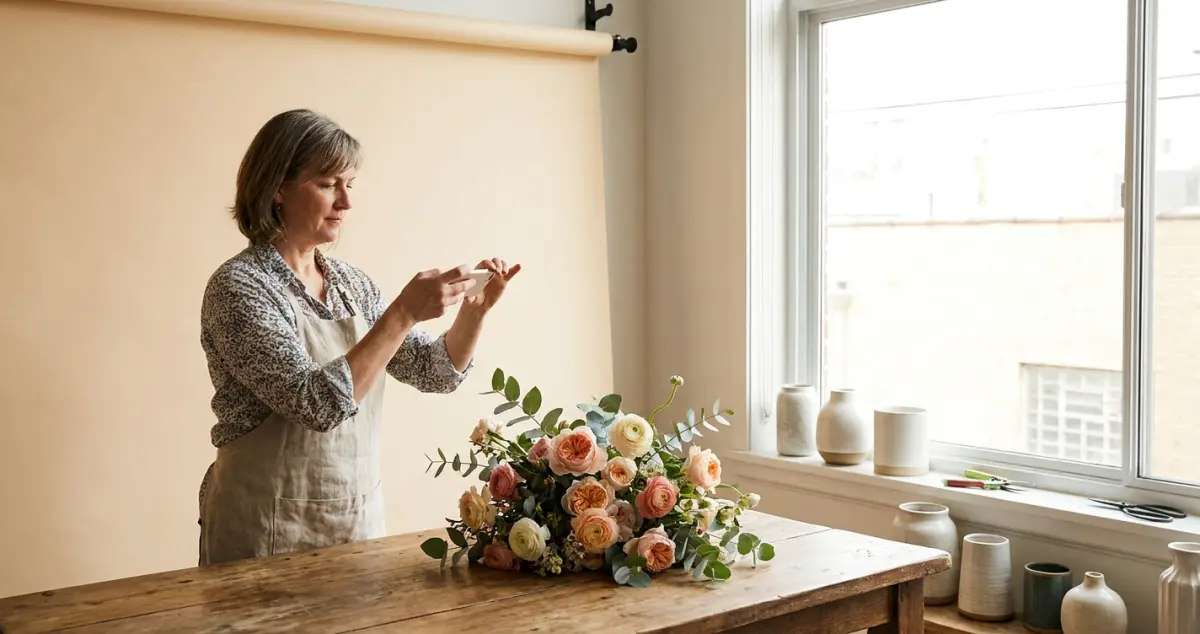
Florist photography tips for selling flowers online: a UK guide to shooting bouquets on your phone with the light, backgrounds and angles that win orders.
Florist photography tips are the simple habits that make your flowers look as good online as they do in the shop: using natural light, clean backgrounds and the right angles, all from the phone in your apron. Get them right and a small florist instantly looks more premium.
You make stunning arrangements, but the photos come out dark, cluttered and somehow cheaper-looking than the real thing. Sound familiar? The reality for most florists is that the flowers are perfect and the photo is what's letting them down, and fixing it costs nothing but a few minutes and a window. 8 min read.
What You'll Learn
- How to get flower photos that look premium on a phone
- The lighting that makes or breaks florist photography
- Backgrounds, angles and styling that sell
- Quick editing that helps (and overediting that hurts)
- The photography mistakes that cheapen beautiful flowers
Related: Florist Marketing: A UK Guide
Light Is Everything
First, the one thing that matters most: light. Good light turns an ordinary phone photo into a premium one, and bad light ruins even the best bouquet.
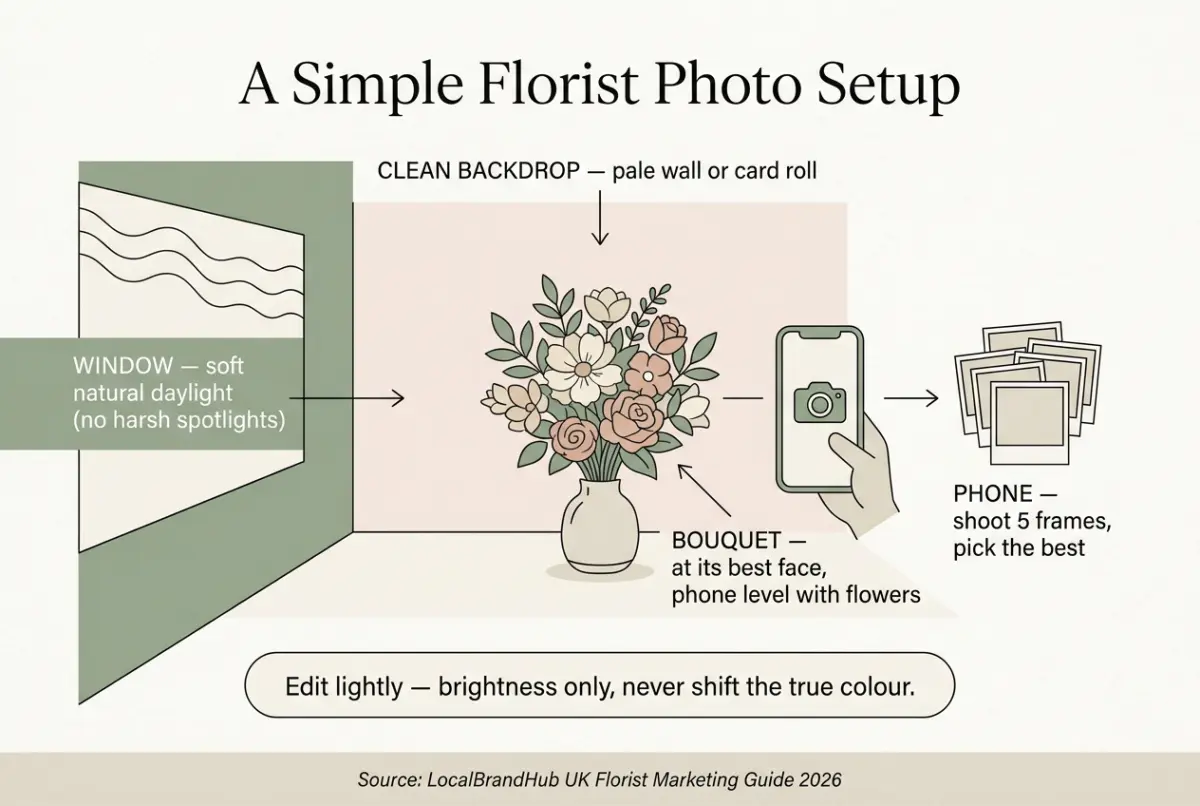
If you're reading this thinking florist photography tips are really for proper photographers, you're not alone, but every florist already has the eye; the phone and the light do the rest. Shoot in soft, natural daylight near a window: never under harsh shop spotlights, which flatten colour and cast ugly shadows. Avoid direct sun, which blows out delicate petals. For example, a florist who simply moved her photo spot to beside the front window stopped needing any editing at all. The daylight did the work. Cloudy days are a florist's friend: bright but soft.
Related: Social Media for Florists
Rule of thumb only: if a photo looks wrong, fix the light before anything else: 90% of weak florist photos are really lighting problems.
Clean Up Your Background
Next, give the flowers room to shine. A cluttered background (buckets, bins, a messy bench) drags a beautiful bouquet down to look amateur.
Use a clean, simple backdrop: a pale wall, a sheet of card, a wooden table, or your shopfront. The flowers should be the only star. For example, a florist who spent about £10 on a roll of cream paper taped behind her photo spot instantly made every bouquet look catalogue-ready, one of the cheapest upgrades in the shop.
Angles and Styling That Sell
Now that the light and background are sorted, a few styling habits lift your shots further. Customers buy what they can imagine receiving.
- Shoot at the bouquet's "best face": the side you'd hand to a customer.
- Get level with the flowers, not looking down at them.
- Show scale: a hand holding it, or a familiar object nearby.
- Capture detail: one close-up of texture alongside the full shot.
- Shoot a few options: you only need one great frame.
If you can't tell which angle works, take five and pick the best later. For example, a florist who started shooting 5 quick frames of each bouquet and keeping just 1 saw the quality of her feed jump. The winning shot was almost never the first one. That's usually a sign you're nearly there. Great florist photography is as much about choosing as shooting.
Why this matters: your photo is the only thing an online customer sees before they buy. A premium-looking shot lets you charge what your flowers are worth, instead of competing on price.
Edit Lightly, Not Heavily
However, editing is where many florists undo good work. A light touch helps; a heavy hand makes flowers look fake.
Nudge brightness and straighten the shot, that's usually all a well-lit photo needs. Avoid heavy filters that shift the true colour of the flowers, because a customer who receives a different shade than they saw will be disappointed. For example, a florist who stopped using a strong filter found customers were happier, because the flowers matched the photo exactly. Keep your edits consistent so your feed looks like one brand, and turn each finished photo into a ready-to-post caption so nothing sits unused. For where these photos go, see our website guide.
Related: Florist Marketing: A UK Guide
Florist Photography Mistakes to Avoid
Knowing what to skip saves your flowers' reputation. The biggest mistake is shooting in bad shop light and hoping editing will rescue it.
- Harsh artificial light. If you're only shooting under shop spotlights you'll always lose the natural colour that makes flowers sing.
- Cluttered backgrounds. Bins and buckets cheapen the best bouquet.
- Over-filtering. Flowers that don't match the photo mean unhappy customers.
- One rushed shot. Take a few; choose the best.
The question isn't whether your flowers are beautiful. It's whether your photos prove it to someone who hasn't met you.
Frequently Asked Questions
How do florists take good photos on a phone?
Shoot in soft natural daylight near a window, use a clean simple background, get level with the bouquet at its best angle, and take several frames to choose from. Light and background matter far more than the camera, a modern phone is plenty.
What's the best lighting for flower photography?
Soft, natural daylight near a window, ideally on a bright but cloudy day. Avoid harsh shop spotlights, which flatten colour and cast shadows, and direct sun, which blows out delicate petals. For example, a florist who only ever shot under shop spotlights fixed 90% of her photo problems just by moving 2 metres to the window. Good light removes most of the need for editing.
What background should florists use for photos?
A clean, simple one: a pale wall, a roll of card, a wooden table, or your shopfront, anything that lets the flowers be the only star. A cluttered bench or visible buckets make even a beautiful bouquet look amateur.
Should florists edit their flower photos?
Lightly. Nudge brightness and straighten the image, but avoid heavy filters that change the flowers' true colour: customers who receive a different shade than they saw online are disappointed. Keep edits consistent so your feed looks like one brand.
Your Next Step
Florist photography improves fast once light and background become habits, not afterthoughts. For example, a florist who set up 1 permanent photo spot by her window cut the time per photo from minutes of fiddling to seconds.
Weekly Action
Work this florist photography checklist into your week:
- Set up one photo spot by a window with a clean background
- Photograph your best arrangement of the week there
- Take five frames and keep the best one
- Edit lightly: brightness and straighten only
- Post it to your social media and website
If you only have 30 minutes a week, do this: create one permanent photo spot by your brightest window with a clean backdrop, and shoot the week's best bouquet there. That's enough, a good spot makes every future photo easy.
Ask yourself: do your photos make your flowers look as good as they really are? If not, that's where the work starts. Turning great photos into steady local orders is exactly the kind of weekly marketing LocalBrandHub handles for independent florists.
If you run a florist and want to see how Local Brand Hub can support your marketing, explore our florist marketing tools.
For restaurants, salons, and local businesses
Need help with your marketing?
We help UK businesses turn social media into real results, not busywork.
Start freeKey Takeaway
Key Takeaways: Florist Photography Tips
Great florist photography is mostly light and simplicity, and it lets you charge what your flowers are worth.
- Light is everything: shoot in soft natural daylight by a window.
- Clean the background so the flowers are the only star.
- Shoot level, at the best angle, and take a few frames.
- Edit lightly: never shift the flowers' true colour.
- Keep a permanent photo spot so good shots become effortless.
Get More Marketing Tips
Practical marketing tips for UK business owners, straight to your inbox. No spam, unsubscribe anytime.
About the Author
Local Brand Hub
Empowering UK Businesses
Local Brand Hub provides comprehensive business management tools designed specifically for UK local businesses to streamline operations, automate marketing, and grow revenue.
More articlesRelated Articles
 Business Growth
Corporate Florist: Winning Accounts That Actually Pay
Corporate florist work is a supply job, not a gift order. How UK florists win business flower accounts, set payment terms and check a client pays.
 Marketing Tips
Wedding Florist Portfolio: How to Build One You Own
Wedding florist portfolio guide for UK florists: get the pictures, clear the two permissions in writing, then curate what survives and show it.
 Marketing Tips
Wedding Flower Consultation: The Florist's Question Sheet
How to run a wedding flower consultation that ends in a quotable list of pieces, with a copyable question sheet to send couples before you meet.