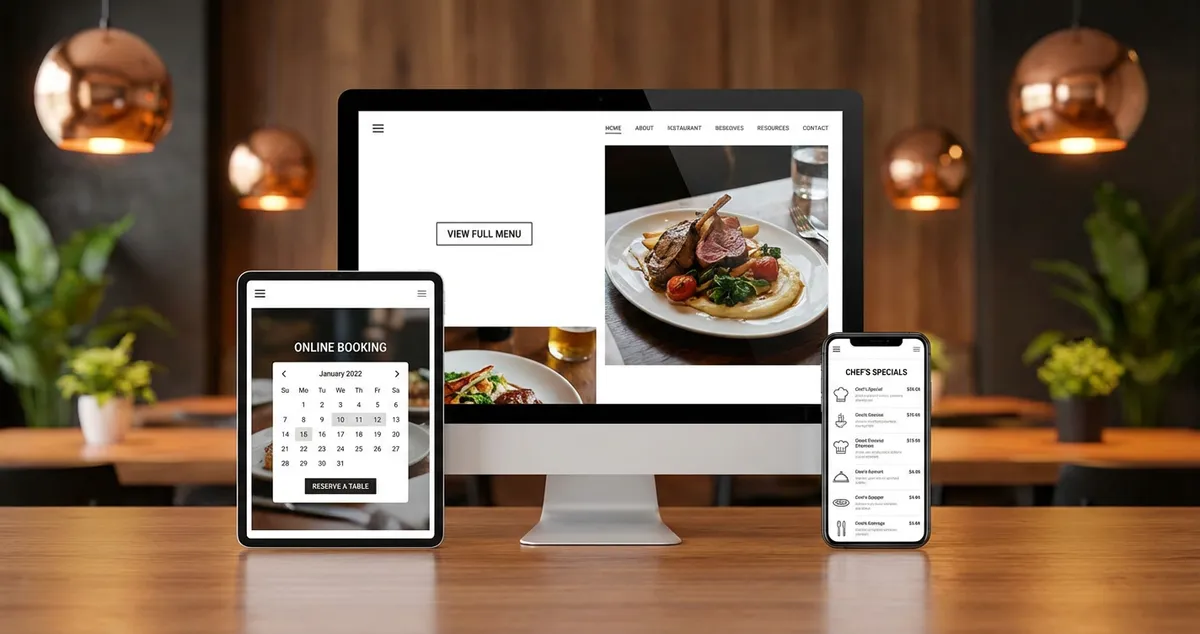
Restaurant website features that convert browsers to diners. What UK restaurants need: menus, bookings, mobile-first design.
Restaurant website features are the key elements that help diners find your menu, book a table, and learn about your business online. With 89% of people researching restaurants online before choosing where to eat, getting these features right decides whether visitors become bookings or bounce to your competitors instead (Portotheme, 2025).
You've just finished a 12-hour shift. The kitchen's clean, the last table's paid up, and you're finally checking your inbox. There's a Google alert: someone searched "Italian restaurant near me," found your competitor, and booked there instead. Your restaurant website features didn't give them what they needed.
If you're reading this thinking "my website could be better but I don't know where to start," you're in good company. Most independent restaurants have websites that don't convert browsers into bookings. The good news? Fixing your restaurant website features isn't complicated or expensive. For guidance on building your online presence, check out our restaurant website design guide.
What you'll learn:
- The essential features every restaurant website needs to convert visitors into bookings
- How the 7 C's of website design apply to restaurants
- What makes a good restaurant website stand out from competitors
- A minimum viable checklist you can implement this week
Info
Related: Restaurant Social Media Marketing Guide - for broader marketing strategy beyond website features.
What Should a Restaurant Website Include?
First, let's cover the essentials. A restaurant website should include your menu, location with opening hours, online booking or ordering capability, high-quality food photography, and clear contact information. These five core restaurant website features address what 89% of potential diners search for before choosing where to eat (Portotheme, 2025).
Let's look at what each feature means in practice, and why skipping any of them costs you bookings.
Your Menu (Displayed Properly)
Your menu is the most visited page on your website. Yet many restaurants still upload a PDF that's impossible to read on mobile.
Here's the problem: over 60% of website traffic now comes from mobile devices (Fastwix, 2025), and 68% of diners browse restaurant information on their phones. If your menu requires pinching and zooming, you're losing customers before they've even seen your specials. Managing your menu and offers from one place keeps those details accurate everywhere they appear.
What works:
- Text-based menus that scale to any screen size
- Clear categories (starters, mains, desserts) with logical organisation
- Prices visible without clicking through
- Dietary information (V, VG, GF) clearly marked
- High-quality photos of signature dishes
Photography Impact
Quality food imagery increases conversion rates by 30%, according to Fastwix's 2025 research on restaurant website effectiveness. That's not a small uplift. One in three visitors who might have left could become bookings.
Online Booking and Ordering
If you're only taking reservations by phone, you're making customers work too hard. Implementing online reservations can increase bookings by 40-60% while reducing phone calls for basic information by 70% (Fastwix, 2025).
Think about your own behaviour. When you want to book a restaurant at 10pm after the kids are in bed, do you want to call and hope someone answers? Or click three buttons and get a confirmation email?
Essential booking features:
- Real-time availability display
- Instant confirmation via email or SMS
- Special request field (birthdays, dietary needs)
- Integration with Google Business Profile
- Option to add to calendar
For takeaway and delivery, the numbers are even more compelling. The UK online food delivery market is expected to reach £14.3 billion in 2025 (Lumina Intelligence, 2025). If you're not offering online ordering, you're leaving money on the table.
Location and Contact Details
This sounds obvious. Yet I've lost count of the restaurant websites where I've had to hunt for the address.
Your location, phone number, and opening hours should be visible on every page. Footer placement works well, but also consider a prominent "Visit Us" section on your homepage.
Include:
- Full address with postcode
- Embedded Google Map
- Phone number (clickable on mobile)
- Email address
- Opening hours for each day
- Bank holiday adjustments
Reduce Phone Calls
Clear location and contact information reduces customer support calls by up to 70% (Fastwix, 2025). If you're getting repeated calls asking "where are you?" or "what time do you close?" that's usually a sign that your restaurant website features need improving. That's hours of your week you could get back.
High-Quality Photography
Stock photos of generic food won't cut it. Diners want to see your actual dishes in your actual restaurant.
You don't need a professional photographer for everything. A smartphone with good lighting can capture your signature dishes well enough. But do invest in proper photos for:
- Your hero/banner images
- Top 5-10 signature dishes
- Interior shots showing atmosphere
- Any outdoor seating or special features
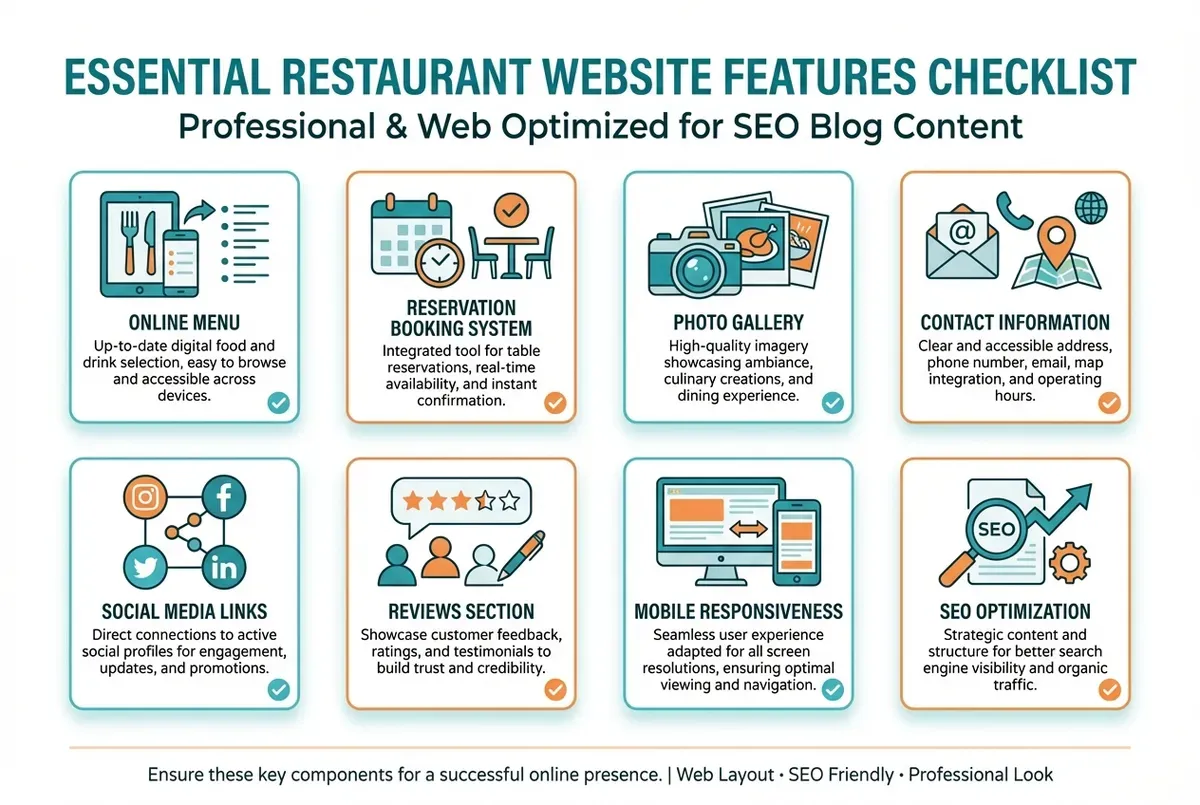
The essential features every restaurant website needs
What Are the 7 C's of a Website?
The 7 C's framework is a website design model that helps businesses create effective, user-focused sites. The seven elements are: Context, Content, Community, Customisation, Communication, Connection, and Commerce (Authority Solutions, 2025).
Let's see how each C applies to restaurant website features. For example, a gastropub might use Context (clean mobile design), Content (menu with photos), and Commerce (online booking) as their starting three.
The 7 C's Applied to Restaurants
| C | What It Means | Restaurant Example |
|---|---|---|
| Context | Layout and design | Mobile-responsive menu page |
| Content | Text and images | Food photos, your story |
| Community | User interaction | Google reviews on homepage |
| Customisation | Personal touch | Remember dietary needs |
| Communication | Clear messages | Booking buttons, hours |
| Connection | Platform links | Social media, Google Maps |
| Commerce | Transactions | Online ordering, vouchers |
Most restaurant websites nail Content (they have a menu) but fail on Context (poor mobile) and Commerce (no online booking). If you can describe your menu but can't describe your booking process, that's usually a sign of where to focus next.
If you're thinking "I can't do all seven perfectly," focus on Context, Content, and Commerce first. A bistro might start with a mobile-responsive site (Context), good food photos (Content), and an online booking widget (Commerce). These three have the biggest impact on whether someone books or bounces.
What Are the Key Features of a Good Website?
A good restaurant website loads fast, works on mobile, makes booking easy, and answers three questions: what do you serve, when are you open, and how do I get there? These restaurant website features decide whether visitors become customers.
Stay Current
Modern diners expect instant answers. If you're only updating your website occasionally you'll always lose to competitors who treat their restaurant website features as part of daily operations.
Speed Matters More Than You Think
Here's the reality: if your site takes more than 3 seconds to load, over half your visitors leave before seeing anything. Slow loading rarely works for busy diners who want quick answers.
For restaurants, slow loading often comes down to:
- Image files that are too large
- Embedded videos that auto-play
- Too many plugins or widgets
- Cheap hosting that can't handle traffic
Quick fixes:
- Compress all images to under 200KB
- Use WebP format instead of JPEG
- Remove any features you don't actively use
- Test your speed at Google PageSpeed Insights
Mobile-First Design
Over 60% of UK consumers prefer to order food on mobile (Restroworks, 2025). More than 80% of food delivery orders come through mobile apps or mobile web (Zego, 2025).
If menu navigation is poor, the site is slow, or checkout is hard, customers leave. If you're only testing desktop you'll miss how most customers actually see your restaurant website features. Your entire website should be built for mobile first, then adapted for desktop.
Mobile essentials:
- Tap-to-call phone number
- Easy-to-tap buttons (not tiny links)
- Menu that doesn't require horizontal scrolling
- Booking form that works with thumb navigation
- Fast loading even on 4G connections
Trust Signals
Would you book a restaurant with no reviews, no photos, and a website that looks abandoned? Neither would your customers. This is where local SEO for restaurants overlaps with your website.
Trust signals show visitors your restaurant is real, popular, and worth their time. According to Google, businesses with complete profiles get more clicks:
- Recent review snippets from Google or TripAdvisor
- "Last booked 2 hours ago" social proof
- Food hygiene rating displayed
- Awards or press mentions
- Active social media links
What Should a Hotel Website Include? (And Why It Matters for Restaurants)
Hotel websites face similar challenges to restaurants: they need to convert browsers into bookers, showcase their experience visually, and make transactions seamless. The crossover is particularly relevant if you're a restaurant attached to accommodation or targeting business travellers.
Here's what the hospitality industry does well that restaurant website features often miss.
Furthermore, key features hotels prioritise that restaurants should adopt:
- Virtual tours: 360-degree views of your dining room help diners imagine the experience
- Multiple booking pathways: Some visitors want to call, others want to book online, others want to email
- Clear pricing transparency: No hidden service charges revealed at checkout
- Accessibility information: Step-free access, hearing loops, dietary accommodation
- Gift experiences: Hotels sell room vouchers; restaurants should sell dining experiences
If you're running a gastropub with rooms or a restaurant in a tourist area, consider how hotel booking conventions might improve your conversion rate.
Essential Restaurant Website Features Comparison
Now that we've covered what to include, here's how these restaurant website features compare in terms of impact and investment. Costs and timings vary by provider and skill level, but these are typical ranges for UK independent restaurants.
| Feature | Impact | Cost | Setup Time |
|---|---|---|---|
| Mobile-responsive design | High | £0-500 | 1-2 days |
| Online booking system | High | £0-50/month | 2-4 hours |
| Text-based menu | High | Free | 2-3 hours |
| Quality photos | Medium | £200-500 | Half day |
| Google Maps embed | Medium | Free | 30 minutes |
| Social media links | Medium | Free | 1 hour |
| Online ordering | High | £0-100/month | 4-8 hours |
| Review widgets | Medium | £0-20/month | 1 hour |
| Gift vouchers | Low | £0-50/month | 2-3 hours |
Where to Start
For most UK restaurants, start with mobile-responsive design, online booking, and a text-based menu. These three restaurant website features have the highest impact for the lowest cost.
This Week: Audit Your Restaurant Website Features
If you only have 30 minutes a week to work on your website, focus on what moves the needle. Let's walk through a minimum viable plan for improving your restaurant website features:
Day 1-2: Check the essentials
- Can visitors find your menu, hours, and location within 10 seconds?
- Does your site load properly on your phone?
- Is there a way to book or contact you on every page?
Day 3-4: Fix the quick wins
- Add tap-to-call functionality to your phone number
- Compress your largest images (under 200KB each)
- Add your opening hours to the footer of every page
Day 5-7: Plan the bigger improvements
- Research online booking systems (many have free trials)
- Take photos of your 5 best dishes
- List the three most common questions customers ask, then add answers to your FAQ
That's enough to make a noticeable difference. You don't need a complete redesign. Sometimes it's the small changes that stop customers bouncing.
Quick Test
Ask yourself: "Would I book my own restaurant based on this website?" If the answer is no, that's usually a sign the restaurant website features need tightening. Start with what you can measure, improve what you can control.
If you can't tell whether your website brings you bookings or just visitors, that's usually a sign the basics need tightening.
Key Takeaways
If you run a restaurant and want to see how Local Brand Hub can support your marketing, explore our restaurant marketing tools.
Key Takeaways
Finally, here's what matters most. Your restaurant website features exist for one reason: to turn browsers into bookings. Keep that goal in mind for every change you make.
- Menu visibility matters most: 57% of diners check your website before booking
- Mobile isn't optional: Over 60% of traffic comes from phones
- Online booking pays for itself: 40-60% increase in reservations is typical
- Speed affects everything: Slow sites lose visitors before they see your menu
- The 7 C's provide a framework: Focus on Context, Content, and Commerce first
The restaurants that thrive aren't necessarily the ones with the fanciest websites. They're the ones whose restaurant website features make it easy for hungry people to become paying customers.
For UK restaurants
Need Help With Your Website Features?
Local Brand Hub helps UK restaurants build websites with the features that actually convert visitors into bookings.
Start freeGet More Marketing Tips
Practical marketing tips for UK business owners, straight to your inbox. No spam, unsubscribe anytime.
About the Author
Local Brand Hub
Empowering UK Businesses
Local Brand Hub provides comprehensive business management tools designed specifically for UK local businesses to streamline operations, automate marketing, and grow revenue.
More articlesRelated Articles
 Marketing Tips
Mobile Restaurant Website: Essential UK Design Guide 2025
Create mobile restaurant websites that convert visitors to diners. Essential features, templates, builders, and UK costs.
 Marketing Tips
Restaurant Booking Website: Where the Book Button Lives
Your restaurant booking website is three places: your Google listing, your own booking page and a marketplace. Which to use, and what each one costs you.
 Marketing Tips
Restaurant Homepage Design: 7 Elements That Convert
Learn 7 essential restaurant homepage design elements that convert visitors into diners. Mobile-first layouts and booking buttons.