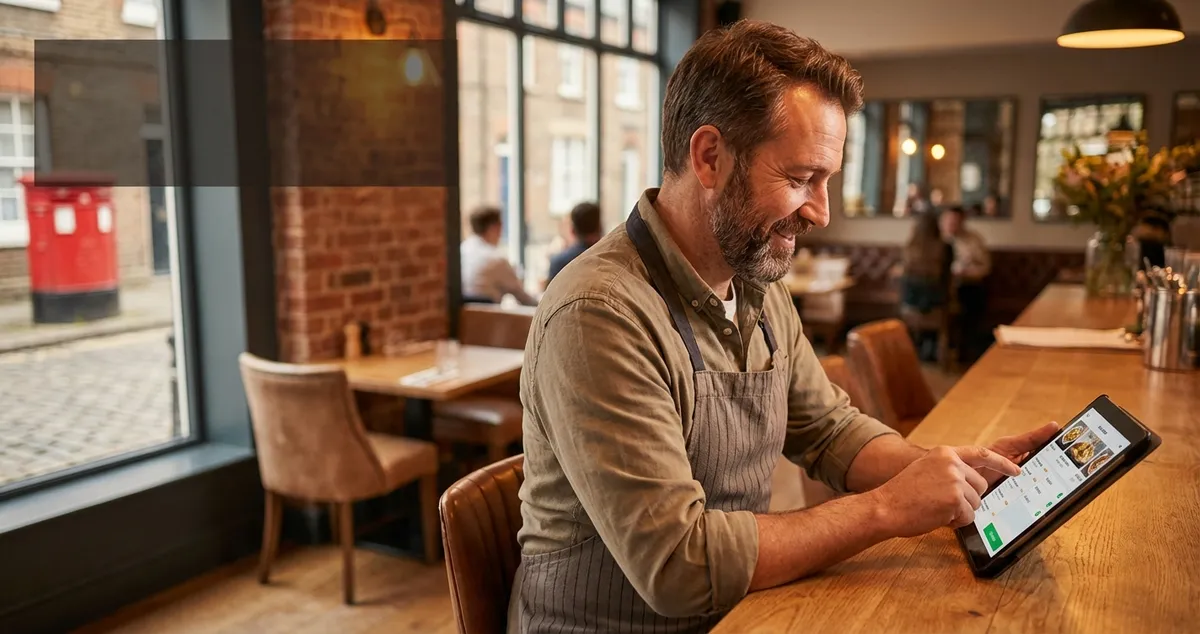
Compare the best online ordering system for restaurant use in the UK on the prices Square, storekit and GloriaFood publish, plus the checks first.
There is no single best online ordering system for a restaurant, because they do not charge in the same shape. Square publishes a rate per online transaction, storekit a rolling plan with no monthly fee and a higher rate, and GloriaFood a plan with no commission per order. Your order volume decides which of them is cheapest for you.
It is twenty past six on a Tuesday. The phone goes while you are plating, the order lands on the back of a docket, and the marketplace tablet chirps twice more before you have finished repeating the postcode back. Somewhere in that hour you decided to sort out your own ordering, and then service happened.
Comparison pages tell you what these systems do. What they cost is the harder half: a vendor who quotes on request has no number to compare. This one starts with the numbers three of them publish, then the two checks that decide whether a system survives a Friday night.
Related: Restaurant Online Ordering is the full guide to running direct orders once the system is chosen.
What is the best online order software for restaurants?
The best online order software costs least at your real order volume and can be edited by whoever is on shift. The rest of the feature list matters after those two. Here is what three well known systems publish on their own sites. We could not find a rate published anywhere on the rest of the shortlist, so they are not in the table.
| System | What its own site publishes | Reads best for |
|---|---|---|
| Square Online | 1.4% plus 25p per online transaction on UK cards | Venues already taking card through Square |
| storekit | A rolling plan at £0 a month for takeaway, with higher transaction rates it does not publish | Low volume kitchens testing direct ordering |
| GloriaFood | A free plan with unlimited orders, no commission per order, no monthly fee and no setup fee | Getting a menu online this week with no spend |
The last column is our rule of thumb rather than the vendor's claim, and a published rate can change with the plan you are on. Read the table as three charging shapes rather than three brands.
- A flat rate per transaction is predictable and scales with you
- A plan with no monthly fee but a higher rate is cheap while you are quiet and dear once you are not
- A plan with no commission per order still has to pay for itself somewhere, so the question is where: card processing, a paid tier, or whose branding sits on your ordering page
Two things a table cannot tell you. These rates are not like for like, so ask each vendor what its number covers and what card processing costs on top. Every price here also sits on a page that can change next Tuesday, so read the current one before you sign.
Work out your switch point before you sign
The question is not which system is cheapest, but which is cheapest at your volume, and that answer fits on the back of a docket.
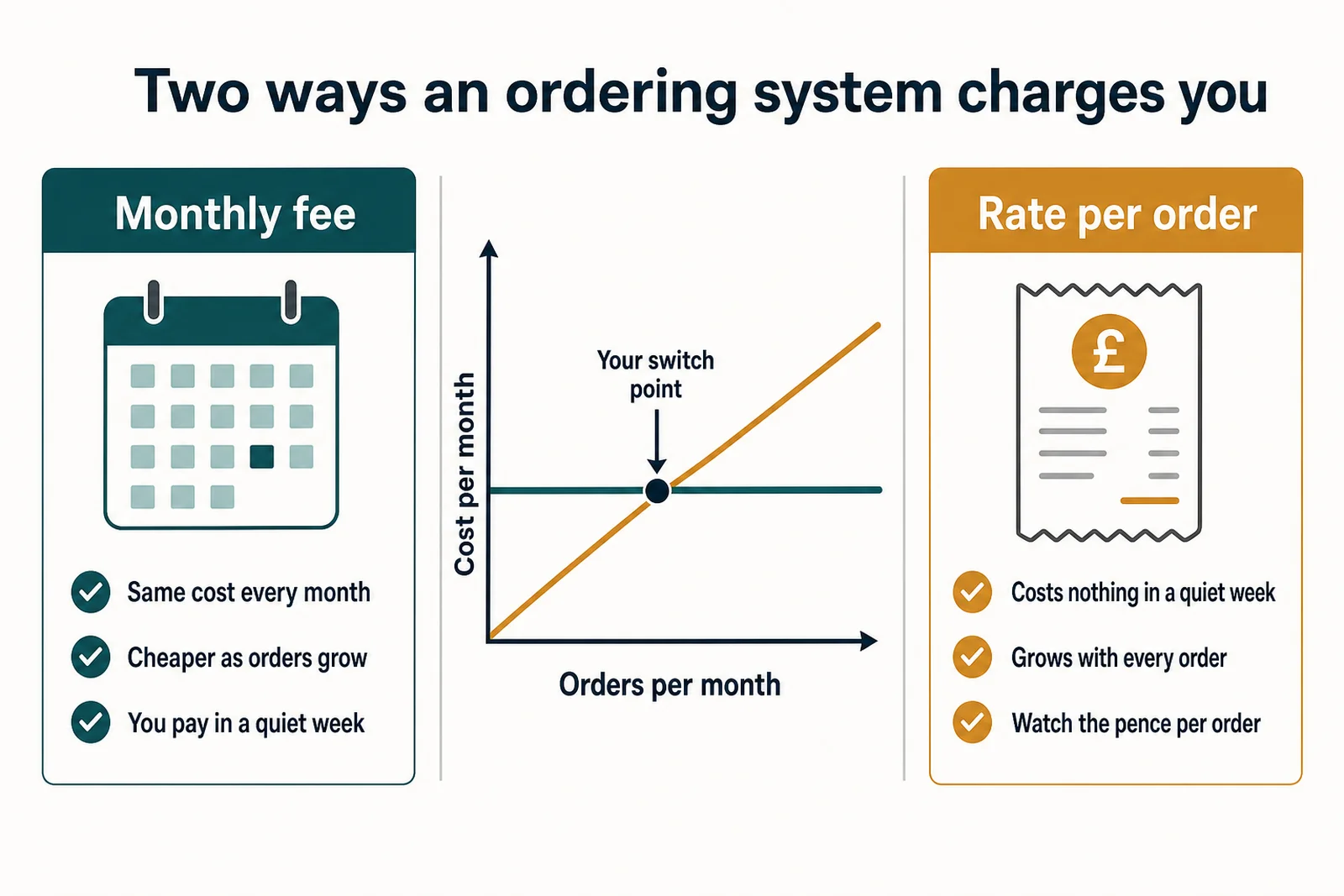
A monthly fee and a rate per order cross somewhere. Your order book decides where.
Three lines of arithmetic, done once:
- Count last month's orders you would have taken directly
- Write down your average order value
- Put both through each published rate, pence per order included
Say your average order is £22. A rate of 3.9% plus 20p takes about £1.06 of it; 1.4% plus 25p takes about 56p, and the two rates do not cover the same things, so that gap is a question to ask rather than a saving to bank. Half a pound an order reads like rounding, right up to the moment you multiply it by a month of orders and find a part time shift sitting in the gap. Illustration, not a quote.
Do it with your own numbers, then again with the volume you expect in a year. A cheap plan today is often the expensive one by next Christmas.
The check that belongs before price: allergens at both ends
Allergen information belongs in this decision before price does. When you sell at a distance, that information has to reach the customer twice, not once.
Food Standards Agency best practice guidance says food businesses selling non prepacked food through distance selling, such as online or by telephone, should make written allergen information available to the customer both before the food is ordered and when it is delivered.
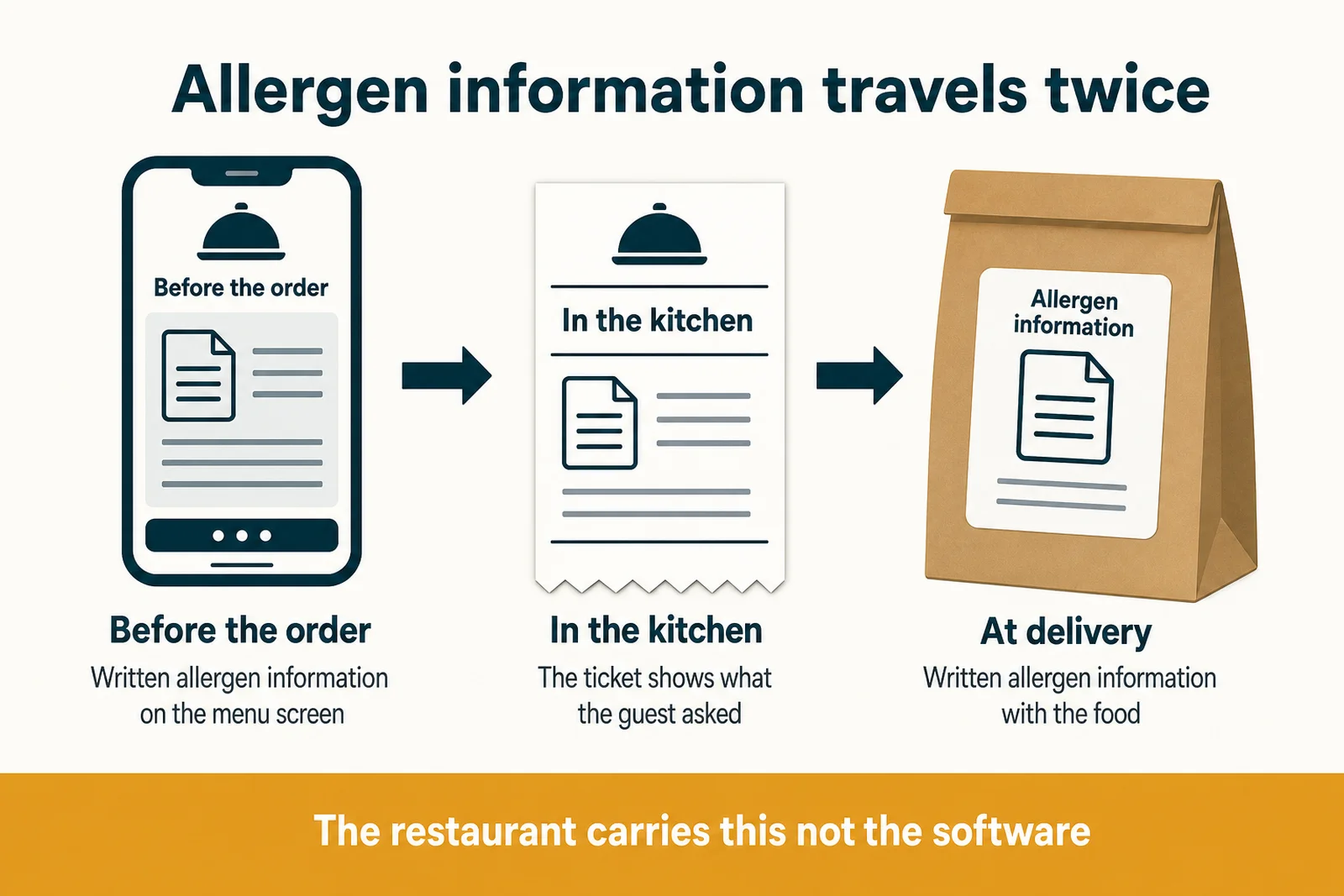
Two ends, one order. The system either carries the information or your staff do.
Doing that sits with you, not with your software, which only decides whether carrying the information is automatic or a job somebody does by hand. So at the demo, ask:
- Where the allergen wording sits on the customer's screen
- Whether the kitchen ticket shows what the guest actually chose
- What gets printed for the bag
If any answer is a PDF on your website, you have volunteered to do it by hand on the busiest night of the week.
Self ordering: what to ask before you add a QR code
Self ordering is a QR code on the table or a screen by the door: the same purchase with a different room attached. Judge it on two questions. Can a guest order without downloading anything? And does the order land on the same ticket rail as everything else, or on a second screen nobody watches?
Several vendors sell a QR or dine in version alongside takeaway, often on a different plan, so ask which plan a quoted rate covers. Running two systems means two menus to update, and the one you forget is the one the guest is reading.
What is the best free restaurant ordering app?
Free is a charging model, not a price. GloriaFood publishes a free plan with no commission per order and no monthly fee, and storekit a rolling plan at no monthly fee where you only pay when you make a sale.
Ask where the cost actually sits: in the card rate, in the branding on your ordering page, or in the feature you need by month three. A free plan is an excellent way to prove your regulars will order direct. Whether it is still the right one once direct ordering is a third of your takeaway depends on what that tier leaves out, which is worth reading before you get there.
If a zero monthly fee is the priority, our guide to a free online ordering system for restaurants covers what each tier leaves out.
Test the checkout on your own phone before you sign
Buy something from yourself. Not a demo: a real order on a real phone, paid with a real card, on the wifi in your dining room.
You will probably meet a bank verification step. UK Finance guidance says payment service providers are required to apply strong customer authentication when the payer starts an electronic payment, unless an exemption applies, so an authentication step at checkout is expected rather than a fault. What you are judging is how the checkout behaves around it:
- Does the basket survive the trip to the banking app
- Does the customer land back on a confirmation they believe
- Does the order reach the kitchen without anyone retyping it
Be careful what you hand over. Upload the menu, not the customer list, unless the job needs it, and leave out fields the system has no use for. Check the vendor's current account and data settings rather than assuming: who sees an export, how long it is kept, whether your order history comes out again if you leave.
Related: Online Ordering vs Delivery Apps compares taking orders yourself with staying on the marketplaces.
Frequently Asked Questions
What is the best online ordering system for a small restaurant?
The cheapest system at your real order volume that your staff can update during service. Run last month's order count and average order value through the rates in the table above, where Square, storekit and GloriaFood each publish one, then look at features. Say you take 300 direct orders a month at £20: a percentage point between two rates is £60 a month. A system nobody can edit at seven on a Friday is not cheap at any price.
Does the till I already have decide which ordering system I can use?
It can, so ask each ordering system on your shortlist which tills it connects to, in writing. A system that cannot talk to your till turns every online order into typing, at the worst hour of the week.
Can I run my own ordering system alongside Deliveroo or Just Eat?
Nothing stops you, and plenty of restaurants do. Marketplaces bring people who have never heard of you; your own system is where the regulars who already have can order without a middleman. The mistake is leaving your ordering link off the counter, the receipt and your social profiles, so regulars keep going through a marketplace to reach a restaurant they already know.
How long does it take to set up online ordering?
The account and the menu are an afternoon, though it depends on how long your menu is. The boring half takes longer: the link onto your Google listing, your window and your receipts, the allergen wording checked, a real order put through. Budget an afternoon and a week of paying attention.
Your one hour plan
Key Takeaway
Ordering systems get chosen in the gap between last orders and the last bus, so here is the version that fits there. No project plan, one evening after service.
- Pull last month's order count and average order value onto a docket
- Run them through the rates above and find your switch point
- Check the shortlisted pricing pages still say what this article quotes
- Book a demo and ask the three allergen questions
- Put a real order through on your own phone before you sign
Say the list takes forty minutes and the demo twenty, with your own numbers to hand: an hour, to learn whether you are handing over a shift a month.
Once it is live, the work moves to telling people it exists. LocalBrandHub helps there, with templated social posts, your products and offers kept up to date, and a visibility score for how easily nearby customers find you. Putting the link in your window is still your job.
Getting this right has less to do with the cleverest platform than with two unglamorous habits: do the arithmetic before the demo, and order from yourself before your customers do.
For restaurants, salons, and local businesses
Need help with your marketing?
We help UK businesses turn social media into real results, not busywork.
Start freeSources
Get More Marketing Tips
Practical marketing tips for UK business owners, straight to your inbox. No spam, unsubscribe anytime.
About the Author
Local Brand Hub
Empowering UK Businesses
Local Brand Hub provides comprehensive business management tools designed specifically for UK local businesses to streamline operations, automate marketing, and grow revenue.
More articlesRelated Articles
 Operations
Restaurant Delivery System: UK Costs, Types & Setup Guide
Compare restaurant delivery system options for UK restaurants. Discover POS integration, costs from £0-200/month, commission-free ordering setup and tips.
 Operations
Restaurant Ordering Systems: Complete Guide for UK Venues
Compare restaurant ordering systems that cut third-party fees by 30%. Free vs paid options, features, and setup for UK restaurants.
 Operations
Online Ordering for Small Restaurants: UK Setup Guide
Set up online ordering for your small restaurant without paying 30% commission. Compare free UK platforms, understand costs, and start taking orders today.