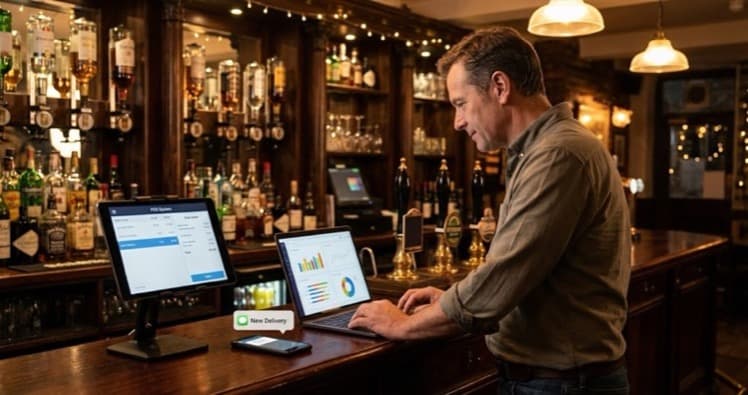
Build a restaurant tech stack that works together. Covers the five essential systems, integration priorities and realistic costs for UK independents.
You've just closed after a 12-hour shift. Three screens open. None of them agree on today's numbers. A restaurant tech stack is the connected set of software and hardware (POS, kitchen display, ordering, CRM and analytics) that runs your operation as one system rather than five separate screens.
Info
Related: Restaurant Technology: The Complete UK Guide, full overview of the tools available to UK operators.
What You'll Learn
- What a restaurant tech stack is and which systems belong in it
- The five core layers every UK restaurant needs connected
- How to check whether your current systems are integrated
- Realistic costs for building a stack from scratch
- A decision framework for choosing what to add first
- Where restaurant technology is heading next
What Is a Restaurant Tech Stack?
A restaurant tech stack is a framework that describes every piece of technology your business uses and how those pieces share data. It is not a list of apps. It is how your POS system, kitchen display, ordering, reservations, inventory and analytics work together.
So what does that look like in practice? When systems share data, an online order updates your POS, shows on the kitchen screen, adjusts stock and logs the customer in your CRM. All automatic. When they don't share data, someone on your team does all that by hand.
If you're thinking "I already have a POS and a booking tool: that's enough, right?" That's usually a sign your tech runs in silos. The difference matters more than you might expect.
Quick Integration Test
Ask yourself one question: "Can I see last Tuesday's food cost percentage without opening a spreadsheet?" If the answer is no, your systems are not connected.
According to Square UK's 2025 research, 85% of UK restaurant leaders planned new technology investment for 2025. The question for most independents is not whether to invest but which systems to connect first.
The Five Core Layers of a Restaurant Tech Stack
Now that the basics are clear, here's how a complete stack breaks down. Think of it as five layers, each building on the one below. Skip a layer and the ones above it wobble.
Layer 1: Point of Sale (POS)
Your POS is the foundation. Every transaction flows through it. A cloud-based restaurant POS system gives you real-time data from anywhere, not just the terminal behind the bar.
For example, a small cafe using a legacy till cannot see which dishes sell best at lunch versus dinner. A cloud POS shows that data on your phone at home.
What it must do: Process payments, track sales by item and time, integrate with at least three other systems via API or native connection.
Layer 2: Kitchen Operations
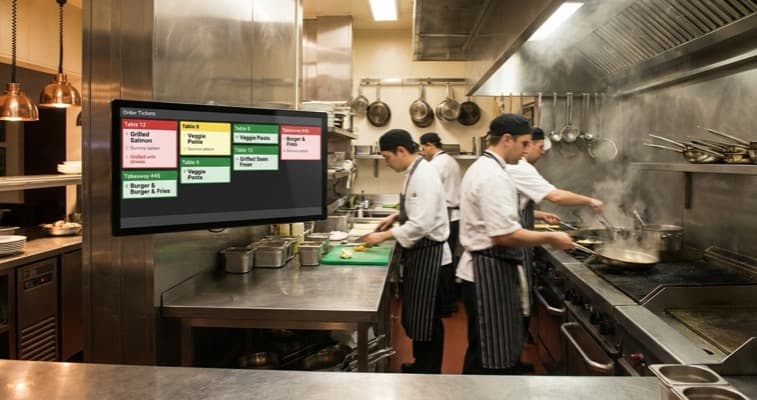
A kitchen display system (KDS) replaces paper tickets with a screen. It routes orders by station, tracks prep times and flags delays.
For instance, a busy gastropub running a KDS can spot that starters average nine minutes instead of six and adjust before the dining room notices.
What it must do: Receive orders from POS and online channels, route by station, display timing data.
Layer 3: Online Ordering and Delivery
Whether you use a marketplace or your own ordering page, this layer must push orders straight into your POS and KDS. If your team retypes online orders into the till, that's usually a sign of a broken integration, and errors that cost you money.
For example, a pizzeria taking 40 delivery orders a night through a separate tablet loses roughly 10 minutes per shift just re-entering those orders. Multiply that across a week and you have nearly an hour of wasted labour.
What it must do: Send orders to POS automatically, sync your digital menu, update availability in real time.
Info
Related: Digital Menu for Restaurants: Setup Guide, how to build an online menu that syncs with your POS.
Layer 4: Reservations, CRM and Loyalty
Your booking system captures who is coming. Your CRM captures what they ordered. Your loyalty programme gives them a reason to return. When all three connect to your POS, you can send a regular guest a birthday offer without lifting a finger. This is the marketing layer of your stack: ready-to-post promotions and social content turn that guest data into repeat visits.
What it must do: Sync guest data with POS history, automate marketing triggers, track visit frequency.
Layer 5: Analytics and Reporting
This layer turns everything below it into decisions. Your restaurant management software pulls data from POS, inventory and bookings into one dashboard.
For instance, a 60-cover neighbourhood bistro using connected analytics spotted that Thursday lunch covers dropped 20% in one month, something they would have missed in separate spreadsheets.
What it must do: Pull data from all layers, generate reports automatically, flag anomalies like rising food costs.
Info
Related: Restaurant Management Software, compare the leading platforms for UK operators.
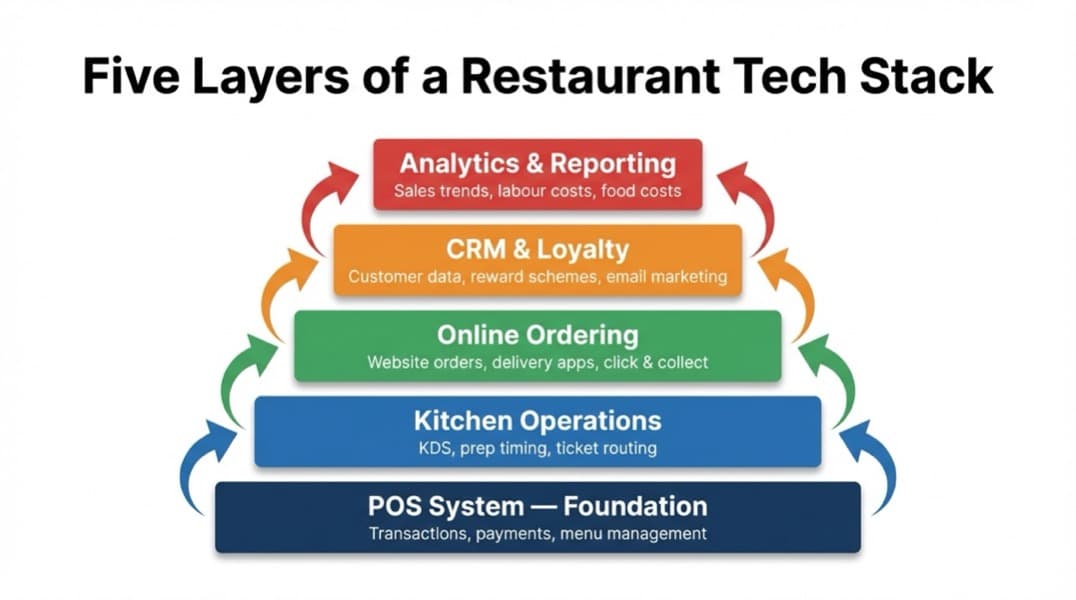
Five layers of a restaurant tech stack showing POS at the base, kitchen operations, online ordering, CRM and loyalty, and analytics at the top with integration arrows between each layer
How Restaurant Technology Systems Connect
Now that you understand the layers, the next question is obvious: how do they actually talk to each other? There are three common connection methods, and each suits a different situation.
| Method | How It Works | Typical Use |
|---|---|---|
| Native | Built-in link between products | POS + KDS from one provider |
| API | Systems share data via code | Connecting specialist tools |
| Middleware | A third party translates between systems | Legacy setups lacking modern APIs |
These are general guidelines. The right method depends on your existing setup and budget.
For most independent UK restaurants, the practical route is:
- Choose a POS with strong native integrations
- Fill gaps with API-connected specialist tools
- Use middleware only when direct integration is not available
Middleware platforms like Deliverect or Otter can bridge online ordering to your POS. The UK's Food Standards Agency also recommends digital record-keeping for traceability, which a connected tech stack handles naturally.
For example, a high-street restaurant using one POS provider and three delivery apps might use Deliverect as middleware so every order (Deliveroo, Just Eat or Uber Eats) drops into the same kitchen screen automatically.
A great tech stack isn't about having more software. It's about having fewer gaps.
When an order flows from a customer's phone to your kitchen screen without a human re-entering it, you save time, cut errors and serve faster. That is the real advantage.
Realistic UK Costs for Your Restaurant Tech Stack
Understanding how systems connect leads to the next concern: cost. If you're reading this thinking "I can't afford all of this", you're not alone.
Info
Cloud-based SaaS models have made a full restaurant tech stack far more affordable for independents than most expect.
| Layer | UK Monthly Cost | Notes |
|---|---|---|
| Cloud POS | £60-£120 | Plus ~£400 hardware |
| KDS | £25-£50/screen | Often bundled with POS |
| Online ordering | £0-£80 + fees | Own-site ordering avoids marketplace commission |
| Reservations + CRM | £30-£100 | Based on covers per month |
| Analytics | £0-£60 | Many POS tools include basic reporting |
Total range: roughly £115 to £410 per month for a single-site independent, plus payment processing fees.
UK restaurants allocated roughly 9% of total sales to technology as of recent reports, and that share continues to climb.
Hidden Savings
A connected stack does not just save software costs. It saves the labour hours your team currently spends moving data between systems by hand.
If you're only investing in one system you'll always lose to competitors who connect their ordering, kitchen and reporting into a single data flow.
Choosing What to Add First
Now that costs are clear, the question is where to start. Not every restaurant needs all five layers on day one. Here's a decision framework that helps you prioritise based on your biggest operational problem.
Start with the pain, not the product:
- "I can't see what's selling": Start with a cloud POS offering item-level reporting
- "Online orders cause kitchen chaos": Add a KDS and integrate ordering channels
- "No idea who my regulars are": Connect a CRM to your POS
- "I export spreadsheets every week": Add an analytics layer pulling from existing tools
For example, a neighbourhood bistro doing 60 covers a night might start with cloud POS plus online ordering. A 150-cover high-street restaurant already running a POS should connect the KDS and CRM layers next.
If you find yourself spending more time managing your technology than it saves you, that's usually a sign your stack needs fewer tools, not more, just better-connected ones.
Integration checklist before buying any new tool:
- Does it connect to your POS natively or via API?
- Does the provider offer UK-based support?
- Can you export your data if you switch later?
- Is pricing clear with no hidden per-transaction fees?
Signs Your Restaurant Tech Stack Is Broken
Building on that framework, let's look at what broken actually looks like. You do not need a consultant to spot the problem. These are the symptoms:
- Staff re-type orders from one screen to another
- You reconcile figures manually every week in spreadsheets
- Menu changes need updating in three or more places
- You cannot answer "what was our food cost percentage last Tuesday?" quickly
- Online order errors happen because availability is not synced
If three or more apply, your restaurant tech is a collection of tools rather than a connected stack.
This sounds like a big problem. In practice, the fix is often smaller than you think.
Based on our experience helping UK restaurant owners audit their operations, the reality is that tech was adopted bit by bit: a POS here, a booking tool there, a delivery tablet on the side. That is completely normal.
The fix is not ripping everything out. It is picking the two systems that would benefit most from sharing data and connecting them first.
The question isn't "which new tool should I buy?" It's "which two existing tools should I connect?"
Start small. Build from there.
If You Only Have 30 Minutes a Week
Finally, here's the practical bit. If you only have 30 minutes a week, use this plan to audit and improve your restaurant tech stack:
This Week's Task
Map your current setup:
- Day 1-2: List every piece of technology your restaurant uses: POS, ordering, bookings, spreadsheets, loyalty cards, everything
- Day 3-4: For each tool, note whether it sends data to or receives data from another tool automatically
- Day 5-7: Identify the single biggest manual task you do because two systems are not connected: that is your first integration priority
Next week, ring your POS provider and ask which integrations are included in your current plan. You might be surprised how many connections are already available but not switched on.
Weekly Action
- Contact your POS provider and ask which integrations are included on your current plan
- List the two systems that would benefit most from being connected
Key Takeaway
If you run a restaurant and want to see how Local Brand Hub can support your marketing, explore our restaurant marketing tools.
Key Takeaway
A restaurant tech stack is how your POS, kitchen display, ordering, CRM and analytics share data, not just a list of apps. Start with a cloud-based POS as the foundation, choose tools based on your biggest pain point, and focus on integration over features. UK independents can build a working stack for roughly £115 to £410 per month. Audit what you have before buying anything new. Existing tools often have unused integrations waiting to be switched on.
FAQ
What should be in a restaurant tech stack?
A complete restaurant tech stack typically includes five layers: a cloud-based POS system, kitchen display system (KDS), online ordering and delivery integration, reservations with CRM and loyalty tools, and an analytics or reporting dashboard. The key is that these systems share data automatically rather than operating in silos.
How much does a restaurant tech stack cost in the UK?
A single-site independent UK restaurant can expect to pay roughly £115 to £410 per month for a functional tech stack, plus around £400 in one-off hardware costs for the POS terminal. Cloud-based SaaS pricing means you no longer need large upfront investments to get started.
Do I need all five layers straight away?
No. Begin with a cloud-based POS as your foundation, then add other layers based on your biggest operational pain point. A small restaurant doing 60 covers might only need POS plus online ordering at first, while a larger operation should focus on connecting the kitchen display and CRM layers next.
How do I know if my current restaurant technology is properly integrated?
If your staff re-type orders between systems, you reconcile figures manually in spreadsheets, or menu changes require updating three or more places separately, your systems are not properly integrated. A connected tech stack means data flows automatically from one system to the next without manual intervention.
For restaurants, salons, and local businesses
Need help with your marketing?
We help UK businesses turn social media into real results, not busywork.
Start freeGet More Marketing Tips
Practical marketing tips for UK business owners, straight to your inbox. No spam, unsubscribe anytime.
About the Author
Local Brand Hub
Empowering UK Businesses
Local Brand Hub provides comprehensive business management tools designed specifically for UK local businesses to streamline operations, automate marketing, and grow revenue.
More articlesRelated Articles
 Industry Insights
All-in-One Restaurant Software: UK Comparison
Compare all-in-one restaurant software for UK venues. See top platforms, UK pricing, and what to look for when choosing an integrated system.
 Industry Insights
Cloud Restaurant Management Software: Complete UK Guide
Cloud restaurant management software accounts for 60% of the market. Cut costs and streamline UK restaurant operations with our complete guide.
 Industry Insights
Restaurant Kitchen Display System: UK Buyer's Guide
72% of venues use POS-to-KDS systems. Compare UK kitchen display system pricing from £300 and cut order errors by 40%. Full buyer's guide.