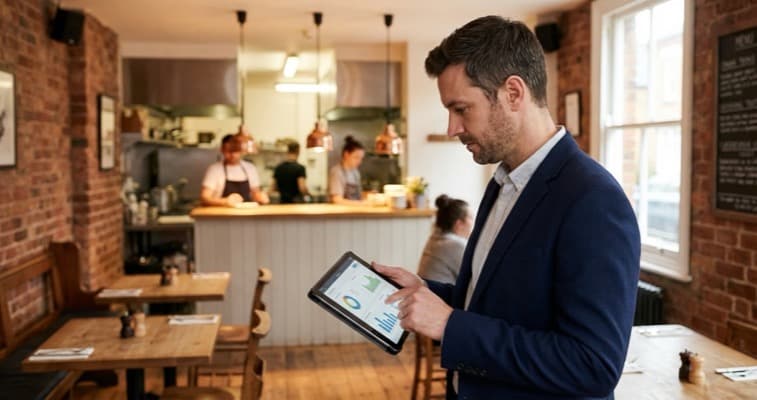
Best restaurant management software for UK venues, judged on the tips, allergen and VAT work it has to do, plus a two week trial that ends in a decision.
The tips are split wrong again, the allergen information lives in a lever arch file behind the till, and nobody can tell you what last Tuesday actually cost to run. That is the real specification for restaurant management software in a UK venue, and it is not what a features table measures.
The lists ranking for this search compete on features and headline prices, a comparison that ages the moment a vendor changes a price list. This one starts with the paperwork a British restaurant is on the hook for instead.
This guide is narrower: the jobs the software has to do, the UK duties it has to survive, the shapes a bill can take, and a trial that ends in a decision instead of another open tab.
What software do restaurants use for management?
Restaurant management software is not one product. It is five jobs that used to sit in five places, bundled in different combinations.
| The job | What it replaces | Names that come up on UK shortlists |
|---|---|---|
| Taking the order and the money | Paper dockets and a card machine | Square, Lightspeed, Epos Now, Zonal, TouchBistro |
| Stock, recipes and purchasing | A clipboard and a supplier WhatsApp | MarketMan, Nory, Kitchen CUT |
| Rotas, hours and wage cost | A laminated rota and a guess | Planday, Deputy, or a rota module |
| The book and the floor plan | A pencil diary and a memory | ResDiary, OpenTable, SevenRooms |
| Reporting across all of it | A shoebox and your accountant | Whatever the rest exports, which is the catch |
Those are names you will meet repeatedly while shopping in the UK, not a ranking, and not a statement about current pricing or features. Both move faster than any article can. Check them with the vendor.
Nobody can hand you a single winner because the fifth row is where systems differ. Anyone can take a card payment. Far fewer hand you a clean export tying covers to wage cost to food cost for one Saturday. If rotas are the sore point, start with restaurant scheduling software rather than replacing the till.
Imagine a till reporting 143 covers on Saturday while the rota app reports a shift costing £980, and neither figure sits in one row without retyping both. That gap is the product you are shopping for.
A features table tells you what a system can do. A busy Saturday tells you what it will do.
Related: Cloud Restaurant Management, on running this from a phone
Which UK jobs do the global software lists skip?
Three, and each is a legal duty rather than a nice to have. This is the part of the specification a review site in another market has no reason to know exists.
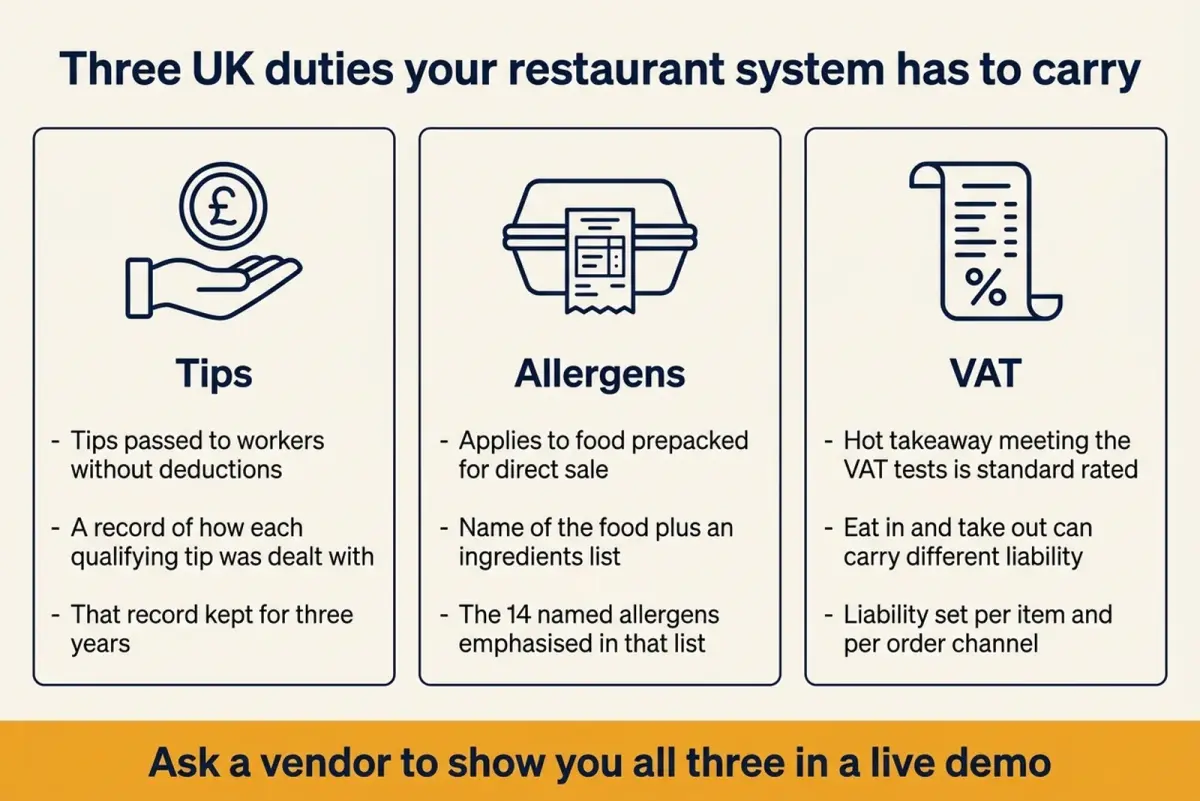
The three questions worth asking before anyone opens a features deck.
Tips have to arrive intact, and the record has to survive
In England, Wales and Scotland, all tips must be given to workers without deductions by law (GOV.UK).
The paperwork is the part that catches people out. The same rules require an employer whose place of business takes tips on more than an occasional basis to create a record of how every qualifying tip paid there was dealt with, and to keep that record for three years beginning with the date the tip was paid (Employment Rights Act 1996, section 27J).
Ask a vendor to produce that record on screen, for a date you choose, in a format you could hand to whoever asked. A system reporting a takings total and calling it tips reporting has told you what it will cost you in spreadsheets.
Allergen information has to come off the same system as the menu
Under UK labelling guidance for food prepacked for direct sale, the label has to show the name of the food and an ingredients list, with any of the 14 named allergens emphasised in that list where they are present (Food Standards Agency guidance on GOV.UK).
If your deli counter, grab and go fridge or Sunday meal prep makes items fitting that description, the ingredients data has to live where the recipes live. A menu in one system and an allergen matrix in another drift apart the first time a supplier swaps an ingredient, invisibly, until someone asks.
The till has to know the difference between eat in and take out
Hot takeaway food and drink that meets the tests set out in VAT Notice 709/1 is standard rated (HMRC).
A till treating a flat white on a tray and one in a cup to go as a single product line leaves somebody unpicking it by hand every time a return falls due. Ask how liability is set per item and per order channel, then watch it being set: "it handles that" and "here is the screen where you do it" are different sentences.
Which POS system is best for restaurants?
No POS system wins on paper for every restaurant. A tableside operation, a counter operation and a delivery led kitchen want three different tools, so the useful question is which one fits how your room runs, not which one tops a star rating.
| Your venue | What matters most | Where to start |
|---|---|---|
| Small cafe or takeaway counter | Speed at the till, simple menu edits | A mainstream cloud till on its lowest tier |
| Independent sit down restaurant | Handhelds, course timing, table plan | A hospitality first till plus table management |
| Pub or bar with food | Split bills, high volume, offline resilience | A till with a proven offline mode |
| Delivery led kitchen | Aggregator integration, kitchen screens | A till with native delivery order injection |
| Two or more sites | One menu everywhere, group reporting | A platform priced per site |
Rule of thumb rather than a hard rule: match the till to how your room actually runs.
The two questions that cut through a demo
What happens when the internet drops mid service, and what happens when a member of staff who started yesterday has to void an item on a busy Friday. Both answers live in the room, not the brochure. Imagine a pub serving Sunday roasts on a broadband line that drops without warning: it will care more about a proper offline mode than about any chart in the deck.
Hardware, card rates and contract length get a fuller comparison in our best restaurant POS system round-up.
Is a free POS system really free?
No, and the interesting part is not that it costs money. It is that free swaps a bill you can predict for one that rises with every card sale, which is a bargain at low volume and quietly expensive at high.
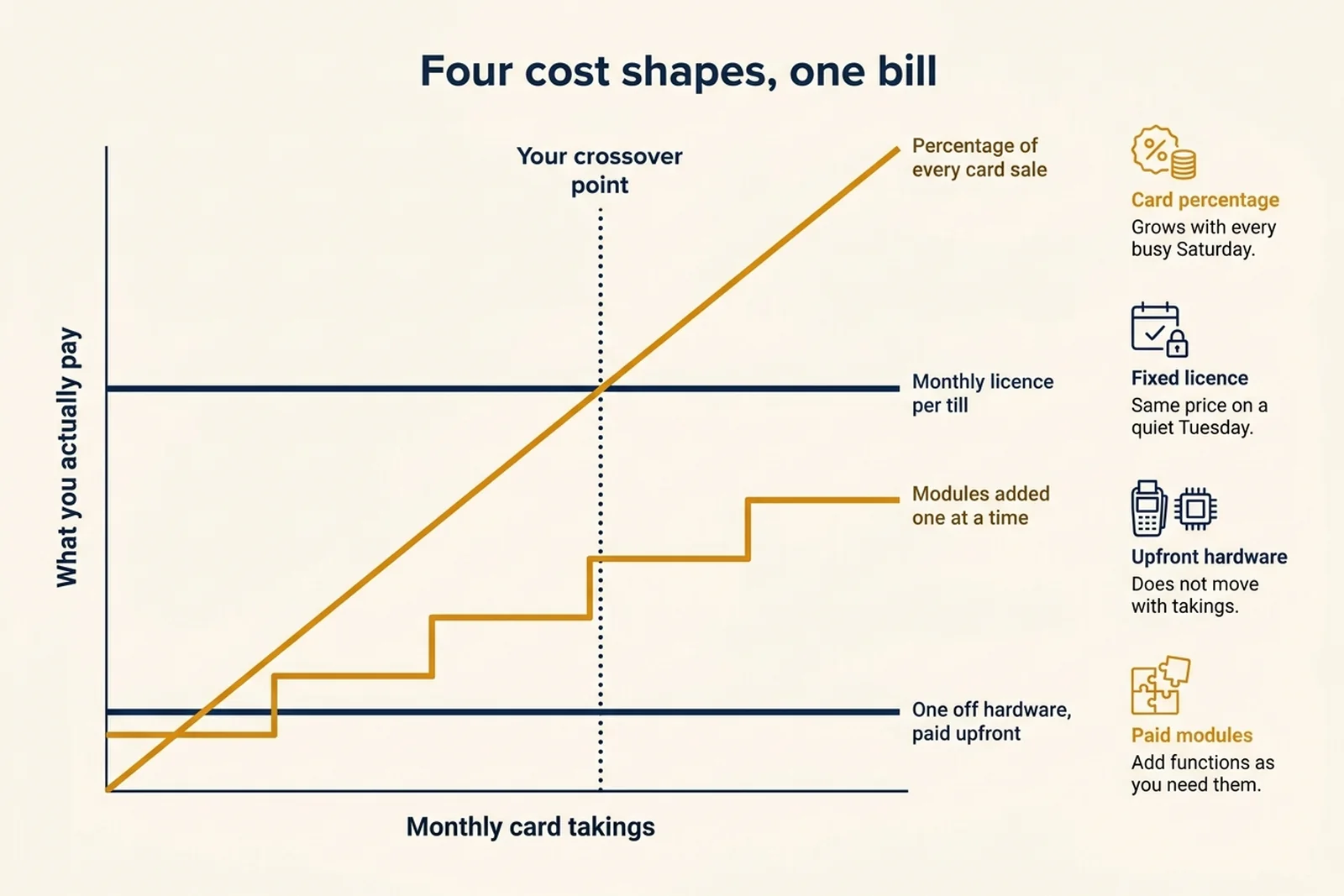
How the same bill behaves as takings rise. The crossover point is the number worth calculating.
The four shapes a quote can take
Pull a quote apart into these four before you set it beside another. A percentage of every card sale grows with you, with no ceiling built in. A fixed monthly licence per till is flat, which stings on a quiet January and feels like a gift in December. Hardware paid upfront is a lump you pay once, then again only when it breaks or you outgrow it. Modules bought one at a time look cheap until the fourth one lands.
The arithmetic that matters is your own crossover point.
Imagine a bistro taking £20,000 a month on card. On a hypothetical blended rate of 1.75%, the free system charges no licence and takes £350 a month through the card rate instead. A rival quote pairing a fixed monthly licence with a lower card rate lands within a few pounds of that same £350 at this volume, then comes out clearly cheaper once the room gets busier. Compare the totals, licence plus card cost together, because a licence line on its own always looks worse than nothing. Those figures are invented to show the shape of the sum, not quoted from any provider.
Run that sum on your last three statements before you open a feature list. Free is right for a new site, a pop up or a low volume counter, and it stops being right at a volume you can work out in ten minutes.
Watch the softer costs: long minimum contracts, per user charges that bite when the summer team arrives, and an export that turns out to be a PDF.
What is the best software for restaurant inventory management?
A stock system nobody updates is worse than a clipboard nobody pretends to have updated. The inventory tool worth paying for is the one your kitchen will actually use on a Sunday night.
That sounds like a dodge, so here is the payoff when it lands. Go Mezza, a small chain of Turkish takeaways in London, saved approximately £1,000 per month on food purchasing in the first six months after adopting new ordering and AI driven management software, according to a ReLondon case study.
Notice which line the saving landed on: the purchasing bill, not the interface. That is the honest test for the category, and it is a question you can put to a salesperson. Does the tool change a purchase order, or only describe one afterwards?
Three things decide that:
- Recipes costed to the gram, so a supplier price rise shows as a margin change on a dish rather than a mystery at month end.
- Counting faster than the old way. If a stock take is slower on the app than on paper, your team will use paper and type it in wrong later.
- Purchase orders leaving the system. Ordering from inside the tool is where money moves; a report read afterwards is a history lesson.
Start narrower than the software wants. As an opening experiment you can adjust after a month, count the twenty or so lines carrying your margin weekly, the rest monthly, and log wastage at the end of every service. Widen it if the weekly count keeps coming out clean; narrow it further if it never reconciles. Imagine a kitchen counting forty two lines every Sunday instead: sooner or later somebody copies last week's figures across, and the system is confidently wrong.
Software makes a good stock routine faster. It cannot invent one, and it will happily automate a bad one.
If stock is what is pushing you to buy, the deeper comparison sits in our restaurant inventory management software guide.
How do you trial restaurant management software properly?
Run it when it can hurt you. Then stop on the date you set before you started, whatever the demo made you feel. Two weeks is a workable shape for an independent, but the length matters far less than the end date: an unbounded trial is not a trial, it is a slow migration.
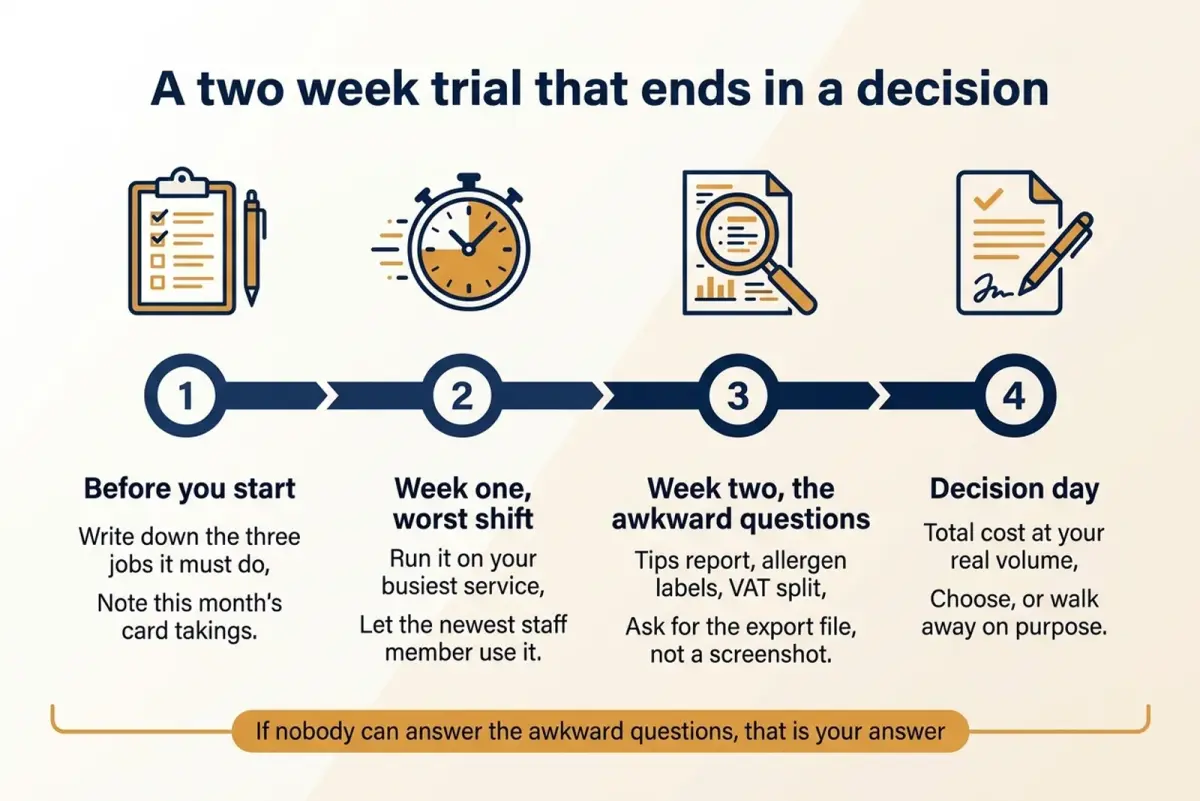
A trial with a decision date attached, so a shortlist cannot quietly become permanent.
Write down the three jobs the system must do before you see a demo, so the demo cannot rewrite your requirements. Note this month's card takings while you are there.
Run week one on your worst shift, not a quiet Tuesday, and hand it to the newest person on the team. Imagine passing the handheld to a starter mid Saturday and watching them split a table of eight. Anything they cannot do without asking twice tends to cost you every week afterwards.
Spend week two on the awkward questions: the tips record, the labelling data, the eat in and take out split. Ask for the export file, not a screenshot of a dashboard.
Then decide, on the day you said you would, on total cost at your real volume. Walking away on purpose is a result. An open tab for four months is not.
Your first thirty minutes this week
- Pull your last three card statements and work out your effective rate
- Write the three jobs the system must do, in your own words
- Book two demos and put a decision date in the diary
- Ask both for the tips record and an allergen label, on screen
- Ask what happens when the broadband drops mid service
One boundary worth drawing while you shop: the till runs the service, and marketing runs elsewhere. LocalBrandHub sits on the marketing side with a social media calendar, ready made seasonal campaigns and a Monday morning report on what is working, so you are not asking a POS to be a marketing department too: see what it covers.
Frequently asked questions
What software do restaurants use for management?
The usual shape is a cloud till for orders and payments, with tools added for stock, rotas and the booking diary. Some operators buy modules from one vendor, others bolt specialists together. What decides it is whether the pieces export data that lines up for the same trading period.
Which POS system is best for restaurants?
No single winner exists, because a counter takeaway and a fine dining room need different things. Match the till to your service shape: speed and simple menu edits at a counter, handhelds and course timing for table service, offline resilience behind a busy bar, delivery order injection in a delivery led kitchen.
Is there genuinely free restaurant management software?
Yes. Free tiers exist on mainstream cloud tills. You pay through the card rate instead of a licence, so cost rises with takings. Work out your crossover point from your own card volume before deciding whether free is cheap.
Does restaurant management software handle tips correctly?
Only if you check. In England, Wales and Scotland, all tips must be given to workers without deductions by law, and the record of how each qualifying tip was dealt with has to be kept for three years from the date it was paid. Ask to see that record produced on screen for a date you pick.
How do you keep track of inventory in a restaurant?
Start by counting the twenty or so lines carrying your margin weekly and the rest monthly, then adjust the split once you see where the variance sits. Log wastage at the end of every service and review par levels seasonally. Software speeds all three up and can raise purchase orders from the counts, but the routine has to exist first.
Do I need an all in one system or separate tools?
An all in one platform is simpler to run and usually cheaper to support, while specialists tend to be stronger at any single job. What settles it is how much of your week goes on moving numbers between systems by hand. Our all in one restaurant software guide works through the trade off.
Key takeaways
Key Takeaway
- Judge candidates on the jobs they do in your venue, not on a feature grid everyone passes.
- Tips, allergen labelling and takeaway liability are duties a global review site has no reason to test.
- Free is a pricing shape, not a price. Find the volume where it stops being cheapest.
- Inventory tools earn their keep at the purchase order, not in the report.
- Set the decision date before the trial starts, then hand the system to your newest starter.
Current as at 12/08/2026. Pricing and plan names change often, so confirm cost details with the provider. The duties above are summarised for orientation; check the linked government guidance.
For restaurants, salons, and local businesses
Need help with your marketing?
We help UK businesses turn social media into real results, not busywork.
Start freeSources
Get More Marketing Tips
Practical marketing tips for UK business owners, straight to your inbox. No spam, unsubscribe anytime.
About the Author
Local Brand Hub
Empowering UK Businesses
Local Brand Hub provides comprehensive business management tools designed specifically for UK local businesses to streamline operations, automate marketing, and grow revenue.
More articlesRelated Articles
 Industry Insights
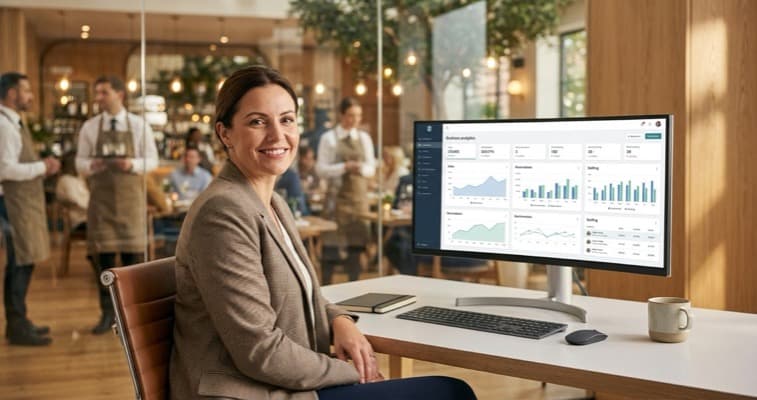
All-in-One Restaurant Software: UK Comparison
Compare all-in-one restaurant software for UK venues. See top platforms, UK pricing, and what to look for when choosing an integrated system.
 Industry Insights
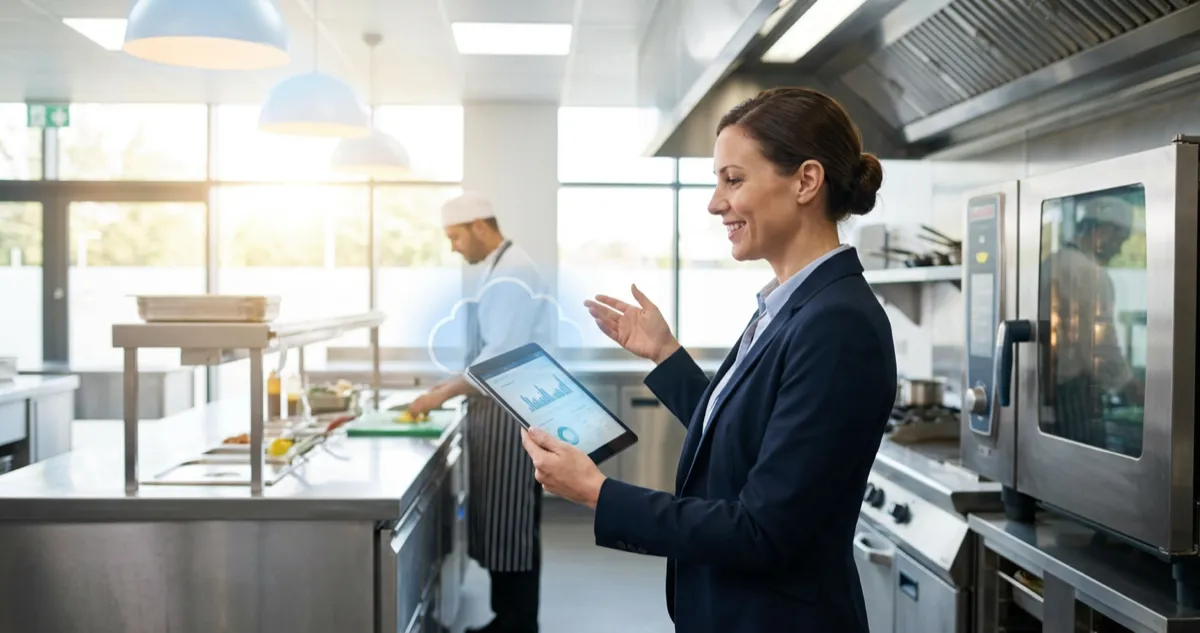
Cloud Restaurant Management Software: Complete UK Guide
Cloud restaurant management software accounts for 60% of the market. Cut costs and streamline UK restaurant operations with our complete guide.
 Industry Insights
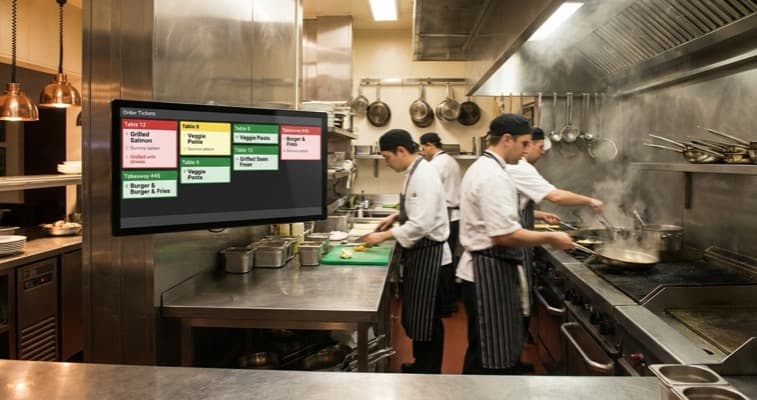
Restaurant Kitchen Display System: UK Buyer's Guide
72% of venues use POS-to-KDS systems. Compare UK kitchen display system pricing from £300 and cut order errors by 40%. Full buyer's guide.