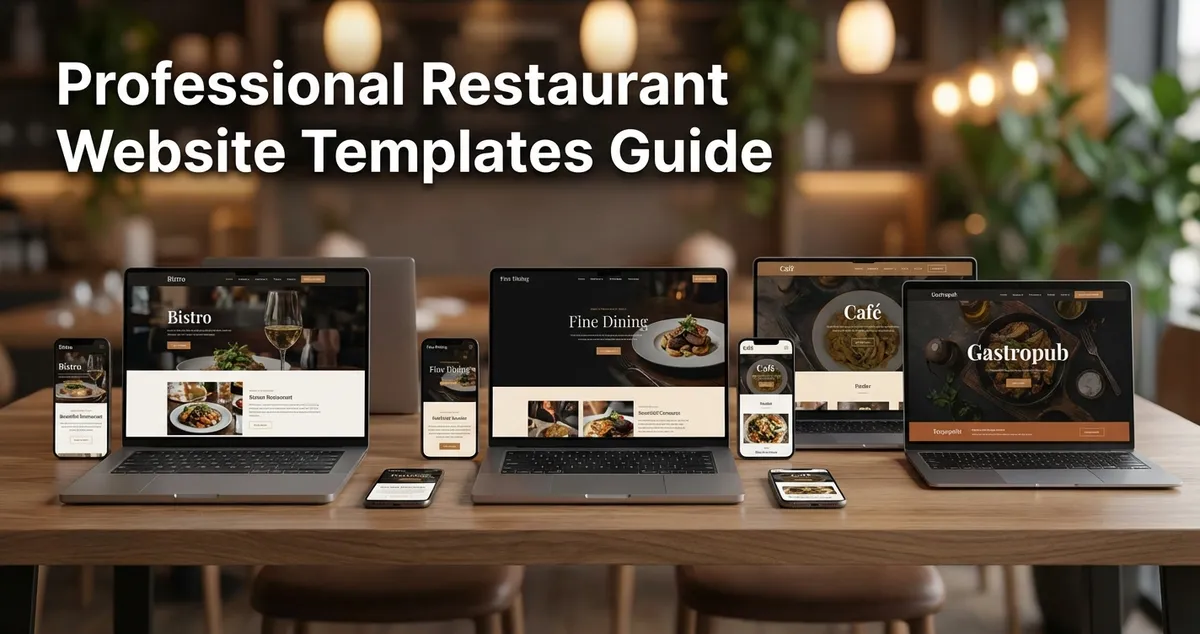
Free and premium restaurant website templates for UK venues. Essential features, platform comparison, and quick launch guide.
You've been meaning to sort your website for months. The current one looks outdated, or worse, you don't have one at all. Meanwhile, customers search "restaurants near me" and click on your competitors instead. Here's the frustrating part: 74% of people check a restaurant's website before booking.
Restaurant website templates are pre-designed layouts built specifically for food businesses that include menu displays, reservation systems, and mobile-responsive designs you can customise with your own branding, photos, and content in hours rather than weeks of costly development time.
Getting Started
Don't overthink your first website. A simple template with your menu, contact details, and booking system beats a "perfect" site you never finish building.
This guide compares free and premium restaurant website templates, breaks down what features actually matter, and helps you choose the right platform for your budget. If you're thinking "I don't have time to learn web design," that's exactly why templates exist.
Info
Related: Once your site is live, see our restaurant social media marketing guide for promotion and local SEO for restaurants for getting found on Google.
What You'll Learn
- The real differences between free and premium templates (and when free is enough)
- Which platform suits your needs: Squarespace, Wix, WordPress, or Canva
- The five features every restaurant website must have
- How to get your site live within a week, even with limited time
Free vs Premium Restaurant Website Templates: What's the Difference?
Let's start with the question most restaurant owners ask first: can I get away with a free template?
If you're thinking "I just need something basic to get started," you're not alone. Most restaurant owners feel the same way before realising what features they actually need.
Here's the honest answer. Free templates work for testing or basic web presence, but they come with limitations that matter once you need real functionality. Premium templates typically cost between £7 and £64 in the UK market (Avantiy).
| Feature | Free Templates | Premium Templates |
|---|---|---|
| Menu management | Basic display only | Advanced customisation |
| Table reservations | Limited or none | Full booking systems (OpenTable integration) |
| Online ordering | Usually unavailable | Built-in ordering widgets |
| Design options | Moderate selection | Extensive customisation |
| Mobile responsiveness | Yes | Yes |
| E-commerce | Limited | Full payment integration |
| SEO tools | Basic | Comprehensive optimisation |
| Support | Community forums | 24/7 customer support |
The Catch with Free Templates
Free templates often restrict e-commerce functionality and advanced booking systems: exactly the features that turn website visitors into paying customers.
If you're only posting your menu and contact details, free works fine. If you want online reservations or takeaway orders, you'll likely need to upgrade.
Common Mistake
If you're only posting your menu and location online you'll always lose to competitors who offer table bookings and online orders from their homepage.
Restaurant Website Template Platforms Compared
Four platforms dominate website templates for UK restaurants. Each has distinct strengths depending on your technical comfort and budget.
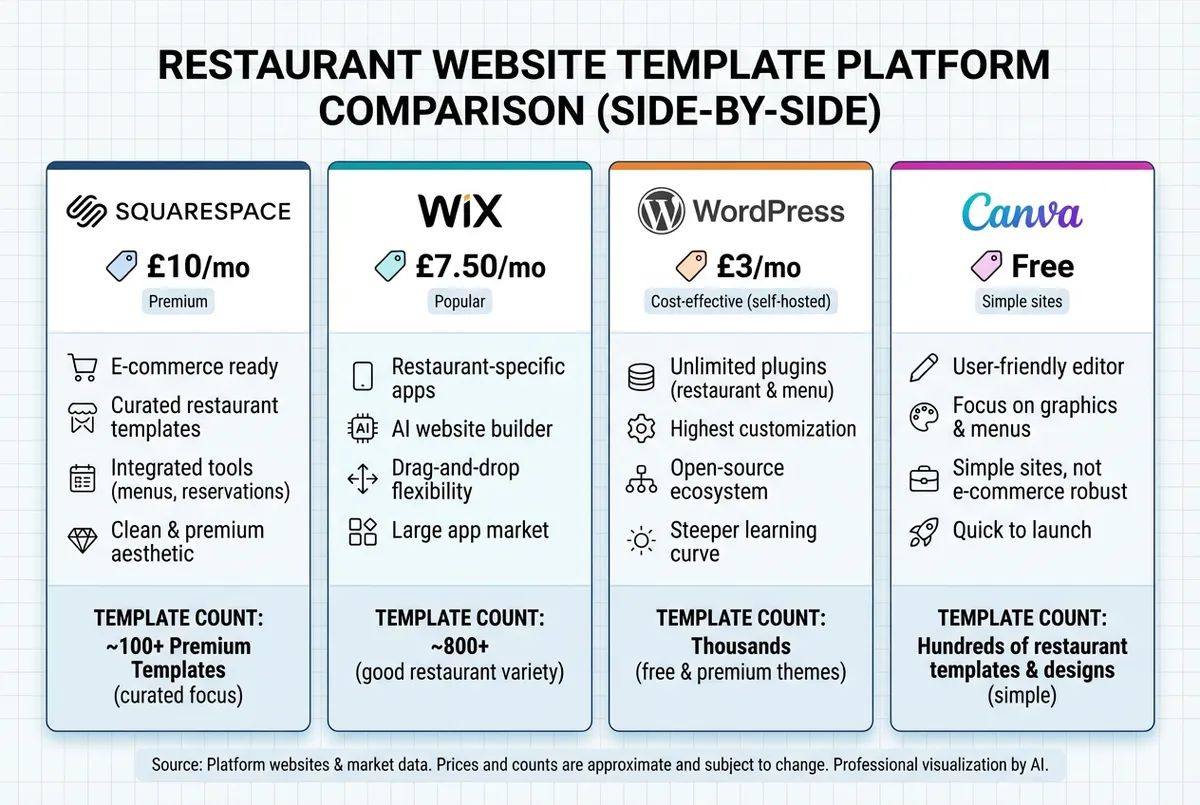
Platform comparison for UK restaurant websites
Squarespace
Often ideal for: Visual-focused restaurants wanting polished design without coding
- Starting price: £10 to £16/month
- Templates: 15 modern, restaurant-specific designs
- Standout features: Built-in OpenTable integration, e-commerce, award-winning design quality
Squarespace templates look professional out of the box. The trade-off is slightly less flexibility than WordPress, but for most restaurants, the built-in features cover everything needed (Hostinger UK).
Wix
Often ideal for: Beginners who want the widest template selection
- Starting price: Free (basic); £7.50 to £29/month for business features
- Templates: 30 to 60+ restaurant designs
- Standout features: Drag-and-drop editor, menu management, table reservations, social media integration
Wix often offers the lowest entry point with a free basic plan. Simple to use. The interface is genuinely beginner-friendly: if you can use social media, you can typically build a Wix site. However, free plans include Wix branding and limited functionality.
WordPress
Often ideal for: Maximum customisation and long-term flexibility
- Starting price: Free software; £3+/month for hosting
- Templates: Thousands available through ThemeForest, TemplateMonster, and free directories
- Standout features: Complete design control, massive plugin ecosystem, blogging capabilities
WordPress powers roughly 43% of all websites globally. That popularity means extensive template options and third-party integrations. The downside: it typically requires a steeper learning curve and more setup than Wix or Squarespace.
Canva
Often ideal for: Quick single-page sites or landing pages
- Starting price: Free
- Templates: Numerous restaurant designs
- Standout features: Familiar interface if you already use Canva for social media graphics
Canva website builder suits basic web presence needs. You can publish using a Canva domain for free or connect your own. For full restaurant functionality, other platforms offer more depth.
Platform Recommendation
For most UK restaurants, Wix often offers a strong balance of ease-of-use and features at an affordable price point. If design quality matters most, Squarespace often edges ahead. If you want maximum control and don't mind a learning curve, WordPress generally provides the most flexibility.
Essential Features Every Restaurant Website Template Needs
Not every feature labelled "essential" actually matters. Furthermore, some "nice-to-have" features turn out to be critical once your site goes live. Here's what genuinely impacts whether customers book a table or keep scrolling.
For example, a tapas bar in Bristol thought their PDF menu was fine, until they noticed most mobile visitors left within 10 seconds. Once they switched to HTML text menus, time-on-site tripled.
1. Mobile-First Design
Most customers find your restaurant on their phone. That's a fact. If your website loads slowly or displays poorly on mobile, they often leave within seconds.
Mobile Testing
All four platforms mentioned above offer mobile-responsive templates, but test yours on an actual phone before launching: what looks fine on your laptop might frustrate mobile users.
2. Clear, Easy-to-Read Menu
The menu is often the first thing visitors look for (Digital Agency Bangkok). No surprise there. Use HTML text rather than PDF downloads: search engines can't read PDFs, and they're frustrating on mobile. Include current prices and clear descriptions.
3. Online Reservation System
63% of UK restaurant reservations are now booked online, up 5.1% year-on-year (Food Council UK). That's significant.
Booking Integration
If your website doesn't offer table booking, you're likely sending potential customers to competitors who do. OpenTable integration or a simple booking form removes friction from the customer journey.
4. Prominent Contact Information
Address, phone number, and opening hours should appear on every page. Footer or header works well. According to UK Government guidance on business websites, displaying accurate contact information is essential for building customer trust.
Include a click-to-call link for mobile visitors and an embedded Google Map showing your location. These small touches make it easy for hungry customers to find you.
5. Fast Loading Speed
Website speed affects both user experience and search rankings. Slow sites lose customers.
Compress images before uploading (WebP format works well), avoid excessive plugins, and choose templates optimised for performance. If your page takes more than three seconds to load, visitors typically start leaving.
Image Mistake
One mistake that rarely works: uploading massive image files straight from your phone. A 5MB photo might look great on your screen, but it'll make your website crawl, and customers won't wait.
If you can't tell whether your website actually brings bookings or just looks nice, that's usually a sign you need better analytics or clearer calls to action.
How to Choose the Right Template for Your Restaurant
With hundreds of templates available, narrowing down can feel overwhelming. It doesn't have to be. Here's a practical approach that works.
Match Template to Cuisine
A fine-dining restaurant needs a different aesthetic than a casual burger joint. Most platforms let you preview templates before committing: spend time imagining your food photos and branding in each layout.
For example, a neighbourhood Italian trattoria might choose a warm, rustic Squarespace template with earthy tones and prominent menu photos. A modern sushi bar would suit a minimalist Wix design with clean lines and bold typography.
Prioritise Functionality
A beautiful template that doesn't support reservations or mobile menus creates more problems than it solves. List your must-have features first, then filter templates accordingly.
A gastropub in Manchester recently switched from a visually stunning template to a simpler Wix design, and saw online bookings increase by 40% because the new template had a prominent reservation button on every page.
Check Customisation Limits
Some templates restrict colour changes, font choices, or layout modifications. If brand consistency matters to your restaurant, confirm you can match your existing colours and style.
Read Other Restaurant Reviews
User reviews often reveal issues that marketing copy glosses over:
- Slow support response times
- Buggy booking features
- Hidden upgrade costs
- Mobile display problems
Quick Test
Would I book a table through this website? Ask yourself honestly: if the answer is no, your customers feel the same way.
Getting Your Restaurant Website Live This Week
If you're reading this after a 12-hour shift thinking "I really should sort the website," here's a realistic plan that doesn't require hours of spare time.
Minimum Viable Approach: 30 Minutes a Week
If you only have 30 minutes a week, focus on this:
Day 1-2: Pick a platform and template Sign up for Wix or Squarespace free trial. Browse restaurant templates for 15 minutes. Choose one that roughly matches your restaurant's vibe. Don't overthink it. You can change later.
For example, a fish and chip shop in Brighton used Wix's "Restaurant Starter" template. They picked it on Monday evening, and by Thursday had a working site with their menu and contact details.
Day 3-4: Add essential content Upload your logo (or use text for now). Add your menu as text, not a PDF. Enter your address, phone number, and opening hours. Add 3-5 decent food photos.
Day 5-7: Connect your domain and test Purchase a domain name (roughly £10-15/year) or connect an existing one. Preview on your phone to check everything displays correctly. Ask a friend to test the booking system if you've added one.
That's it. A functional restaurant website in under two hours of actual work, spread across a week.
Quick Launch Checklist
Before you go live, confirm these essentials:
- Menu is in HTML text format (not PDF)
- Contact details visible on every page
- Mobile preview looks correct on your phone
- Booking button or contact form works
- Opening hours are accurate and current
- At least 3 quality food photos uploaded
What Can Wait
These matter but aren't launch blockers:
- Perfect photos (good enough beats perfect)
- Blog section (add later if you want one)
- Social media integration (nice to have, not essential)
- Advanced SEO (basic setup covers most restaurants)
Frequently Asked Questions
What is the best free restaurant website template?
The best free restaurant website template is a framework that combines ease-of-use, restaurant-specific features, and mobile responsiveness without monthly fees. A free restaurant website template is a pre-designed layout that includes menu displays, contact information, and mobile responsiveness. The top free option is often Wix's restaurant collection, which offers drag-and-drop editing and basic booking features at no cost. Canva works well for simple single-page sites. Both include platform branding on free plans: upgrade to remove it.
For instance, a café in Leeds used Wix's free "Bistro" template for six months while testing their online presence, then upgraded to a paid plan when they added online ordering.
How much does a premium restaurant website template cost?
UK pricing ranges from £7/month for basic Wix plans to £64 one-time for premium ThemeForest templates. Most restaurant owners spend between £10-20/month for a template with booking and e-commerce features.
Can I add online ordering to a free template?
Most free templates restrict online ordering functionality. You'll typically need a paid plan (starting around £7.50/month on Wix or £10/month on Squarespace) to integrate ordering systems or payment processing.
Do I need web design experience to use templates?
No. Platforms like Wix and Squarespace specifically design templates for non-technical users. If you can use email and social media, you can build a functional website using their drag-and-drop editors.
Key Takeaways
If you run a restaurant and want to see how Local Brand Hub can support your marketing, explore our restaurant marketing tools.
Key Takeaways
Restaurant website templates remove the barriers between your business and online visibility. Here's what matters:
- Free templates work for basic web presence but lack reservation and ordering features
- Premium templates (£7-64) provide booking systems, payment integration, and proper support
- Wix suits beginners; Squarespace suits design-focused restaurants; WordPress suits those wanting maximum control
- Essential features: Mobile responsiveness, clear menus, online reservations, prominent contact details, fast loading
- Getting started takes less time than you think, a functional site can launch within a week
Over 85% of UK restaurant leaders planned to invest in new technology in 2025 (Food Council UK). Your website is the foundation of that digital presence, and our all-in-one marketing platform helps you build on it once you are live. Start simple. Pick a template, add your essentials, and get online. You can refine it later, but you can't attract online customers with a site that doesn't exist.
Weekly Action
This week, complete these three specific tasks:
- Sign up for a free trial on Wix or Squarespace (5 minutes)
- Browse and screenshot three restaurant templates you like (15 minutes)
- Pick one template and save it to your account (10 minutes)
That's your only focus. Don't try to build the whole site yet.
For UK restaurants
Need Help Choosing a Template?
Local Brand Hub helps UK restaurants get online with the right tools and templates for their needs.
Start freeGet More Marketing Tips
Practical marketing tips for UK business owners, straight to your inbox. No spam, unsubscribe anytime.
About the Author
Local Brand Hub
Empowering UK Businesses
Local Brand Hub provides comprehensive business management tools designed specifically for UK local businesses to streamline operations, automate marketing, and grow revenue.
More articlesRelated Articles
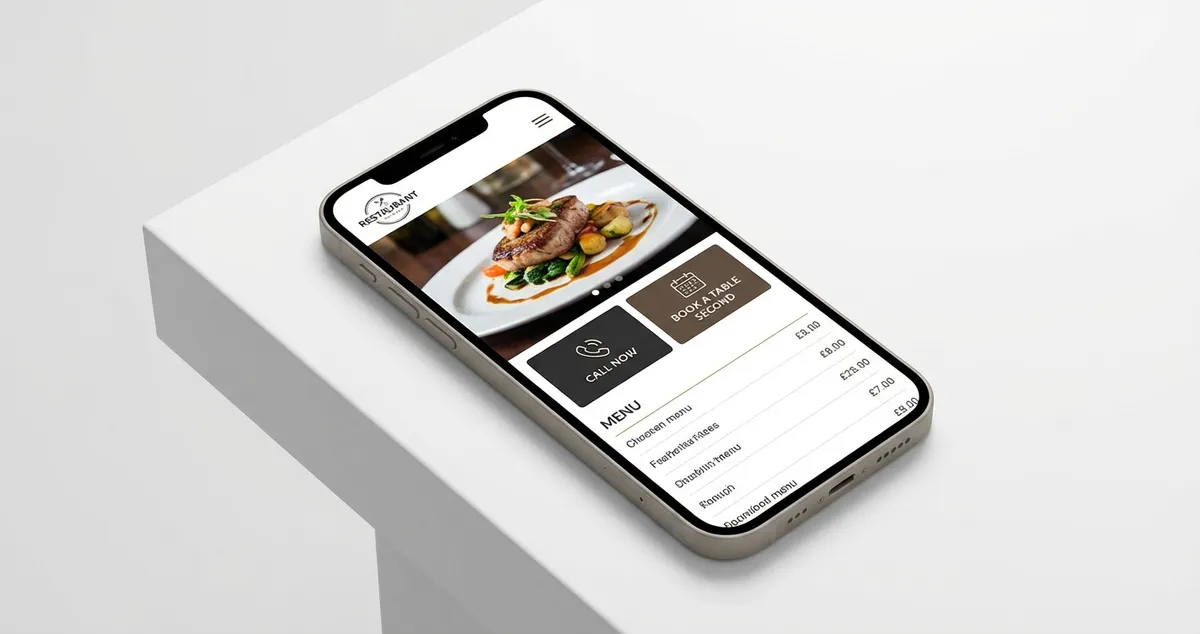 Marketing Tips
Mobile Restaurant Website: Essential UK Design Guide 2025
Create mobile restaurant websites that convert visitors to diners. Essential features, templates, builders, and UK costs.
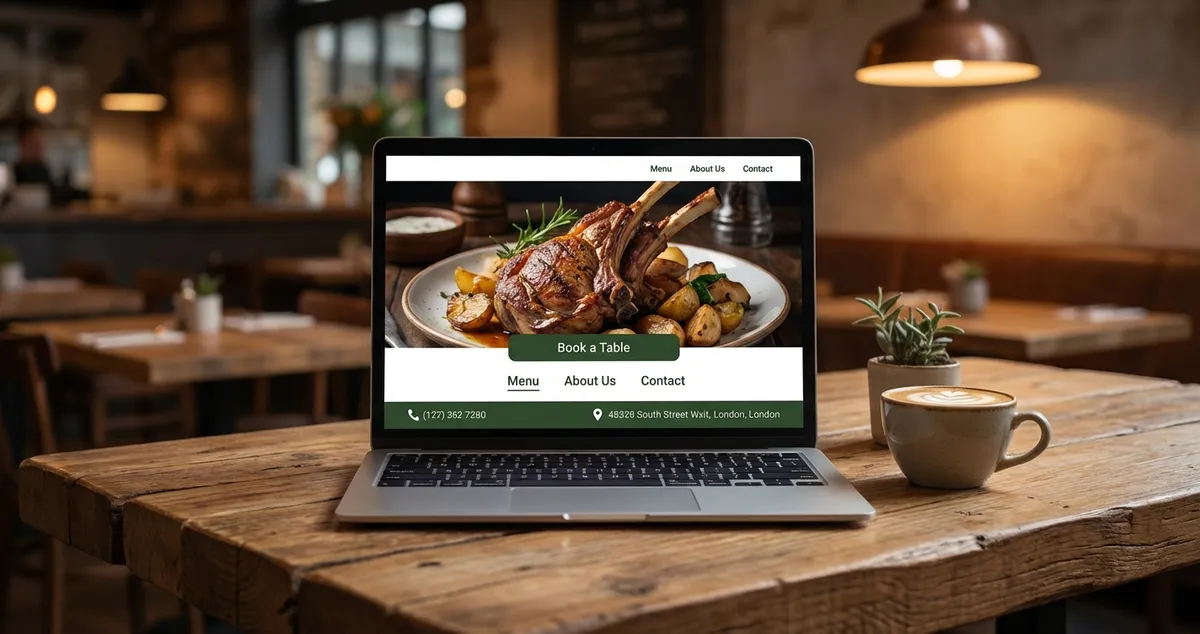 Marketing Tips
Restaurant Homepage Design: 7 Elements That Convert
Learn 7 essential restaurant homepage design elements that convert visitors into diners. Mobile-first layouts and booking buttons.
 Marketing Tips
Restaurant Website Builder: The Complete UK Guide for 2025
Find the best restaurant website builder for your UK business. Compare Wix, Squarespace, and WordPress with pricing, features, and online ordering options.