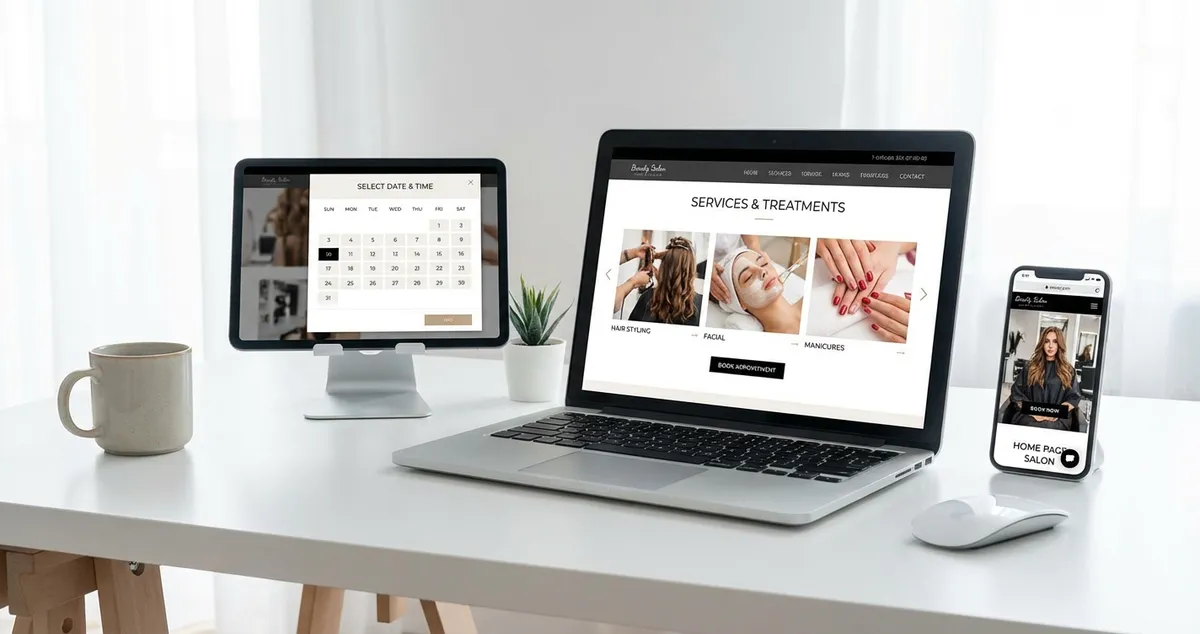
See salon website examples that convert visitors into bookings. Annotated examples covering beauty salons, hair salons, nail bars and mobile design.
Salon website examples are real-world websites from beauty salons, hair salons, and nail bars that show what works in practice. They cover treatment menus, booking systems, portfolio galleries, and mobile design. Studying what works helps you build your own site better and faster.
You know your salon website needs to look good. But what does "good" mean? What should a menu look like? How should booking work? The gap between "I need a website" and "I know what to build" is real.
If you're thinking "I've browsed templates for hours but can't picture how mine should look," these annotated examples are for you. Each one highlights a specific element done well, so you can apply the principles to your own site. 7 min read.
For a complete overview of salon websites and search optimisation, see our salon website and SEO guide.
What You'll Learn
- What makes the best salon website examples stand out from generic sites
- How top beauty salons structure treatment menus for conversions
- Mobile design patterns that work for salon websites
- Portfolio gallery layouts that showcase work effectively
- Booking integration approaches that reduce friction
What Makes a Great Salon Website: Key Elements
First, let's establish what the best salon website examples have in common. Over 60% of local searches happen on mobile, so every good salon site is built mobile-first. Every high-converting salon website includes these elements:
- Clear treatment menu with pricing: visible within one click from the homepage
- Online booking: a prominent booking button that's visible without scrolling on any page
- Portfolio gallery: authentic transformation photos, not stock images
- Mobile-first design: over 60% of salon clients browse on phones
- Trust signals: qualifications, reviews, and team photos
If you can't tell whether a salon website is designed to generate bookings or just to look pretty, that's usually a sign the booking path is buried. The best salon website examples put the "Book Now" action within one tap of any page. The examples that top Google for local searches also tend to score well on visibility: you can check your own salon's visibility score to see how you compare.
Pro Tip
Salons with a clear online booking path see notably higher conversion rates than those relying on phone-only bookings. Make sure your booking button is visible without scrolling on every page.
Example Category 1: Best Beauty Salon Websites
With those fundamentals clear, let's look at specific salon website examples by type. The strongest beauty salon website examples share a pattern: they lead with the treatment experience, not generic marketing copy.
What to look for in beauty salon website examples:
| Element | What Good Looks Like | Common Mistake |
|---|---|---|
| Homepage | Hero image of salon interior + booking button above the fold | Stock photo of a model with no booking link |
| Treatment menu | Categories (facials, lashes, nails) with prices and brief descriptions | One long alphabetical list with no prices |
| Portfolio | Transformation photos by treatment type | Generic stock images or no gallery at all |
| About page | Team photos, qualifications, salon story | Blank or outdated "About Us" text |
| Mobile view | Tap-to-call, tap-to-book, swipeable gallery | Desktop layout shrunk to phone, tiny text, slow loading |
For example, a beauty studio might structure their homepage simply: a hero image of the treatment room at the top, three featured services below, and a sticky "Book Now" bar on mobile. That puts the client one tap away from booking on every page. Clean. Simple. Effective.
For a dedicated guide to building a beauty salon website, see our website for beauty salon article.
Example Category 2: Best Hair Salon Websites
Next, let's look at hair. In contrast to beauty salons, hair salon website examples tend to focus heavily on stylist portfolios, because clients book stylists, not just salons.
What sets great hair salon websites apart:
- Individual stylist pages: each stylist with their portfolio, specialisms, and direct booking link
- Colour transformation galleries: client photos organised by technique (balayage, highlights, colour corrections)
- Multi-stylist booking: clients pick their stylist, then choose a time slot
- Chair rental information: if applicable, a separate page for stylists looking to rent
Additionally, the best hair salon websites include clear pricing by service type and stylist level. For example, a hair salon might list "Cut & Blow-dry: £45 (Senior Stylist) / £35 (Stylist)," clients appreciate knowing exactly what they'll pay with each team member.
A beauty studio or hair salon might feature a "Meet the Team" grid on the homepage. Click a stylist. See their best work, experience, and a "Book with [Name]" button. That personal touch converts better than a generic services page.
For a deeper guide to hair salon websites specifically, see our hair salon website guide.
Example Category 3: Best Nail Salon Websites
Moving on to nails: this is a different visual approach entirely. Nail salon website examples live and die by their galleries. Nail art is inherently visual: your designs are your marketing.
What the best nail salon websites do:
- Gallery organised by design style: French, ombre, chrome, hand-painted art, seasonal collections
- Design-forward layout: more gallery space, less text
- Walk-in + appointment booking: clearly showing availability for both
- Instagram feed integration: pulling latest designs automatically
For instance, a nail bar might use a full-width gallery grid on the homepage. Click any design. See the service name, price, and booking link. No scrolling through paragraphs: just designs, prices, and a way to book.
For nail-specific website guidance, see our nail salon website guide.
Example Category 4: Best Mobile Salon Websites
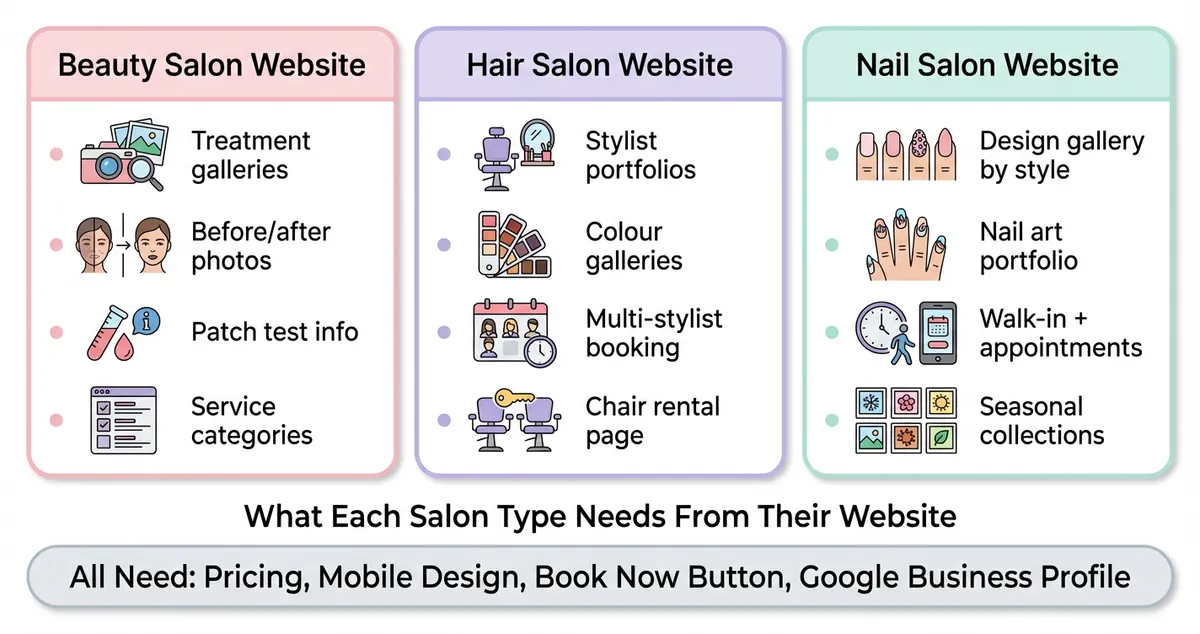
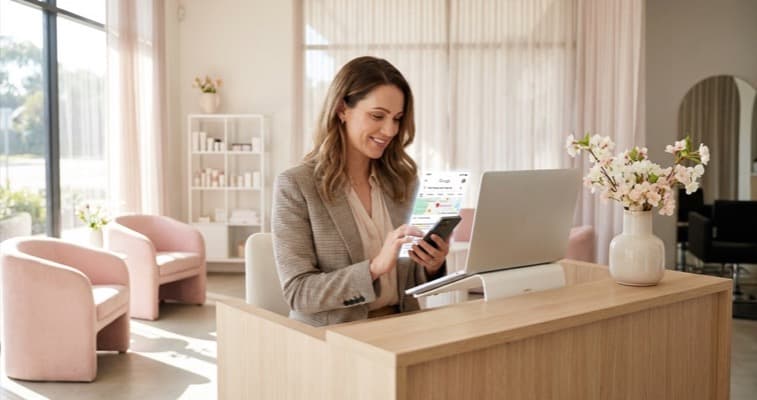
Key website features compared across beauty, hair, and nail salons
Finally, all the salon website examples above share one trait: they work brilliantly on phones. 53% of mobile users abandon a site that takes longer than three seconds to load. Since most salon clients browse on mobile, the best salon website examples are essentially mobile-first designs that also work on desktop.
Mobile design patterns that work:
- Sticky booking bar: fixed at the bottom of the screen, always visible
- Hamburger menu: clean navigation that doesn't clutter the screen
- Thumb-friendly buttons: large tap targets, no tiny links. Buttons should be at least 44x44 pixels, the minimum recommended by Google for mobile usability
- Fast loading: under 3 seconds on mobile data. Compress images, minimise scripts
- Swipeable galleries: natural mobile interaction pattern for browsing designs
If you're only designing your salon website on a laptop screen you'll always lose clients to salons whose sites work perfectly on a phone. Test every page on your actual phone before publishing.
If You Only Have 30 Minutes a Week
You've seen what good salon website examples look like. Here's how to apply those lessons. Between a late cancellation and your next rebooking, studying salon website examples is one of the most productive uses of your time:
- Week 1 (30 min): Search "beauty salon [your town]" on Google. Visit the top three results. Screenshot what you like: their treatment menu layout, booking buttons, photo quality
- Week 2 (30 min): Search "nail salon website design" on Google Images. Save five designs that match the style you want for your salon
- Week 3 (30 min): Compare your screenshots against your own website (or plan). A beauty salon owner might notice that every top competitor has a sticky booking button on mobile, but hers requires scrolling to the bottom of the page. List three specific changes to make
- Week 4 (30 min): Implement the highest-impact change: typically adding a booking button or uploading better photos
Would you book a treatment at any of the salon websites you just browsed? Apply the same standard to your own.
Weekly Action
- Browse three competitor salon websites. Search your main treatment plus your town on Google. Visit the top three salon results and note one thing each does well that your site doesn't.
- Take five new photos this week. One exterior shot, one treatment room, and three of your strongest pieces. These become your website's visual foundation.
FAQ
Where can I find salon website examples?
Search your main service plus your town on Google (e.g., "beauty salon Manchester") and visit the top-ranking results: these are the sites Google considers best for your area. You can also browse template galleries on Wix, Squarespace, and WordPress for salon-specific design inspiration. For curated design guidance, see our salon website design guide.
What makes a salon website look professional?
Clean branding. Good photos. Clear prices. A booking button you can find. A layout that works on a phone. Professional doesn't mean complex. The best salon websites are clean and simple. Avoid clutter, stock photos, and buried booking links.
How many pages does a salon website need?
At minimum: a homepage, treatment menu with pricing, portfolio gallery, about page, and contact/location page. Most effective salon websites also include aftercare guides, an FAQ, and individual treatment pages for SEO. For a complete breakdown, see our website for beauty salon guide.
If you're a salon owner looking to improve your online presence, Local Brand Hub for beauty salons can help you manage your marketing and website visibility in one place.
Key Takeaway
Every great salon website puts the booking action within one tap of any page. Treatment menus with clear pricing convert better than generic service lists. Authentic photos of your work outperform stock images for building trust. Mobile design isn't optional: most clients browse on their phones. Hair salons need stylist profiles, beauty salons need treatment galleries, nail salons need design portfolios. Study competitors in your local area, not just template galleries: see what's actually working nearby. The best salon websites don't look like marketing. They look like a confident, well-organised business that makes booking easy.
For restaurants, salons, and local businesses
Need help with your marketing?
We help UK businesses turn social media into real results, not busywork.
Start freeGet More Marketing Tips
Practical marketing tips for UK business owners, straight to your inbox. No spam, unsubscribe anytime.
About the Author
Local Brand Hub
Empowering UK Businesses
Local Brand Hub provides comprehensive business management tools designed specifically for UK local businesses to streamline operations, automate marketing, and grow revenue.
More articlesRelated Articles
 Marketing Tips
Salon Website Design: Principles That Convert
Salon website design principles that turn visitors into bookings. Colour psychology, mobile UX, booking CTAs and typography tips for UK beauty salons.
 Tutorials
Website for Beauty Salon: What Pages You Actually Need
Build a website for beauty salon bookings that converts. Which pages you need, what content to include, and how to set up online booking for UK salons.
 Marketing Tips
SEO for Beauty Salon: How to Get Found on Google
Step-by-step SEO for beauty salon owners who want to rank on Google. Covers Google Business Profile, keywords, reviews, and local citations.